

Download and Sign In
1
Download
Get Slashy from the App Store.
2
Sign in
Tap Sign in with Google, or Sign in with Microsoft to use an Outlook.com or Microsoft 365 account. Use the same account as Slashy web/desktop. See Connecting Outlook.
3
Sync
Your inbox syncs in 2-5 minutes. Labels, memories, and settings carry over automatically.
Swipe Gestures
Each direction has two levels — short swipe and long swipe — giving you four actions total on inbox cards. Haptic feedback confirms which action you are about to trigger. Open a thread and swipe left or right on the message to move between it and the next or previous email without going back to the list.
Customize swipes: Settings > List swipes (inbox rows) and Reading swipes (the open message). Reorder actions with a live preview. Choose None for either direction to turn that side off; picking an action again turns it back on.
Customize the thread toolbar: Settings > Email actions lets you choose and order the quick actions on an open email.
Force-Touch Notification Actions
Press and hold a Slashy notification to reveal Mark Done, Later, and Delete without opening the app.Share to Slashy
Share a link, photo, or file from any app to Slashy: tap the iOS share icon, choose Slashy, and it opens a new compose window with the item already attached.Voice Transcription
On-device speech recognition (whisper-small). No audio sent to the cloud.- Open any compose window.
- Hold the “Hold to speak” button and talk.
- Release. Speech transcribes instantly into the compose field.
Pull Down for Refresh, Search, or Command
Pull down on the inbox, slide sideways to Search, Refresh, or Command, and release. Refresh is the default when you pull straight down. Command opens the mobile command sheet.Two-Finger Command Sheet
Tap with two fingers anywhere in the app to open the mobile command sheet, the counterpart to the web command palette (Cmd+K). It shows actions for the open thread first, followed by compose and navigation commands.
Mobile Compose
- Editable quote. The quoted previous message in a reply is editable, so you can trim or annotate it before sending.
- Original attachments carry over. Replying keeps the original message’s attachments attached.
- Reply-all by default. Tapping reply on mobile defaults to Reply All, not Reply — the opposite of desktop’s single-reply default. Switch to a single reply from the same menu. Reply all keeps your other connected accounts on the recipient list when they were on the thread.
- Write with AI. Tap the sparkle in the compose toolbar to open the Write with AI sheet. Type an instruction, or tap the waveform and say it. The result appears as a preview in the sheet, and nothing enters your draft until you tap the checkmark. Swipe the sheet down to leave the draft untouched, or tap the regenerate button for another version.
- Photos. The photo picker lets you select several photos at once.
- Drafts in your inbox. A new draft stays visible in the inbox until you send it, discard it, or mark it Done, so it is easy to pick up where you left off.
- Snippets. Insert a saved snippet from the compose toolbar, or type
/in the body to trigger the picker. - Slashy inside Messages. In your iMessage conversation with Slashy, open the Slashy app from the app drawer to read and send drafts without leaving Messages. The thread history sits behind
•••. See What you can do via iMessage. - Polls. On iOS 26, Slashy asks decisions as native iMessage polls; tap an option to answer.
Bulk Actions
Long-press any thread to enter multi-select mode (haptic pulse confirms). Tap additional threads to add them to the selection, or tap Select All to grab every thread in the current view. A bottom action bar appears with: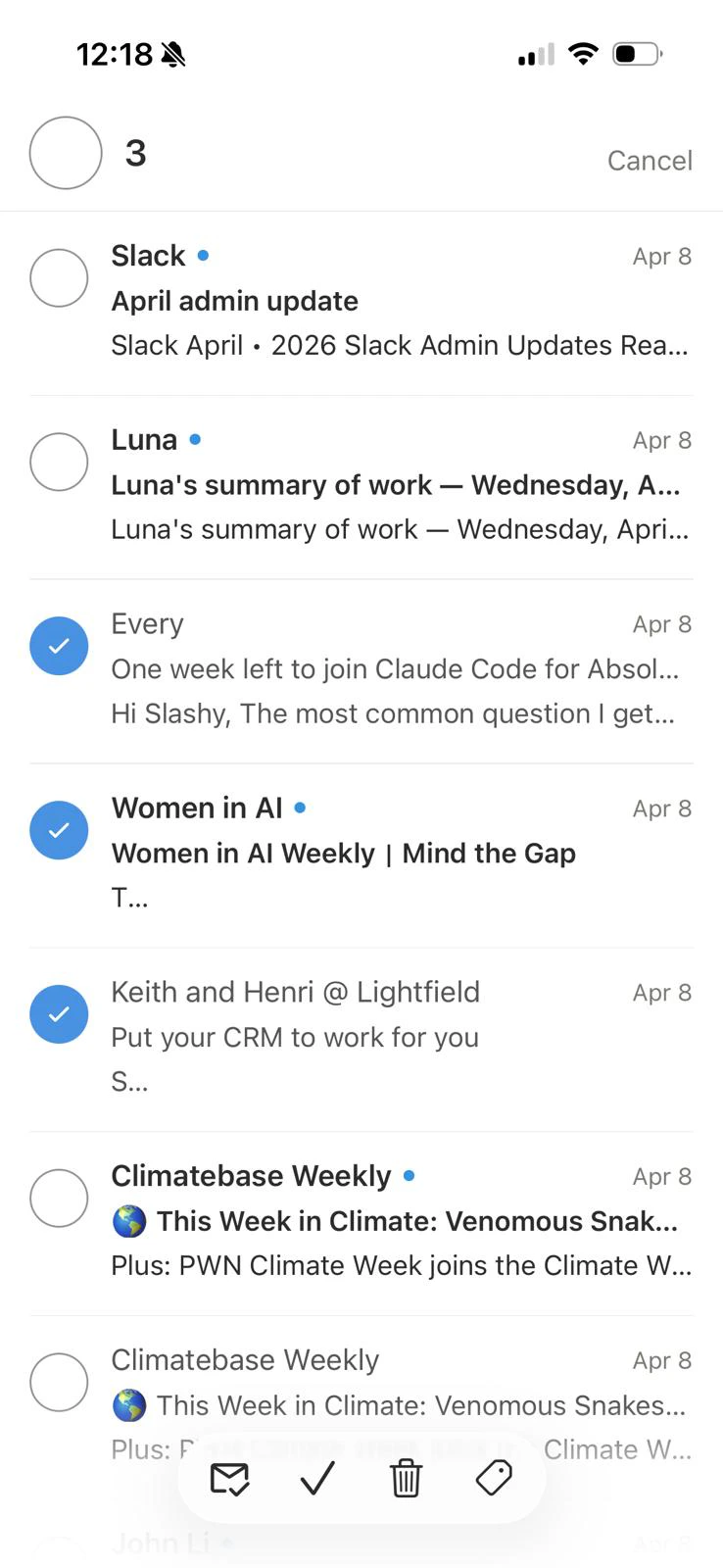
Sidebar Navigation
Open the sidebar with the menu icon in the inbox header.- Mail — Inbox, Starred, Reminders, Scheduled, Drafts, Sent, Done, Trash, and Spam, with counts. Teams also see Shared.
- Labels — your importance labels. Tap one to narrow the inbox.
- Calendar — your agenda.
- Settings
- Recently opened — the threads you have been in lately.
Contact Profiles
Tap a contact in search results to open their profile: the mail you have exchanged, meetings you share, and buttons to email or copy their address. Start a new email to them straight from the page.Print or Save as PDF
Open a conversation, then choose Print in the thread actions. The iOS print sheet prints the conversation or saves it as a PDF.One-Time Code AutoFill
On iOS 18 and later, Slashy can suggest one-time codes from your email when an app or website asks for one. Turn it on in Settings > Mail > Verification code AutoFill. See Forward one-time codes.Calendar
Open the calendar from the sidebar or the bottom navigation to see your agenda, RSVP, and join calls. Create an event from the create-event sheet: add guests and see whether each one is free, busy, or has not shared their calendar, and pick the event’s time zone. Tap an event’s location to open it in Maps. See Calendar agenda on mobile.Push Notifications
Enabled by default. If not working:- iPhone Settings > Notifications > Slashy — confirm allowed.
- In-app Settings > Inbox > New mail notifications — confirm the toggle is on.
- Force-quit and reopen to re-register the notification token.
Slashy suppresses notifications for threads you are currently viewing.
Multiple Accounts
Settings > Add email account, choose Google or Microsoft, and complete sign-in. Switch accounts from the account button in the inbox header, or select All Accounts for a unified inbox. If an inbox disconnects, Slashy shows a Reconnect prompt right on mobile — tap it to redo OAuth without opening the web app.iPad
The iPad app adapts to the larger screen instead of just scaling up the iPhone layout.- Compose like web. The composer keeps its formatting, link, and AI controls within reach, including with a hardware keyboard attached.
- Trackpad swipes. A two-finger swipe on a trackpad triggers the same swipe actions as a touch swipe.
- Landscape split view. Rotate to landscape for a list-and-detail layout: threads on the left, the open message on the right.
- Swipe-to-triage in the detail pane. The same swipe gestures work directly on the open message, not just in the list.
- Rotation keeps your place. Switching between portrait and landscape mid-session preserves the selected thread, scroll position, and any open draft.
- iPad-native sheets. Compose, settings, and the command sheet use iPad’s wider sheet presentation instead of the iPhone full-screen modal.
- Hardware keyboard support. With a keyboard attached,
Cmd+Kopens the same command palette as web, with shortcut hints shown alongside each row.
TestFlight Migration
If migrating from the beta: download the App Store version, sign in with the same account, then delete the TestFlight build. Data syncs from the server.Known Limitations
For issues not listed here, email founders@slashy.com or use Settings > Support in the app.
Related Articles
Your First Week
Day-by-day onboarding guide.
Calendar on Mobile
Agenda view and the create-event sheet.
Desktop App
Install the macOS desktop app.
Mobile Fixes
Troubleshoot common mobile issues.
Team Settings
Invite teammates and manage your team.