

Agent Sent an Email Without Permission
This is the most serious scenario. Act immediately.1
Verify what was sent
Press
g then t to go to Sent. Check recent emails for anything you did not write or approve.2
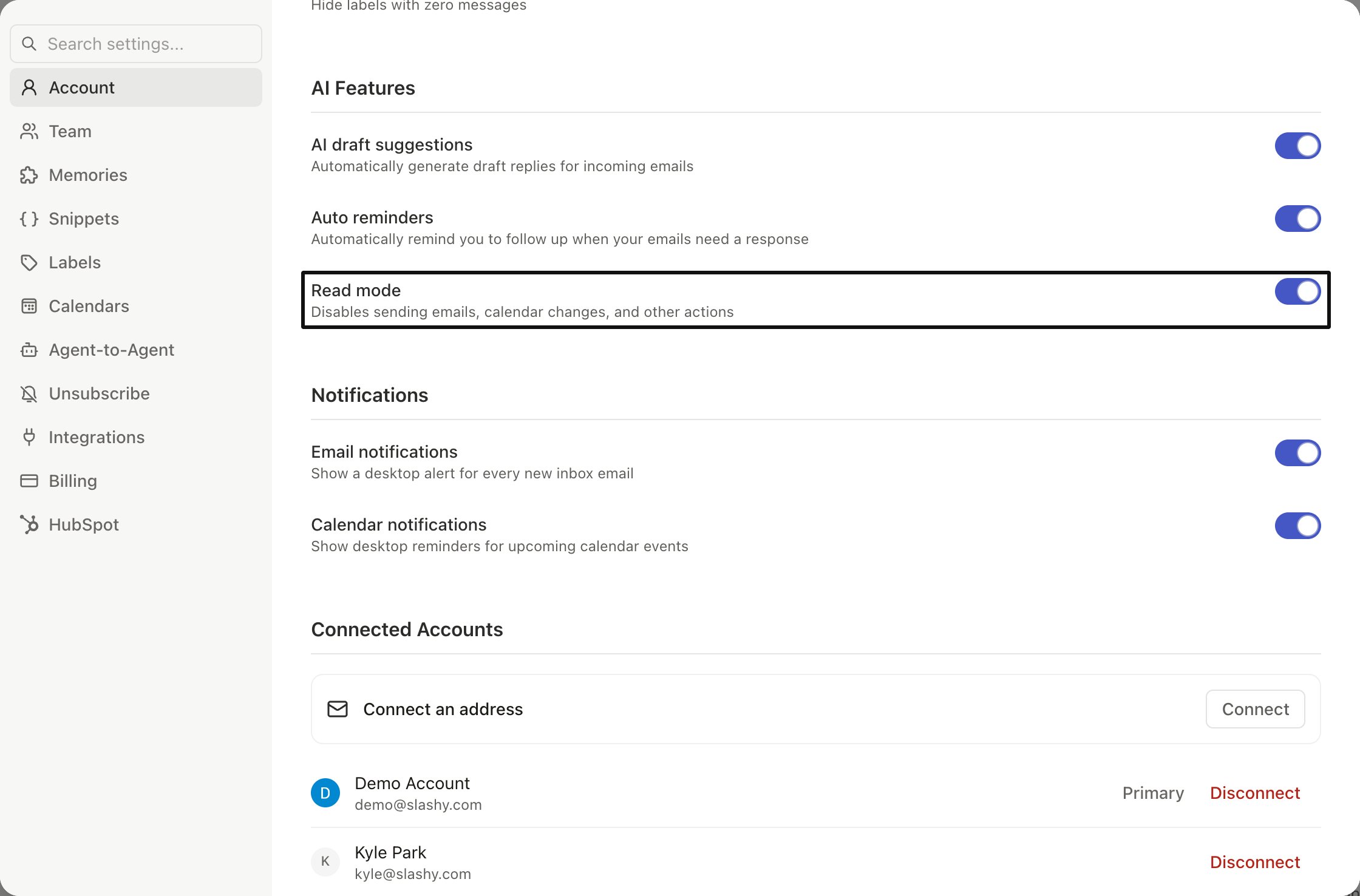
Enable Read Mode
Settings (
Cmd+,) > toggle on Read Mode. This prevents the agent from sending emails, modifying threads, or creating events. It can still search, read, and draft.3
Check automations
Settings > Automations — review all enabled triggers and agent reminders. Disable any automation that might be sending on your behalf.
4
Report it
Contact support with: approximate send time, subject line, recipient, active automations, and a screenshot.
Agent Says It Sent but Didn’t
Sometimes the agent says “I’ve sent the email” when it actually created a draft. This is a known issue. How to verify:g t(Sent) — if the email is not there, it was not sentg d(Drafts) — the email is likely here as an unsent draft- Open it, review, and send manually
AI Review Reverts Your Edits
If you edit an AI draft to sound more natural, then run an agent review, the review may overwrite your changes with AI-generated text. How to avoid this:- Run agent review before your manual edits, not after
- Use
Cmd+Zto undo if the review overwrites changes - Select only the specific passage you want changed, rather than running a full review
Read Mode: Your Safety Switch
- Can do
- Cannot do
- Search and read emails
- Answer questions about your inbox
- Create drafts for review
- Look up calendar events
Cmd+,) > Account > Read Mode. Keep it on until you trust the setup.
Disconnect Your Email
If you need to fully disconnect Slashy from Gmail:- Settings > Account > Connected Accounts > Disconnect
- Or revoke access from myaccount.google.com/permissions
Preventing Surprises
- Audit automations regularly — disable anything you don’t actively use
- Use Read Mode when learning — disable once you trust the setup
- Check Sent after agent interactions —
g tto verify - Be explicit — say “draft a reply” instead of “reply” if you want to review first
- Add a memory — “Always draft emails for my review, never send directly”
Automations Overview
Configure and manage AI automations safely.
Customize Your Agent
Train the agent to match your voice.