

Sign in with Microsoft
On the sign-in page atslashy.com/login, choose Sign in with Microsoft. New accounts see Continue with Microsoft during onboarding. The desktop app and the iOS app offer the same option on their sign-in screens. Team invite links also let you accept with a Microsoft account.
Add an Outlook account to an existing Slashy account
1
Open Connected Accounts
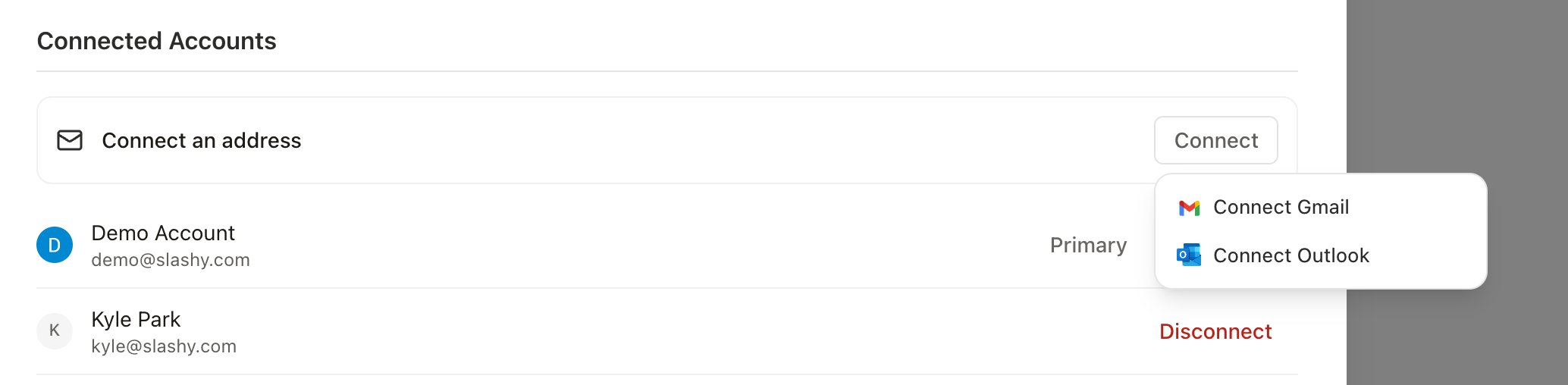
Go to Settings > Account (
Cmd+,) and scroll to Connected Accounts. You can also click Add account at the bottom of the sidebar.2
Choose Outlook
Click Connect, then choose Connect Outlook. On iOS, choose Outlook from the Add account options.
3
Approve access
Sign in with Microsoft and approve the permissions. On desktop, the sign-in opens in your browser and returns you to Slashy.
4
Wait for the first sync
Your history downloads in the background, the same as a Gmail account. See Email and Calendar Sync Issues.
What syncs
Outlook accounts appear next to your Gmail accounts in the sidebar and in All mode. See Manage Multiple Email Accounts for how accounts share and separate settings.
What works differently from Gmail
Signatures
Signatures
Microsoft does not share your Outlook signature with other apps, so Slashy does not detect it. Add one yourself in Settings > Account > Signature. The row appears once an Outlook account is connected. Include signature in replies controls whether it is added when you reply or forward. See Signatures.
Attachments stored in the cloud
Attachments stored in the cloud
Attachments that are cloud links, not files, cannot be downloaded inside Slashy. They show as Cloud link. Open the original message in Outlook to reach the file. Slashy warns you about these when you forward.
Read tracking on group emails
Read tracking on group emails
When you send a tracked email to several recipients from an Outlook account, opens are recorded without naming which recipient opened it. Emails to a single recipient show who opened them. See Email tracking.
Reconnect an Outlook account
When an Outlook account goes inactive, reconnect it from the inactive-account prompt on web, desktop, or iOS. Slashy sends you through Microsoft sign-in, and you choose the same Microsoft account you originally added.Manage multiple accounts
Use Gmail and Outlook inboxes together.
Signatures
Add and control your signature.
Calendar RSVP
Answer invitations from your inbox.
Sync issues
What to do when mail or events are missing.
Signing in
Google, Microsoft, and SSO sign-in.