

Shift+Cmd+A in a reply to drop your open time slots into the draft, or Cmd+Enter to have Slashy suggest times that work for everyone on the thread. Then click the date chip above the draft to create the event and send the invite.
Offer times in one step
1
Open a reply
Start a reply, new email, or forward. No recipient is needed yet.
2
Pick your slots
Press
Shift+Cmd+A. Your calendar opens in selection mode. Click free blocks to offer them, and drag the edges to adjust. Declined events are excluded automatically.3
Choose timezone and video
In the toolbar, set the timezone and choose Google Meet, Zoom, or Microsoft Teams, or switch to In-person.
4
Insert
Press
Enter. Slashy inserts a formatted list at your cursor.Let Slashy suggest times for everyone
On a scheduling thread, pressCmd+Enter to generate an AI draft. Slashy considers the calendars of up to five recipients and offers times that work for all of them, shown in each recipient’s own timezone when known. If a recipient’s calendar isn’t visible, they are marked “none listed” instead of being assumed free.
You can also ask the agent: “Find a time this week for a 1-hour meeting with the sales team.”
Find a gap across team calendars
Pressf in the calendar (or add a guest to the event card beside an email) to open Meet with. Add teammates and their busy time appears next to yours, so you can click an open gap to create the event. If a calendar isn’t shared with you, it reads Calendar not shared.
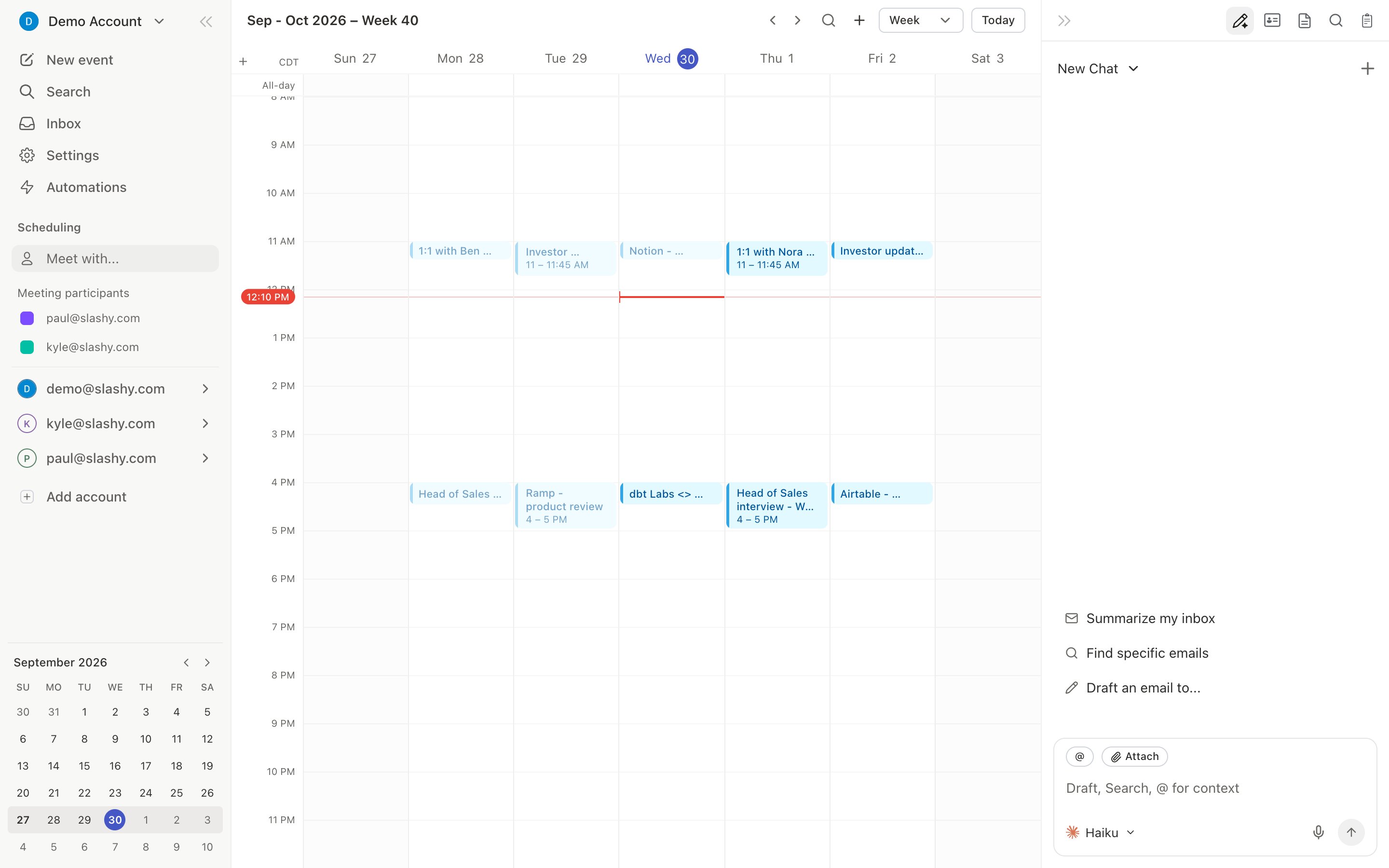
Create the event from the email
Write a time into a reply, such as “let’s do tomorrow at 1”. A chip like Tomorrow · 1:00 PM appears above the draft. Click it to open the event card with the recipient already invited, then confirm. Or pressb on any thread to create an event with context from the conversation.
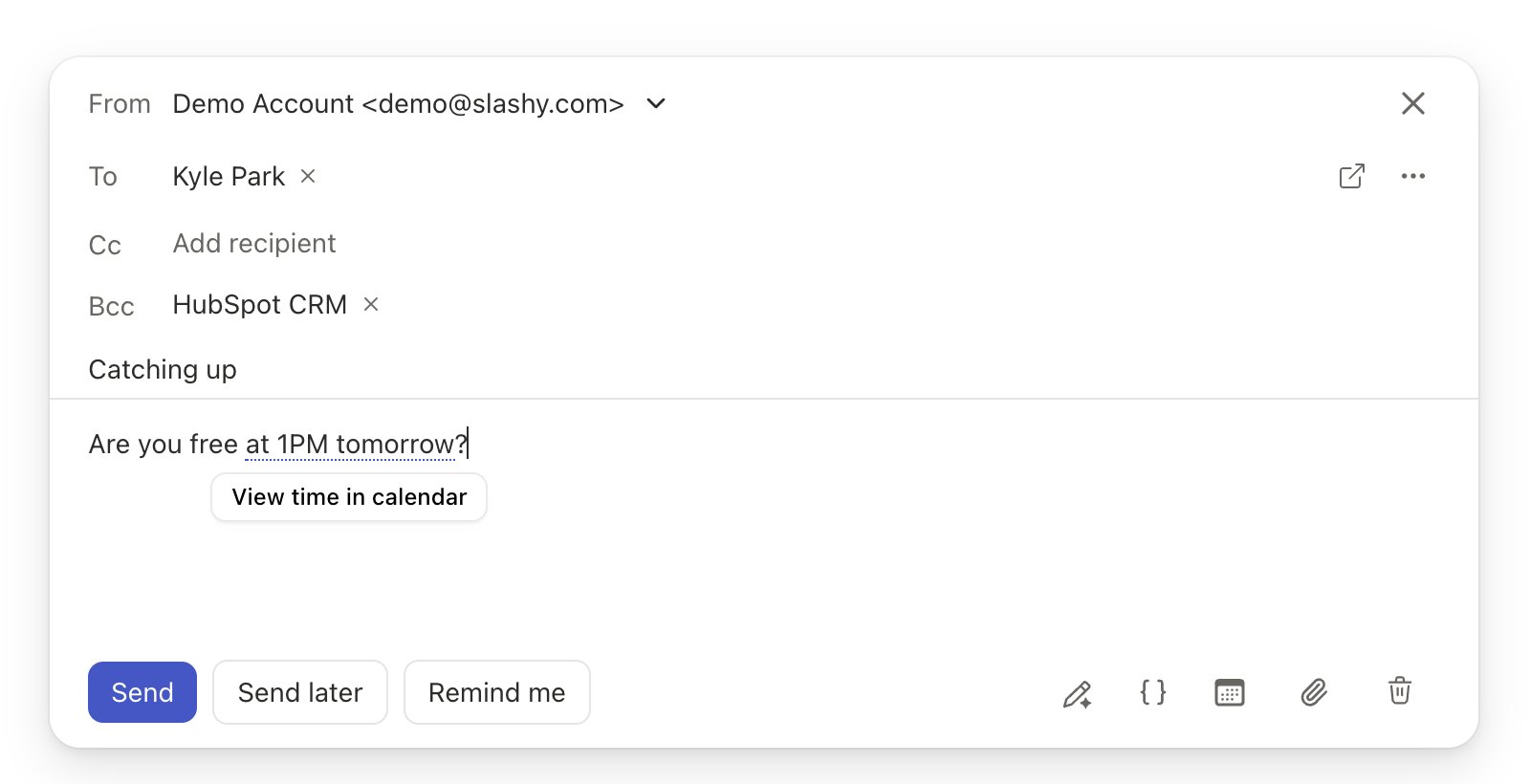
What this looks like for a team
A prospect asks for a demo with two of your colleagues. You open Meet with, add both, and spot a Wednesday gap. You pressShift+Cmd+A, select the slots, and send. The prospect replies “Wednesday works”, you click the date chip, and the invite goes out with a Meet link.
Does Slashy offer slots I've declined?
Does Slashy offer slots I've declined?
No. Events you have declined are excluded, so old invites never reduce your real availability.
Can I set a default video provider?
Can I set a default video provider?
Yes. Go to Settings → Calendars → Conferencing providers and choose Set as default on a provider.
Does it work with Outlook calendars?
Does it work with Outlook calendars?
Yes. On an Outlook or Microsoft 365 calendar the video option is Microsoft Teams.
Can I reply to an invite from email?
Can I reply to an invite from email?
Yes. Accept, decline, or propose new times from the thread. See RSVP from email.
Sharing your availability
Insert open slots in any draft.
Meet with
See teammates’ busy time.
Creating events and invites
Chips, conferencing, and recurrence.
RSVP from email
Respond to invites from a thread.