

How the trial works
Signup collects a card on file through Stripe. The card is not charged during the trial. You get full access to every paid feature for the trial period, including AI drafts, the agent, automations, and calendar. Current pricing is shown in your account during checkout, so you always see the exact amount before the card is charged.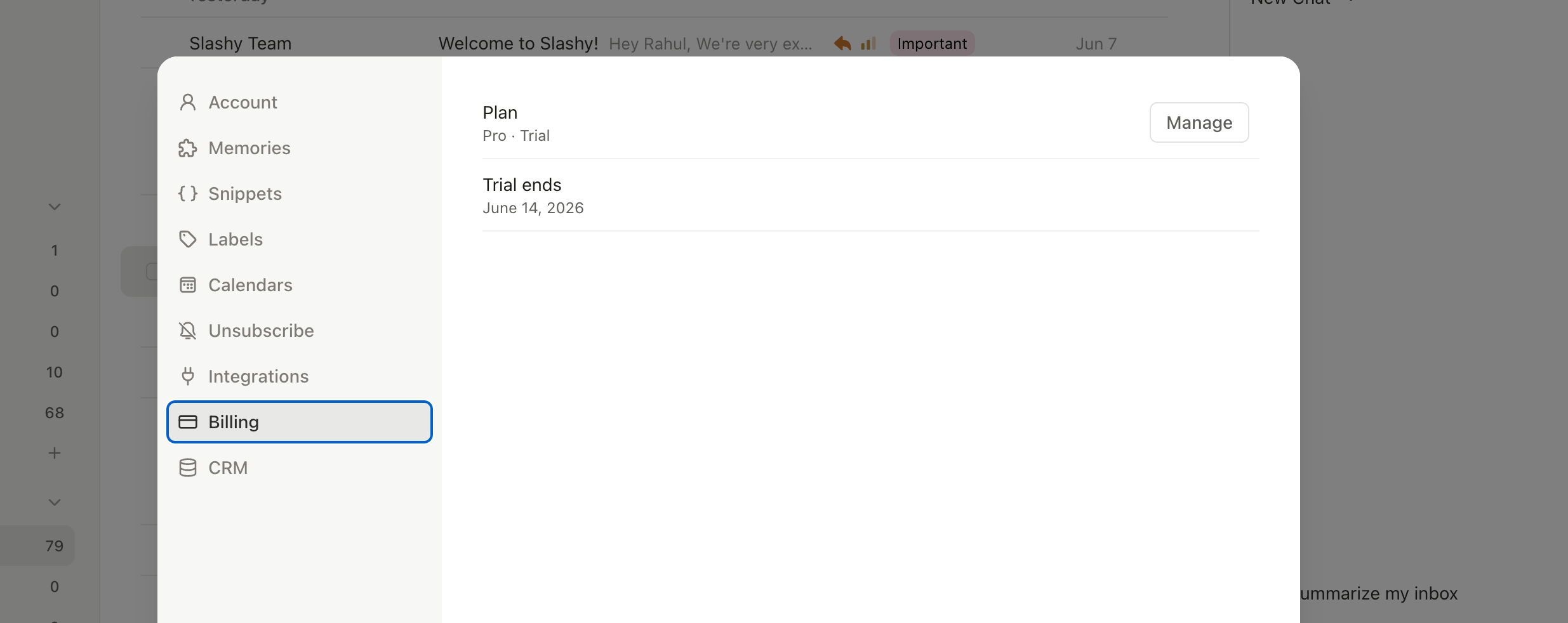
Where to find billing
Open Settings, then choose the Billing tab. Everything related to your subscription lives there.1
Open Settings
Press
Cmd+, or click your avatar and choose Settings.2
Choose Billing
Select Billing from the left sidebar.
3
Review your plan
The page shows your current plan, status, trial end date, next billing date, and cancellation status.
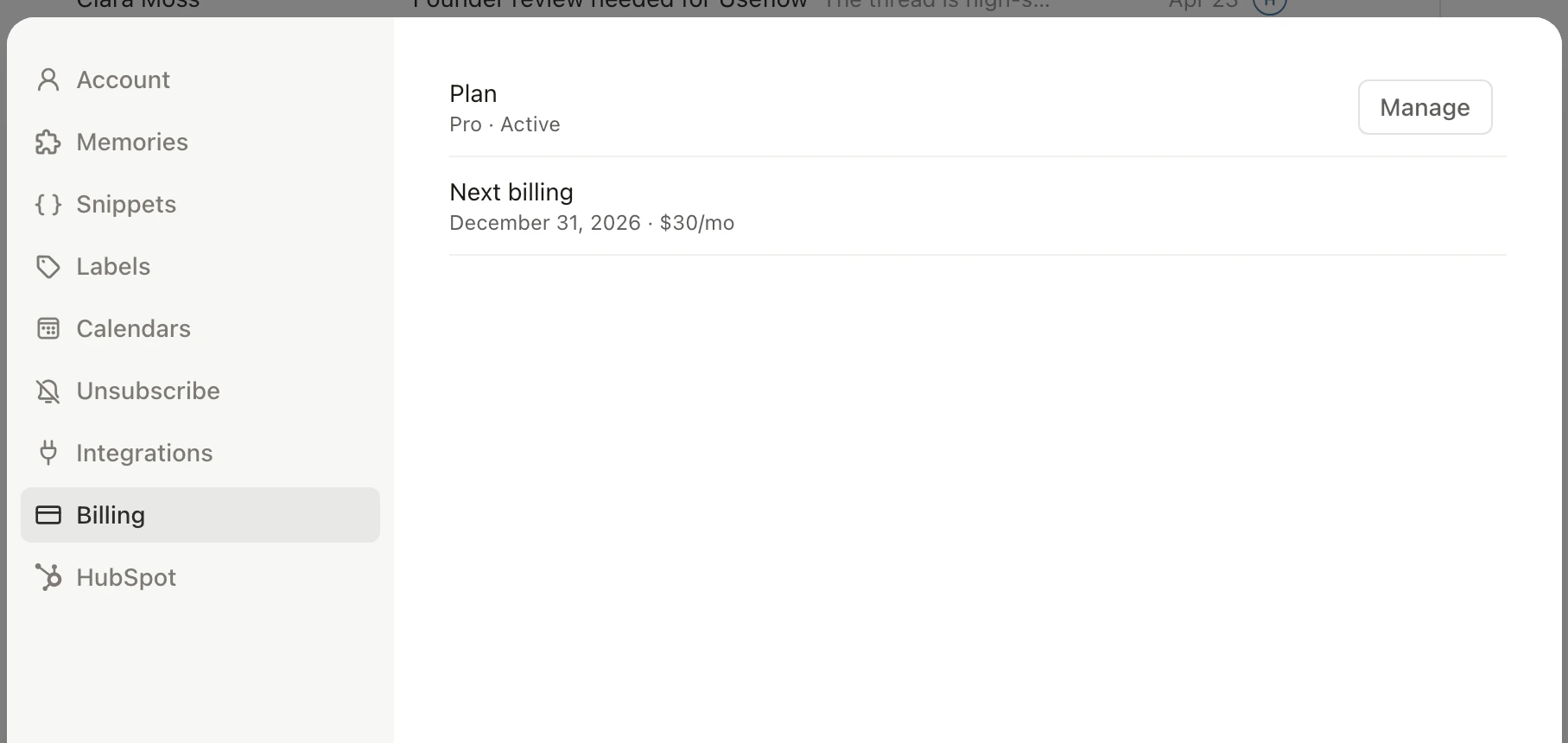
What is in the Billing tab
The Billing tab surfaces five fields you will reference most often.Update payment or invoices
The Stripe customer portal handles card changes, invoice downloads, and address updates. Click Manage billing inside the Billing tab to open it in a new tab.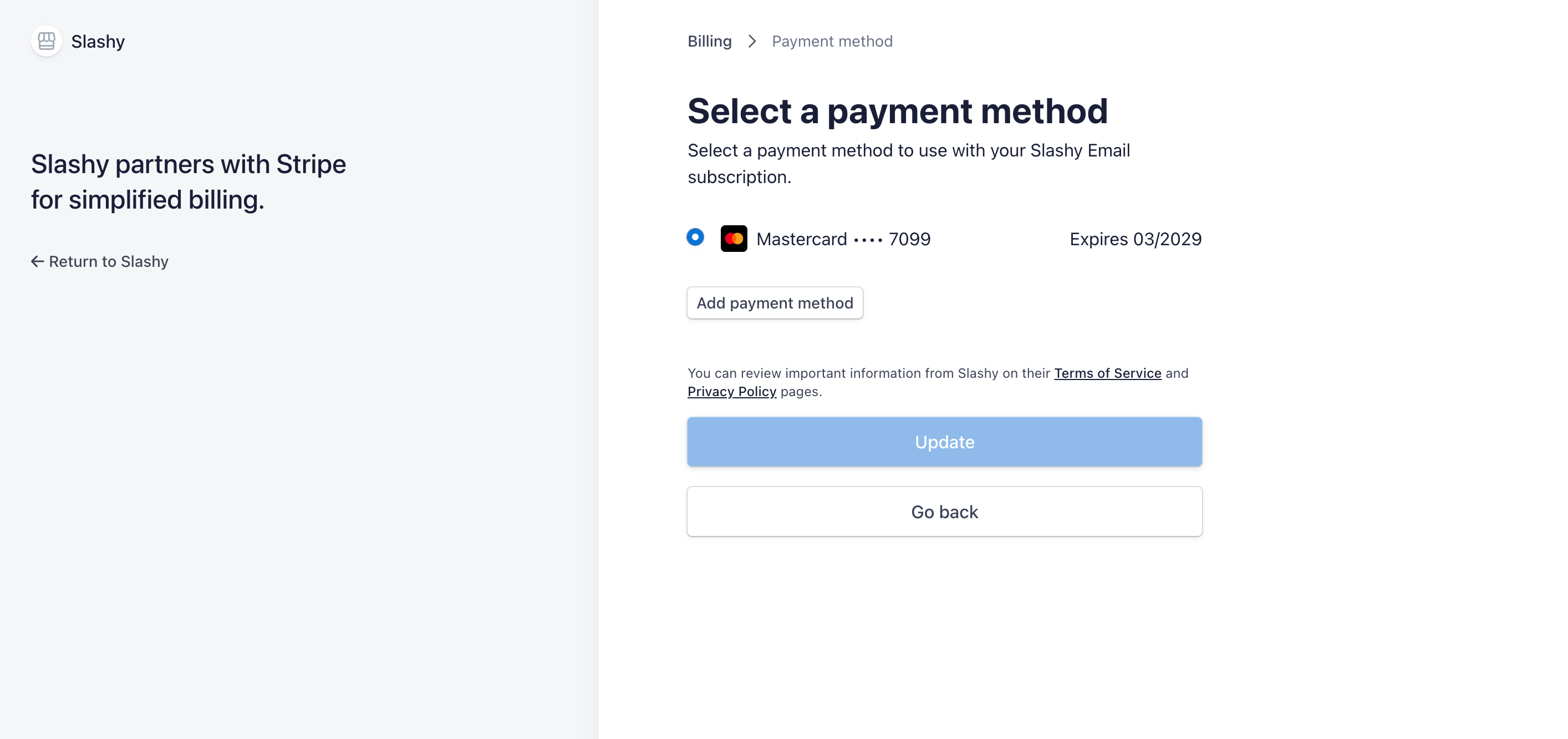
What happens when the trial ends
If the card is valid and you have not cancelled, your subscription becomes active and the card is charged. You keep access without interruption. The Billing tab status flips from Trialing to Active and the Next billing date moves forward by one billing cycle. If you cancel before the trial ends, your account stays usable through the final trial day, then access ends.Resubscribing after you cancel
You can resubscribe any time. When you sign in with a cancelled subscription, Slashy shows a resubscribe screen instead of the trial signup. Resubscribing starts your plan right away, without a second free trial.If a payment fails
If a charge fails, the status changes to Past due. When you sign in, Slashy sends you to update your payment method instead of asking you to start a trial. Update the card in the Stripe portal and the charge retries automatically.Teammates who join your plan
When a teammate accepts your team invite, they are added to your subscription as a seat and you are billed for them. If a payment is needed to add them, your Billing tab shows Finish payment to add your teammate with a Complete payment button. A teammate’s own Billing tab shows Paid by and the name of the person covering them. See Managing your team.Signing in
Get into your Slashy account.
Connecting Gmail
Bring your inbox into Slashy.
Redeeming an invite code
Skip the payment step at signup.
Your first week
Get the most out of the trial.
Managing your team
Invite teammates and see how seats are billed.
Disconnecting
Remove an account from Slashy.