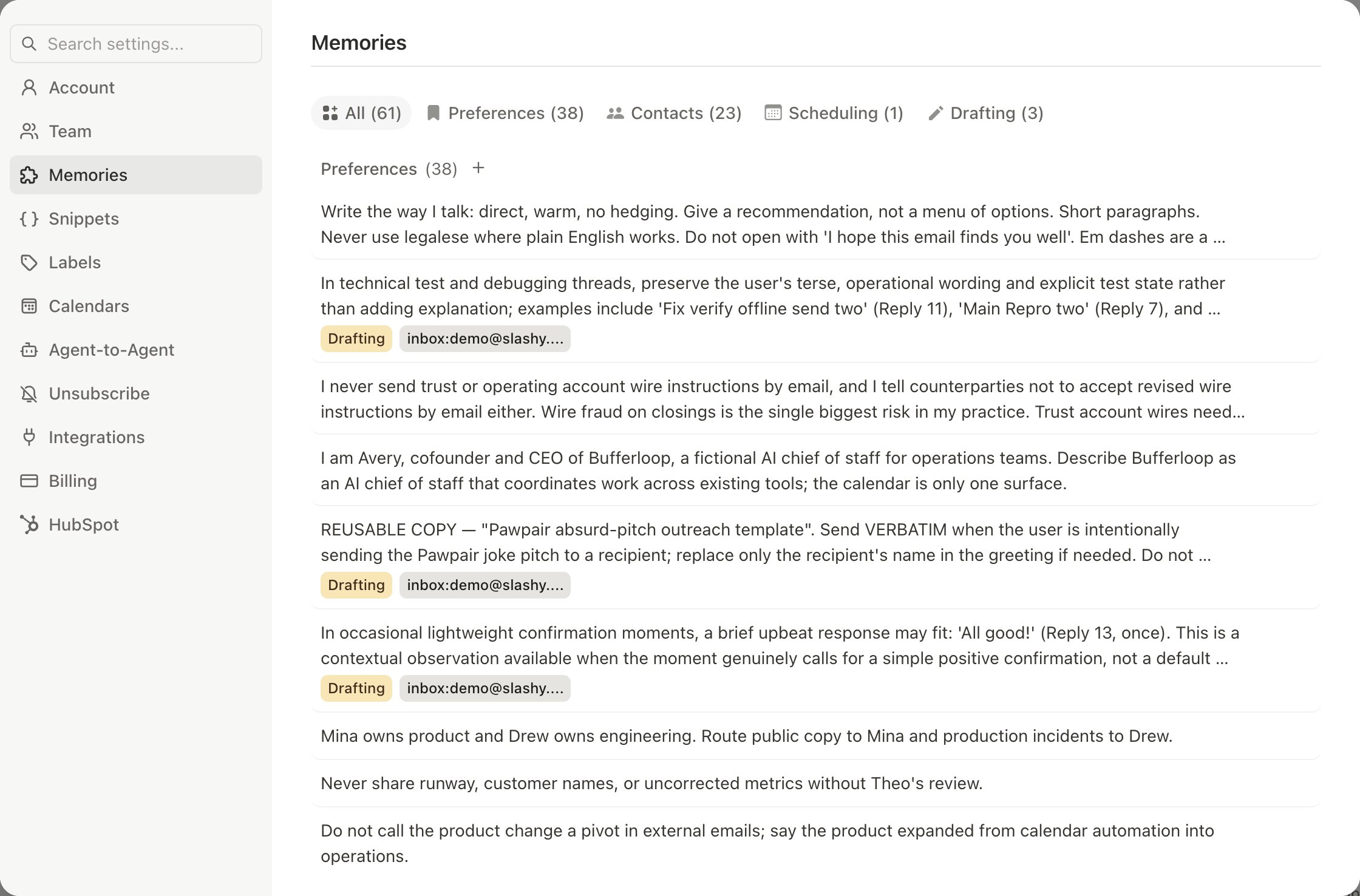
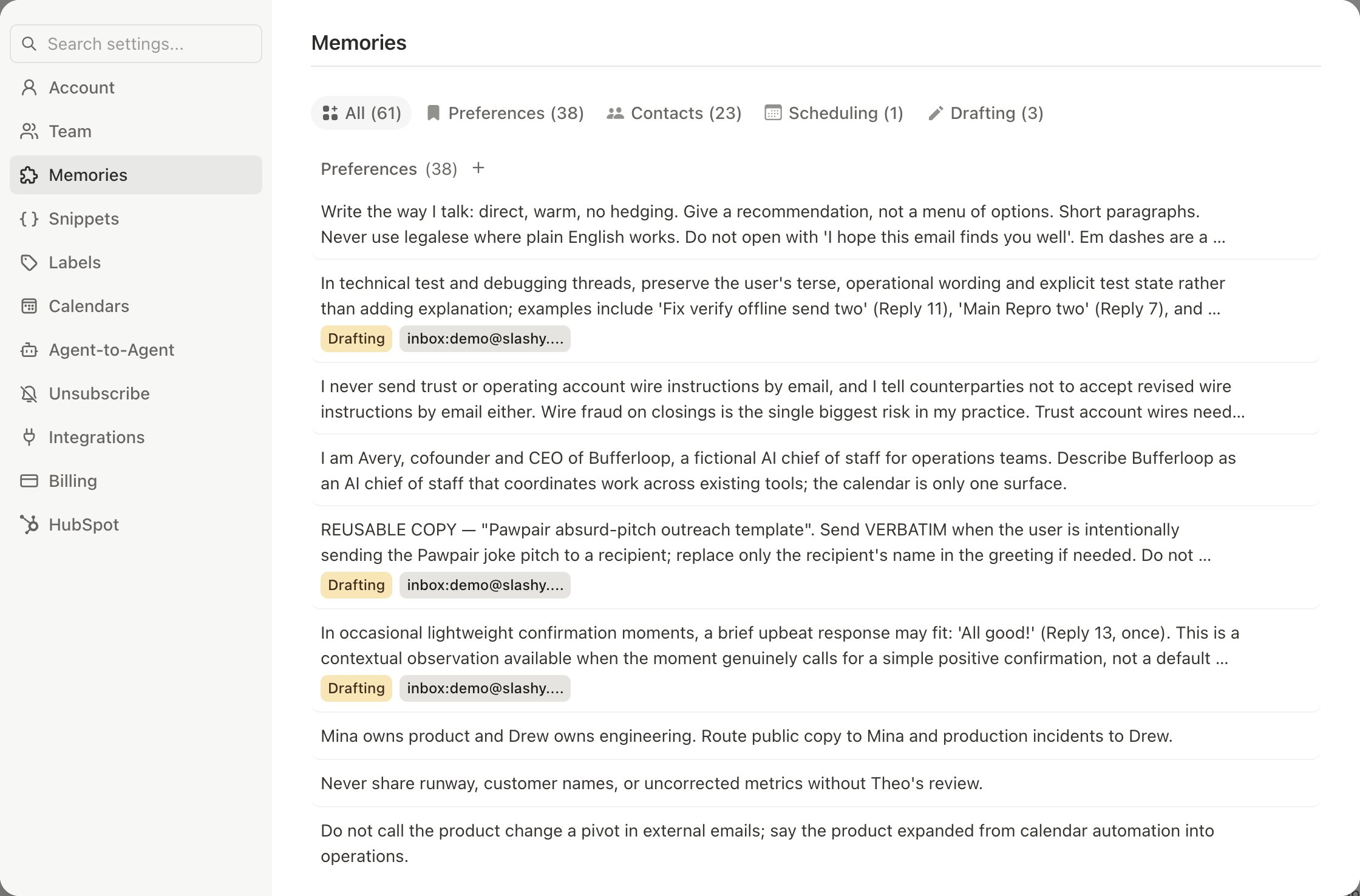
Memories are facts, preferences, and instructions Slashy stores and applies every time it drafts, answers a question, or runs an automation. More memories mean more personalized, accurate output.

Memory Types

TypeWhat It StoresExample
About MeYour preferences, rules, writing style”I prefer short, direct emails with no filler.”
About EntityFacts about a person, company, or domain”Sarah at Sequoia prefers calls for urgent items.”
TodoCommitments with optional due dates”Follow up with James about Q4 budget by Friday.”
SnippetSaved email phrases and templatesA standard onboarding intro paragraph.
The AI retrieves the right memories automatically based on context — replying to Sarah pulls your About Me preferences plus any entity memories anchored to her.

The Anchor System

Anchors control when a memory surfaces:
AnchorFormatWhen It Surfaces
Emailjohn@sequoia.comInteractions with that address
Domain@sequoia.comInteractions with anyone at that domain
Activityactivity:schedulingWhen the AI performs that activity
AlwaysalwaysEvery interaction

Creating Memories

Open the sidebar (Cmd+Shift+L) and tell the agent what to remember in plain English:
  • “Remember that I never use exclamation marks.” — Saved as About Me, anchor: always
  • “Remember Mike at Acme prefers bullet points.” — Saved as About Entity, anchored to Mike’s email
  • “When scheduling, always offer my Zoom link and three time slots.” — About Me, anchor: activity:scheduling
The agent infers type and anchor automatically. Correct it if needed.
Agent sidebar saving a memory about investor communication preferences

Auto-Extraction

Slashy automatically extracts memories from your emails and agent conversations. If a contact mentions parental leave or you commit to sending a document by Friday, the AI creates the memory for you. Review auto-extracted memories periodically in Settings > Memories and delete anything stale.

Managing Memories

In Settings > Memories you can browse, filter, edit, and delete memories. Changes take effect immediately. You can also ask the agent: “Delete the memory about John’s old phone number” or “Update my scheduling memory to include my new Zoom link.”
Todo memories auto-dismiss 14 days past their due date to prevent stale commitments from cluttering your memory system.

Best Practices

  • Start with 3-5 writing style memories. These have the biggest immediate impact on draft quality.
  • Add entity memories for frequent contacts. Drafts improve significantly with recipient context.
  • Be specific. “Limit emails to 3 sentences unless the topic requires detail” beats “Keep emails short.”
  • Review auto-extracted memories monthly. Stale information hurts quality.
  • Use activity anchors for context-specific rules (scheduling vs. drafting).

Customize Your Agent's Writing Style

Fine-tune tone, sign-offs, and phrasing.

How AI Drafts Work

The drafting pipeline and how to train it.