

What Slashy does automatically
Slashy works ahead of you, but the automatic work stops short of sending:- AI drafts are written and waiting in the reply box for you to read, edit, and send. A draft is never sent on its own.
- Auto-reminders nudge you to follow up. They do not email the other person.
- Importance labels, search, and meeting prep only read and organize. They take no outbound action.
When Slashy can send
Slashy sends only when you tell it to, in one of these explicit ways:- You press send on a draft or an agent-prepared email.
- You ask the agent in chat or iMessage. It asks you to confirm before sending, and it does not send unprompted. If the draft should have attachments but has none, it stops and tells you instead of sending.
- You set up an automation that sends. Automations are opt-in. When you create one, you choose whether it drafts for your review or sends directly.
- You hand off a goal or a thread. When you confirm a goal or CC the Slashy assistant on a thread, the agent replies to people on that thread, and can change calendar events, without asking you to approve each email. Assistant replies come from the assistant address with you CC’d, so you see what it sent.
Read Mode: block all actions
If you want a hard guarantee while you get comfortable, turn on Read Mode in Settings, then Account (also reachable from the agent sidebar). With Read Mode on, the agent can still search, read, research, and draft for your review, but it cannot send email to other people or create, change, or delete anything. That includes goals and assistant handoffs. Send-capable automations pause while read-only ones keep running.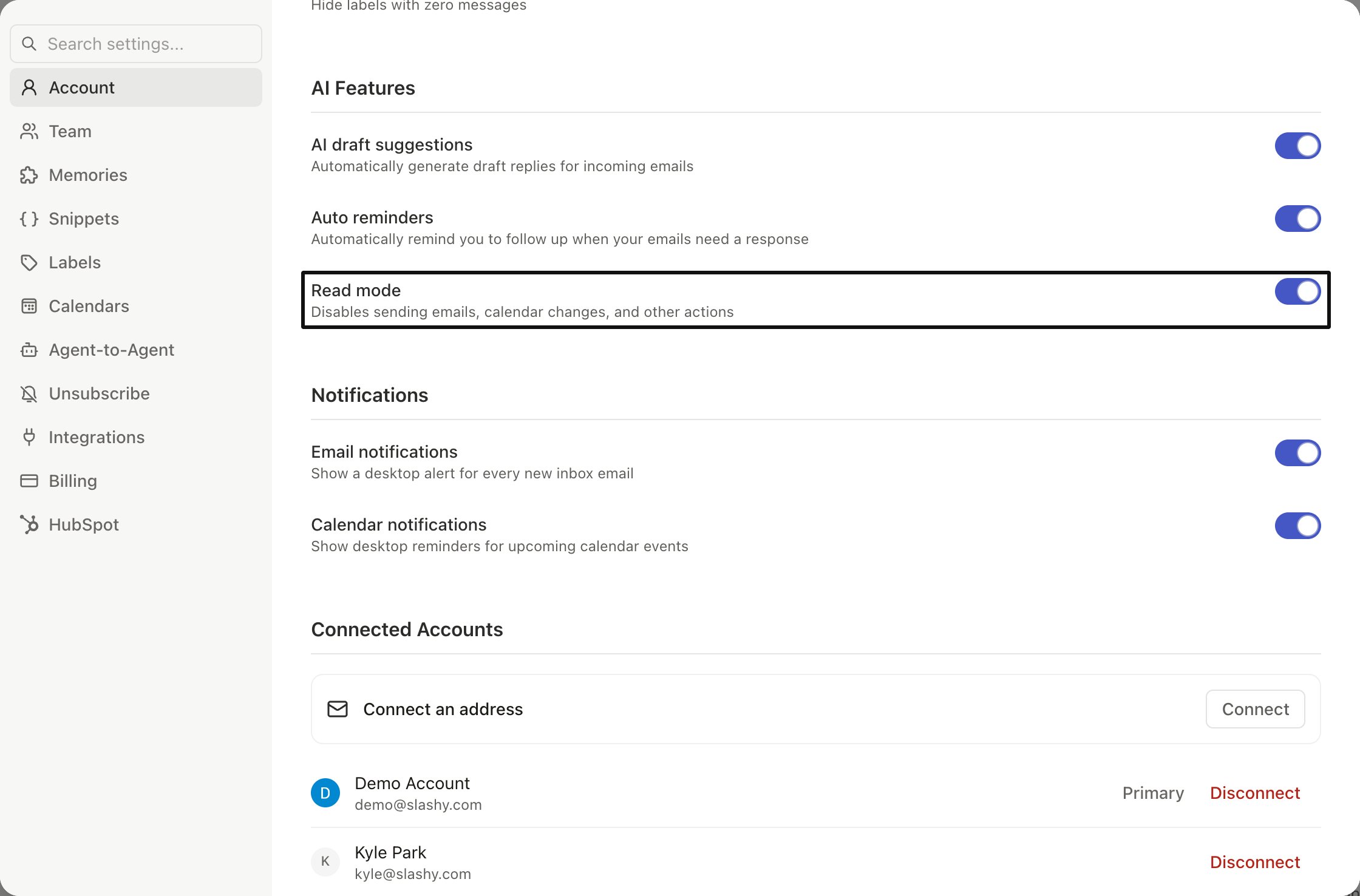
Undo on send
When you do send, Slashy holds the message for a few seconds so you can pull it back. See Scheduled send and undo.Agent autonomy
Exactly what the agent will and will not do.
Assistant email
Hand a thread to the Slashy assistant.
Security and privacy
What Slashy can and cannot access.
Automations
Build automations that draft or send on your terms.