

Before troubleshooting, check status.slashy.com. If an incident is in progress it shows there, and you can subscribe for email updates until it is resolved.
How Often Slashy Syncs
Slashy does not poll Gmail on a timer. Google pushes a notification to Slashy the moment something changes in your mailbox, and Slashy fetches just that change. New mail normally appears within seconds of arriving in Gmail. That means there is no sync interval to configure and no manual refresh you are supposed to run. If mail is minutes behind rather than seconds, something is wrong rather than slow, and the steps below apply. Two things are worth knowing:- Initial sync is different. The first connect downloads your history in bulk and takes longer. See Empty Inbox After First Login below.
- The push subscription is renewed automatically. Google expires these subscriptions on a rolling basis, and Slashy renews them on a daily schedule, so a lapsed subscription heals on its own.
Empty Inbox After First Login
This is normal. Slashy downloads your entire email history on first connect.Emails in Gmail but Not in Slashy
1
Wait and refresh
Gmail push notifications can be delayed. Wait 60 seconds, then
Cmd+R to reload.2
Check the right view
The email may be in a different importance label tab. Press
g a for All Mail to see everything regardless of label. Clear any active filters (Unread Only, Starred, etc.).3
Search for it
Press
/ and search by sender, subject, or keywords. If it appears in search but not your inbox, it has synced but may be archived or in another label.4
Check spam and trash
g # for Trash, g ! for Spam. Or search in:anywhere to cover every view at once.5
Verify sync status
Settings (
Cmd+,) > Account — connected inbox should show as Connected.Calendar Not Syncing
1
Check selected calendars
Press
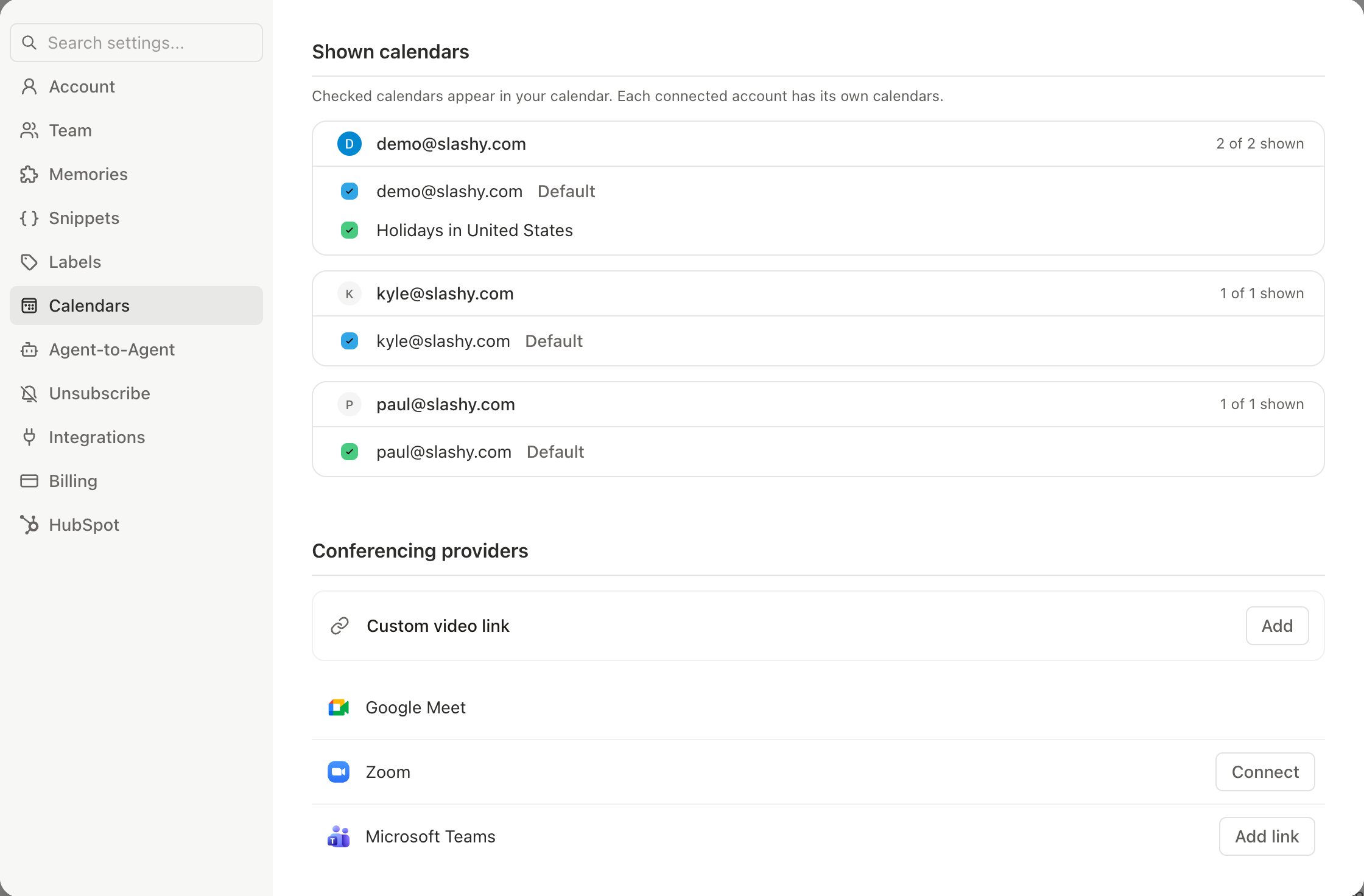
2 for calendar view, then Settings > Calendars. Make sure the calendars you want are toggled on. Shared and conference room calendars appear here too.2
Wait briefly
Calendar changes typically appear within 30 seconds. If not, reload the page.
3
Check timezone
If events appear at the wrong time, verify your timezone in Settings > Account.
How Sync Works
Multi-Account Sync
- Each inbox syncs independently
- Switch accounts with
Alt+0throughAlt+9 - Issues in one account do not affect others
Common Scenarios
Emails appear on mobile but not desktop (or vice versa)
Emails appear on mobile but not desktop (or vice versa)
One client has a stale cache. Reload the app:
Cmd+R on desktop, pull down to refresh on mobile.Actions in Slashy don't sync back to Gmail
Actions in Slashy don't sync back to Gmail
Your OAuth token may need refreshing. Disconnect and reconnect your Gmail or Outlook account in Settings.
Calendar events created in Slashy don't appear in Google Calendar
Calendar events created in Slashy don't appear in Google Calendar
Check that you are creating events on a calendar you own, not a shared read-only calendar.
I got a 'Reconnect your inbox' email or text
I got a 'Reconnect your inbox' email or text
This means your mail provider revoked access to your inbox, usually after a password change or an admin action. Open Slashy and reconnect the account in Settings > Account to resume syncing. Your mail is untouched while the connection is paused.If you use Slashy over iMessage, Slashy also texts you that it lost access to the address, with a link to reconnect. Without iMessage, the message goes to your Slack DM if you’ve connected Slack. Texts wait for daytime where you are. Until you reconnect, the agent tells you the inbox is disconnected when you ask about its mail, instead of answering from mail it can no longer update.
My work email address was renamed by an admin
My work email address was renamed by an admin
If your Google Workspace admin renames your email (for example during a domain change), just sign in to Slashy again with the new address. Slashy reconnects you to your existing inbox and data automatically, so you do not start over.
When to Contact Support
Contact support if:- Inbox empty for 30+ minutes after first connecting
- Specific emails consistently missing (not a one-time delay)
- Inbox status shows an error after reconnecting
- Actions not reflected in Gmail after several minutes
- Calendar sync completely broken (no events at all)
Need more help? Email founders@slashy.com or open the AI agent sidebar (
Cmd+/) and describe your issue. Include screenshots and your app version for fastest resolution.Gmail Migration
Full guide to moving from Gmail to Slashy.
Your First Week
Day-by-day onboarding guide.