

Teach Slashy your voice
1
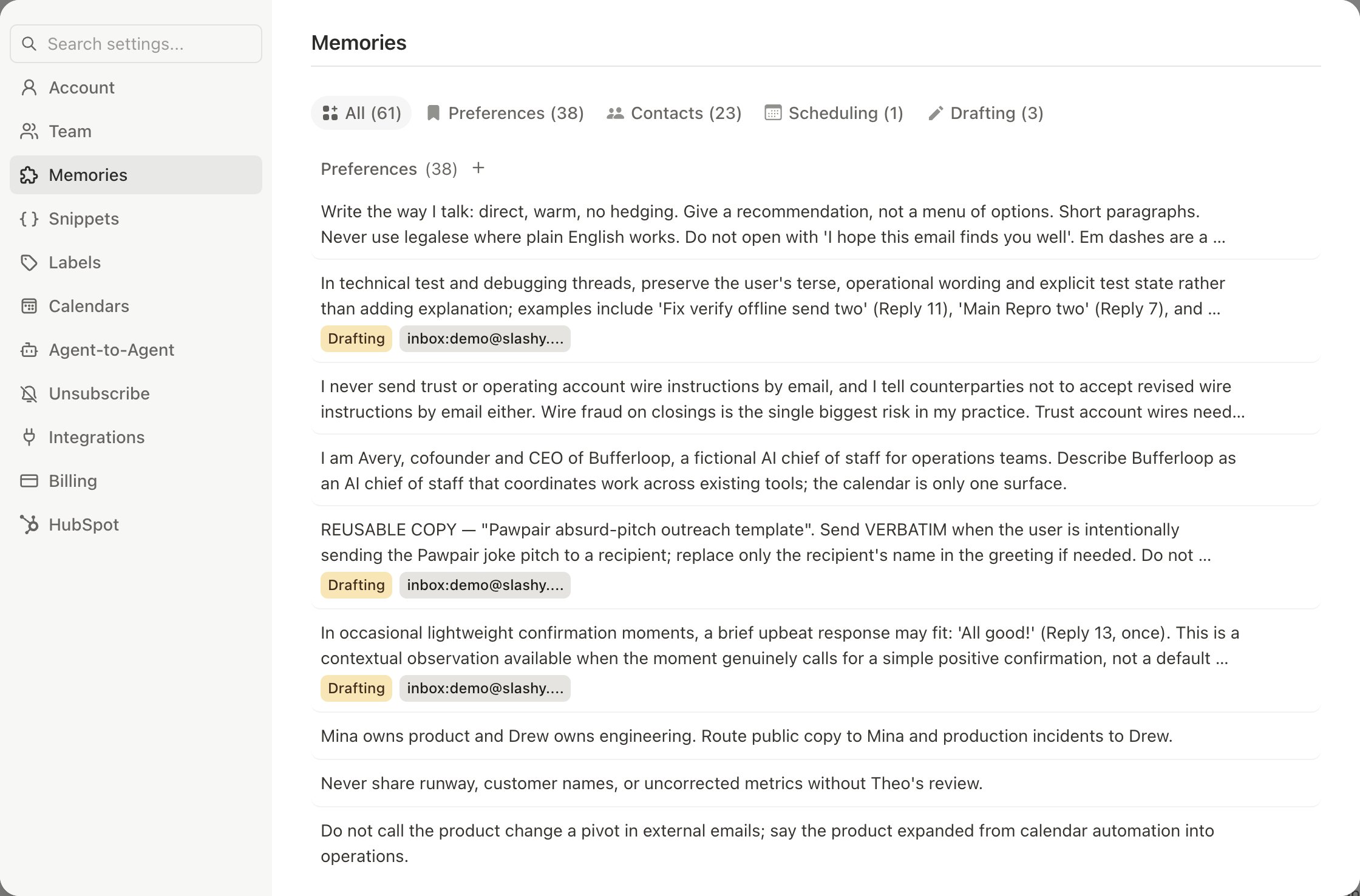
Add writing memories
Press
Cmd+/ and tell the agent your rules, for example “Remember: I write short, direct emails and sign off with just my first name.” Review them in Settings → Memories.2
Check your persona
During setup Slashy reads your sent email to detect your persona, greeting style, and signature. Edit them in Settings → Account.
3
Make sure suggestions are on
In Settings → Account, turn on AI draft suggestions under AI Features. Slashy drafts replies on emails that need one.
4
Edit, then send
Accept a draft, change it to match how you write, and send. Slashy learns from the difference. Dismiss drafts that miss.
Set voice by person
Memories can apply to one person or company. Say “Remember: formal tone for investors, casual for my team” or “Mike prefers short emails. Keep replies under 2 sentences.” Slashy uses the right memory for the recipient. Drafts also draw on your email history with that person, so a reply to a teammate you email casually reads casually.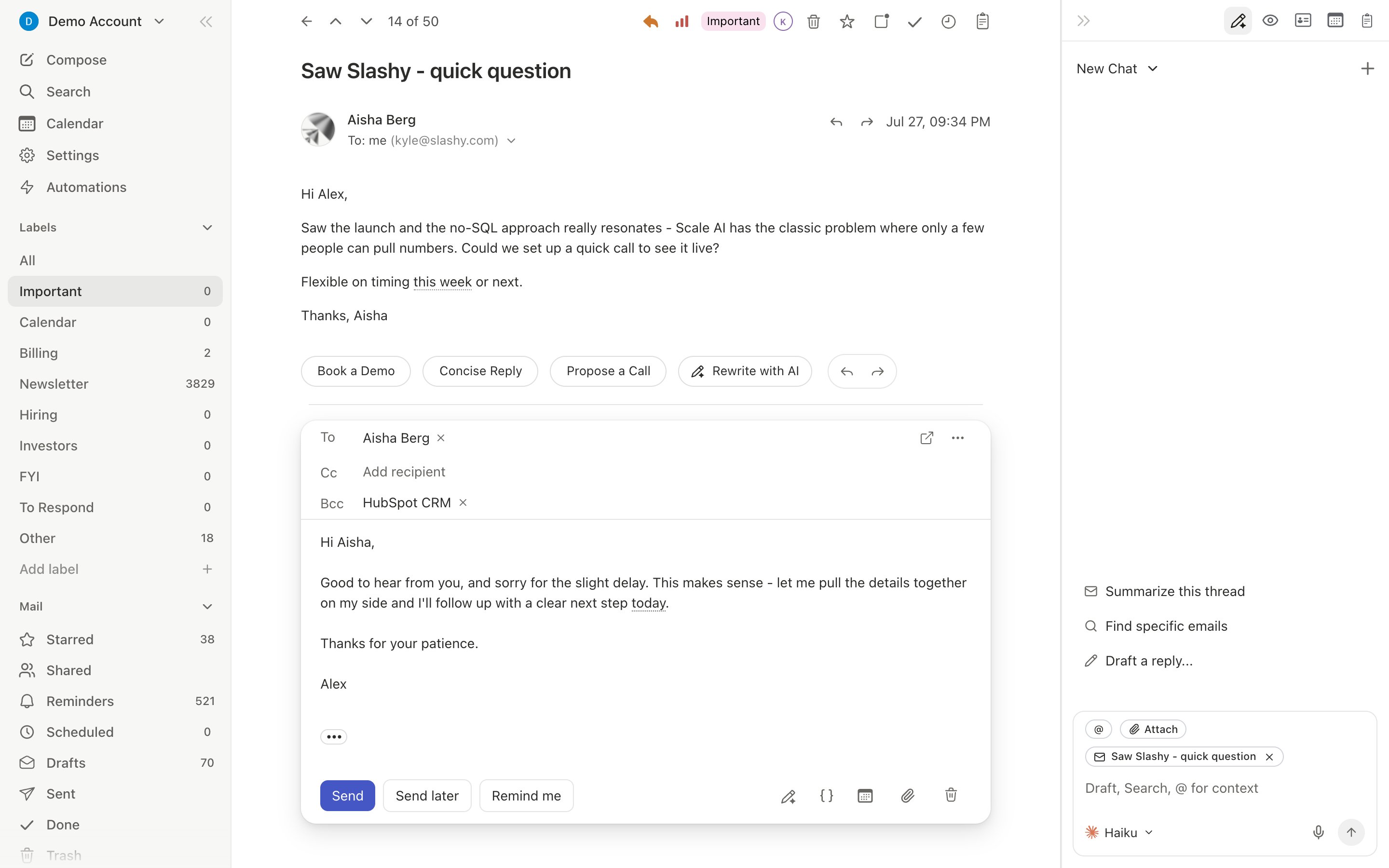
Cut repetitive writing
PressCmd+Enter on any thread to generate a draft on demand. Accepting a draft moves it to your composer, and nothing sends until you send it. For text you reuse, press n s to create a snippet and type / in the composer to insert it. A snippet can include an AI variable that personalizes each use from the recipient and thread. If you send nearly the same email three times in a row, Slashy offers to save it as a snippet.
After accepting a draft, select text to Improve, Fix Grammar, Shorten, Lengthen, or run a Custom edit like “make this more diplomatic”.
What this looks like for a team
Each person trains their own drafts. One rep sets “short, no exclamation marks” and another sets “warm, with a first-name sign-off.” Both save their common answers as snippets, then useCmd+Enter to draft the rest. Neither person’s memories change the other’s drafts.
Does accepting a draft send it?
Does accepting a draft send it?
No. Accepting moves the draft into your composer so you can review and edit it first.
How fast do drafts improve?
How fast do drafts improve?
Most people see better drafts after 10 to 15 interactions, so edit and dismiss actively in your first week.
Does learning carry across email types?
Does learning carry across email types?
It is contextual. Editing a sales reply improves sales drafts, not meeting confirmations.
Can I give feedback in plain language?
Can I give feedback in plain language?
Yes. Tell the agent in chat, for example “That last draft was too formal. I talk to Mike like a friend.”
Customizing your agent's writing style
Memory types and per-contact rules.
How AI drafts work
Auto-suggestions and learning.
Snippets and templates
Reusable replies with AI variables.
AI memories
What Slashy remembers and how.