

Connect Additional Accounts
1
Open Account settings
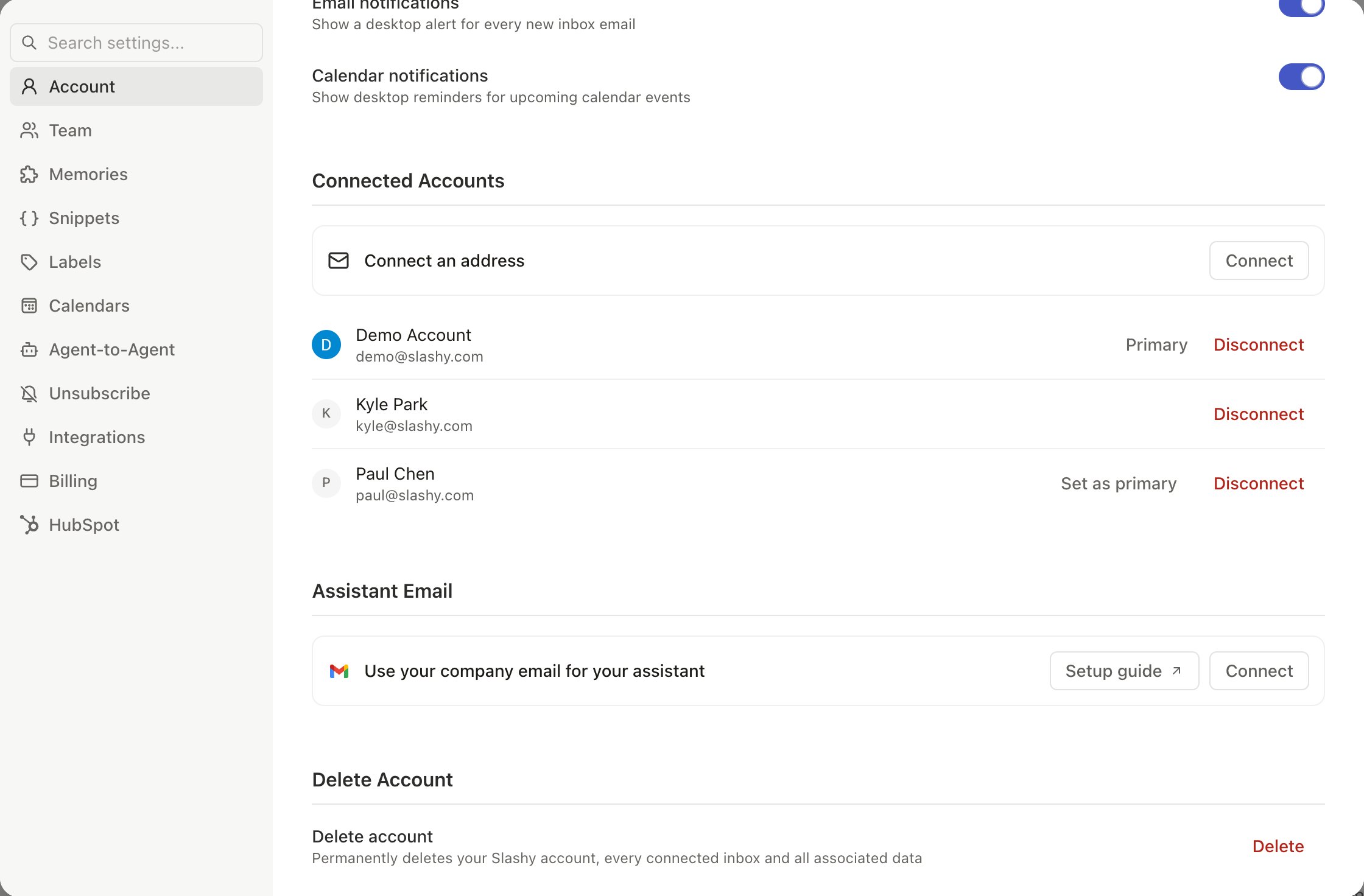
Go to Settings > Account (
Cmd+,).2
Add account
Under Connected Accounts, click Connect and choose Connect Gmail or Connect Outlook. You can also click Add account at the bottom of the sidebar. On iOS, choose Add account and pick Gmail or Outlook.
3
Authorize
Sign in with Google or Microsoft and grant the same permissions as your first account.
4
Wait for sync
Initial sync takes 2-15 minutes depending on inbox size. Labels and importance classification begin automatically.
Switch Accounts
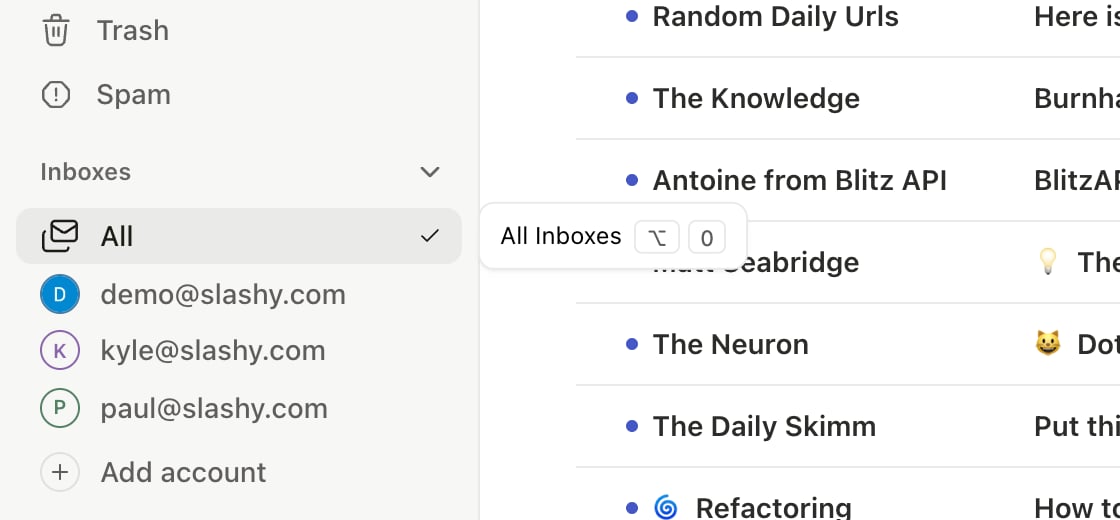
Alt+1 through Alt+9 switch between accounts. Alt+0 switches to the All unified view.
The “All” Unified View
PressAlt+0 to merge all inboxes into a single chronological stream. Useful for morning triage and catching emails across accounts. Each thread shows which account it belongs to.
Per-Inbox Configuration
Each connected account has its own:- Automations — work gets meeting prep and VIP alerts, personal gets receipt forwarding
- AI memories — different context per account (the agent can still read all of them)
- Signatures and send settings
Your importance labels and unsubscribe/block lists are not per-account — they are shared across every connected inbox. One label set classifies all your mail, and blocking a sender applies everywhere. See Separate vs. Merged Behavior below.
Composing from Different Accounts
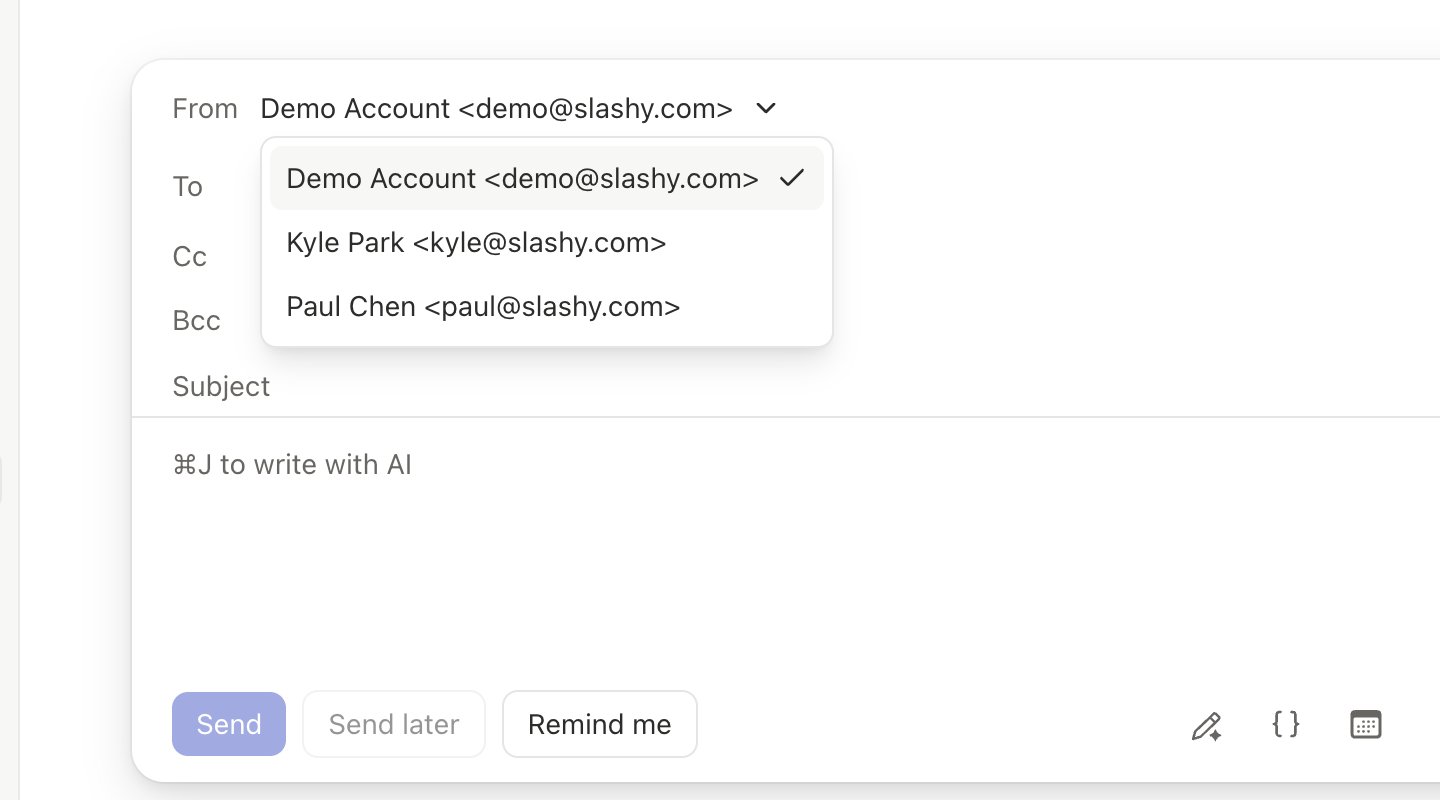
When composing (c), the From dropdown lets you choose which account to send from. Replies auto-select the account that received the email.
Separate vs. Merged Behavior
Best Practices
- Set up your importance labels once — they apply across every connected account automatically
- Set up separate automations per account (meeting prep for work, receipts for personal)
- Glance at the From field before sending to confirm the right account
- Add account-specific memories: “My work email is CEO of a startup. Professional and concise.”
Related Articles
Connecting a Second Account
Quick setup for adding another account.
Your First Week
Day-by-day onboarding guide.
Gmail Together
How Slashy and Gmail sync bidirectionally.
Importance Labels
Configure AI sorting — applies across all accounts.
Connecting Outlook
Add an Outlook or Microsoft 365 inbox.