

~/.hermes/config.yaml. Slashy is a remote HTTP server with OAuth, so the entry is two lines - then one login command.
Prerequisites
- A Slashy account signed in with Google. Sign up at slashy.com if you haven’t.
- Hermes Agent installed, with MCP support (bundled with the standard install).
- A browser available for the one-time OAuth login.
Setup
1
Open the Hermes config file
In your terminal: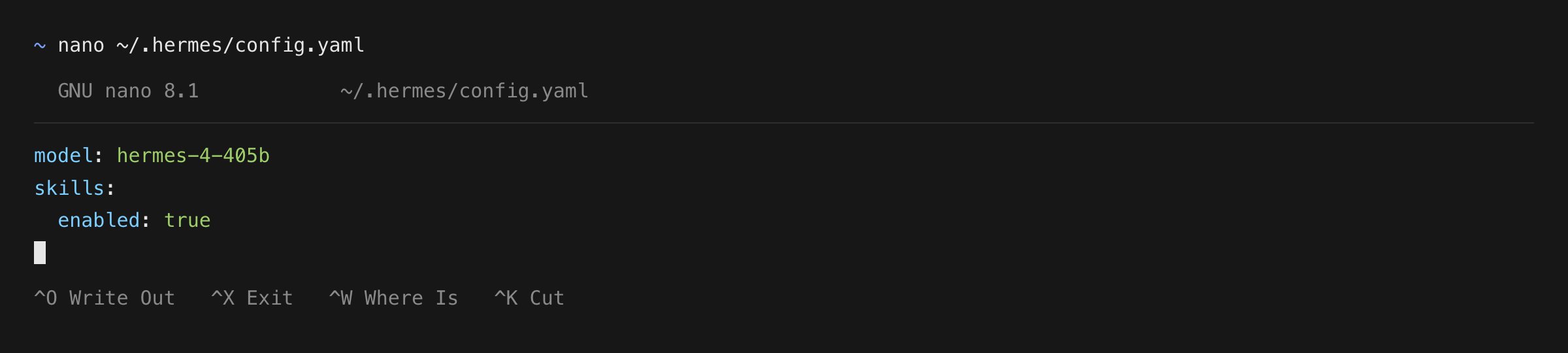
2
Add the Slashy server
Add Slashy under the top-level Save and exit.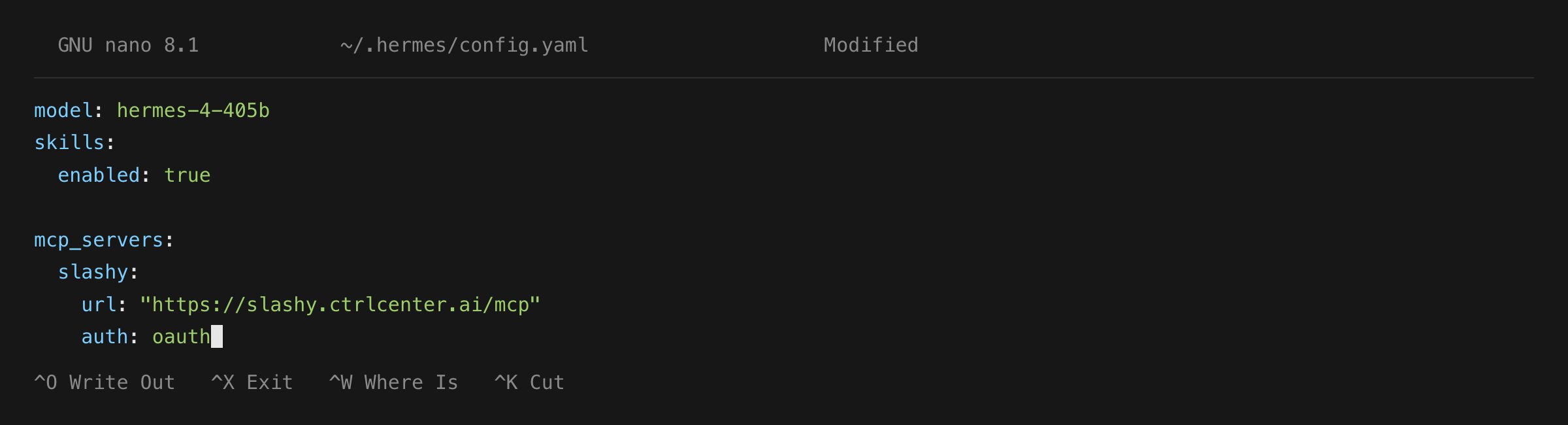
mcp_servers: key (create the key if it isn’t there yet):3
Log in from a fresh terminal
Run:Hermes prints an authorize URL and opens your browser to the Slashy login page. Sign in with Google and click Allow.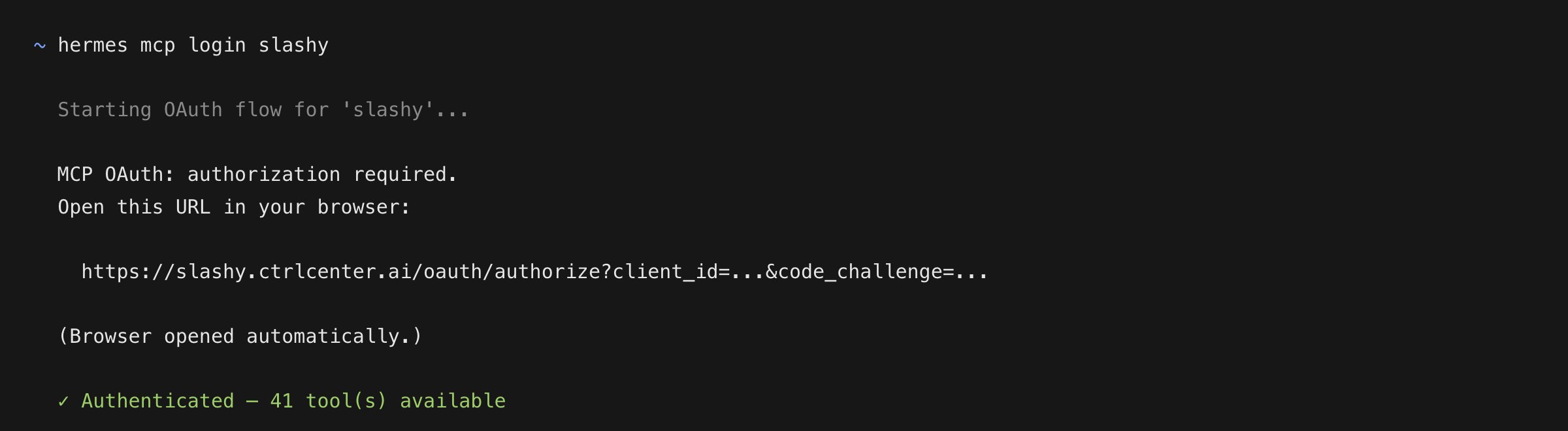
Run this from a new terminal, not from inside a running Hermes session. Editing
config.yaml mid-session triggers an auto-reload with a 30-second timeout - too short to finish an interactive OAuth flow. hermes mcp login waits the full five minutes.4
Verify the connection
Test the server, then reload it into your session:Ask Hermes “Tell me which MCP-backed tools are available right now.” - inside the agent the Slashy tools are namespaced as 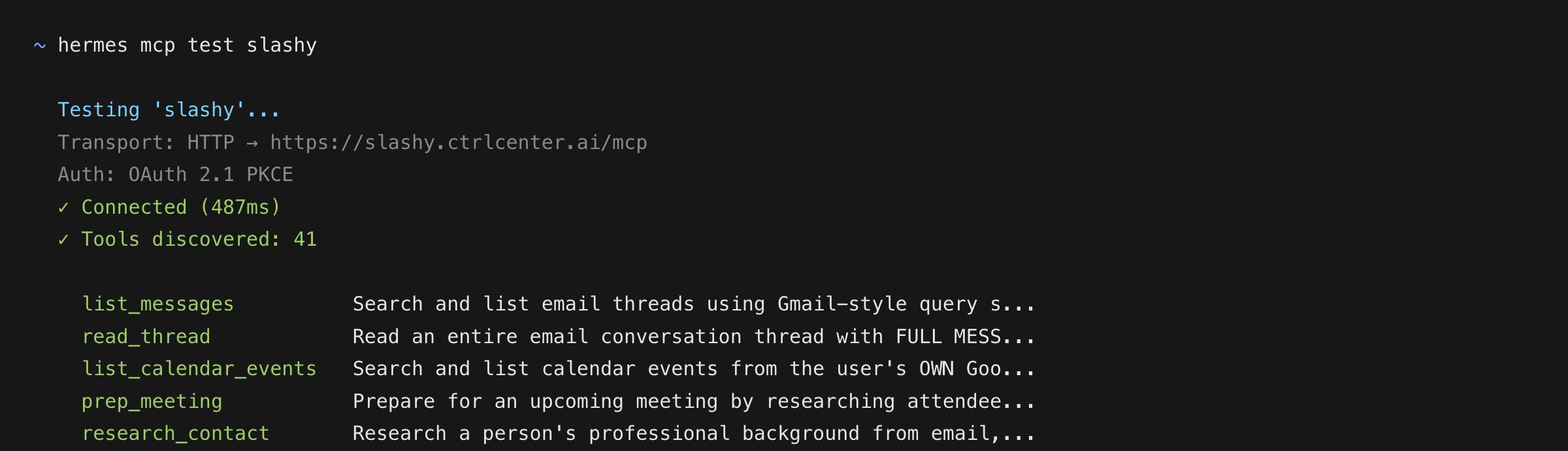
mcp_slashy_<tool_name>, for example mcp_slashy_list_messages and mcp_slashy_draft_email. (hermes mcp test lists them under their bare server-side names.)What happens after setup
Hermes caches the OAuth token at~/.hermes/mcp-tokens/slashy.json with 0600 permissions and reuses it silently until a refresh fails. Your config file holds only the URL - never a secret. To re-authenticate later (new Slashy account, revoked access), run hermes mcp login slashy again.
Limiting which tools Hermes sees
Slashy exposes a large toolset. To narrow it - for example, a read-only setup that can triage but never send - use an allowlist:/reload-mcp after editing. Use exclude: instead if you want everything except a few tools.
Next steps
Using Slashy MCP
Email prompts for triage, drafting, follow-ups, and scheduling.
Slashy skill setup
Install a skill so Hermes reaches for Slashy without being told.
Troubleshooting
Fixes for OAuth, missing tools, and wrong accounts.
Slashy MCP overview
What Slashy MCP is and how it works.