

Principle 1: Let AI Handle Triage
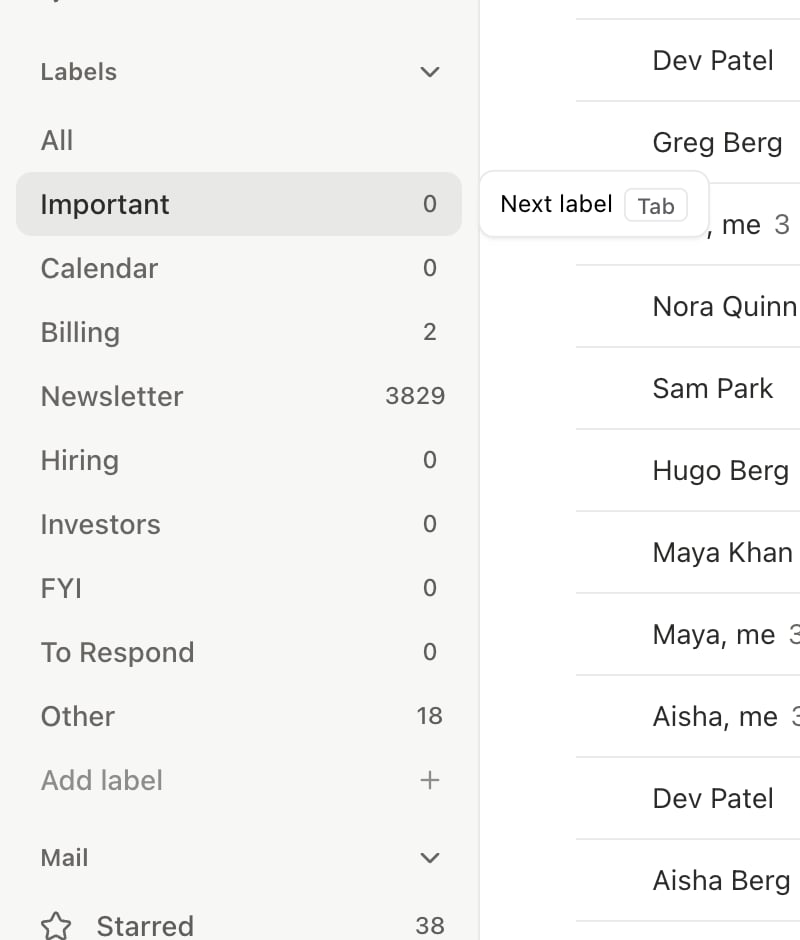
Stop reading every email. AI importance labels sort your inbox before you touch it.1
Enable importance labels
Go to Settings > Labels (
Cmd+,). The 10 default labels (Important, Newsletter, Billing, etc.) are already active. Add custom labels for your workflow.2
Start in your Important tab
Press
Tab to cycle through labels. Begin each email session in the Important tab — everything else is secondary.3
Bulk-process low-priority labels
Switch to Newsletter or Notifications, press
Cmd+A to select all, then e to archive the batch. No individual review needed.4
Correct misclassifications
When an email is in the wrong label, move it to the correct one with
l. The AI learns from every correction and gets more accurate over time.Principle 2: Automate Repetitive Actions
If you do the same thing with email more than twice, automate it. One sentence to the agent creates an automation.
The shift: You handle exceptions and decisions, not repetitive tasks.
Principle 3: Keep Slashy as Primary
This is the one people underestimate. The AI compounds:- Writing style improves from emails you send through Slashy
- Labels get more accurate from your corrections
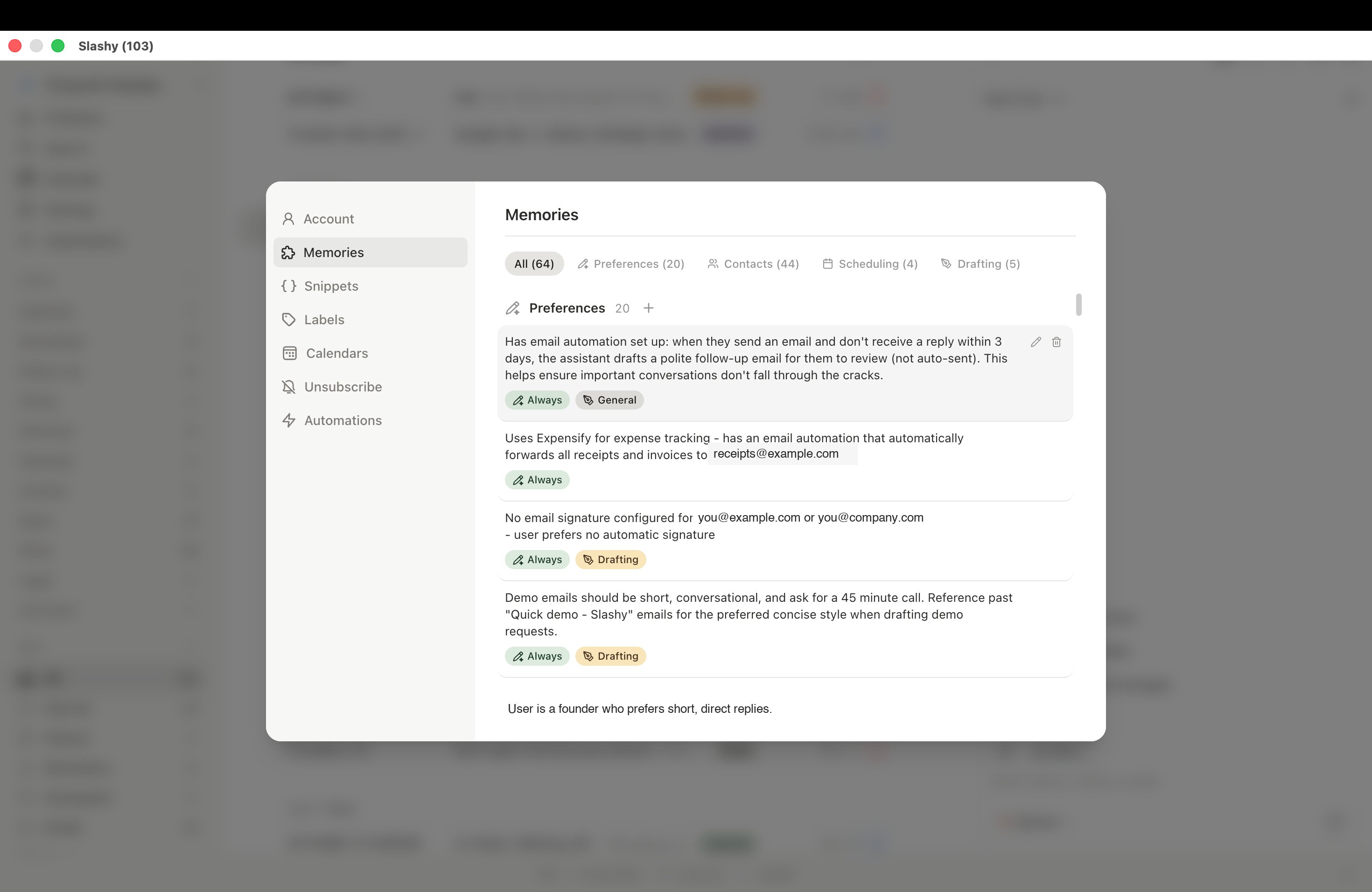
- Memories accumulate about contacts and preferences
- Autocomplete predictions sharpen from your patterns
Your First Week: Day-by-Day Plan
1
Day 1: Labels and triage
Set up importance labels. Process your inbox using
Tab to cycle labels, e to archive, s to star. Target: reach inbox zero once.2
Day 2: First automation
Set up your first automation via the agent sidebar (
Cmd+/). Start with receipt forwarding or meeting prep — both are high-value and low-risk.3
Day 3: Writing memories
Tell the agent your writing style: “Remember: I write short, direct emails. No fluff. Sign off with just my first name.” Set 3-5 memories.
4
Day 4: Desktop app
Install the desktop app and make Slashy your default email client. The more you use it, the faster the AI improves.
5
Day 5: Review and expand
Check your automations in Settings > Automations. Add 2-3 more. Review AI draft quality and provide feedback through the sidebar.
Measuring Your Progress
Related Articles
Reach Inbox Zero
The 5-minute daily workflow.
10 Automations
Essential automations to set up first.
Your First Week
Day-by-day onboarding guide.
Why Primary Matters
How full-time usage accelerates AI learning.