

This page covers the second one. Connect an outside MCP server and the Slashy agent can use its tools while it works on your email, so you can say “file this bug in Linear” or “check whether this customer’s payment went through” without leaving your inbox.
Connecting a server
1
Open MCP settings
Press
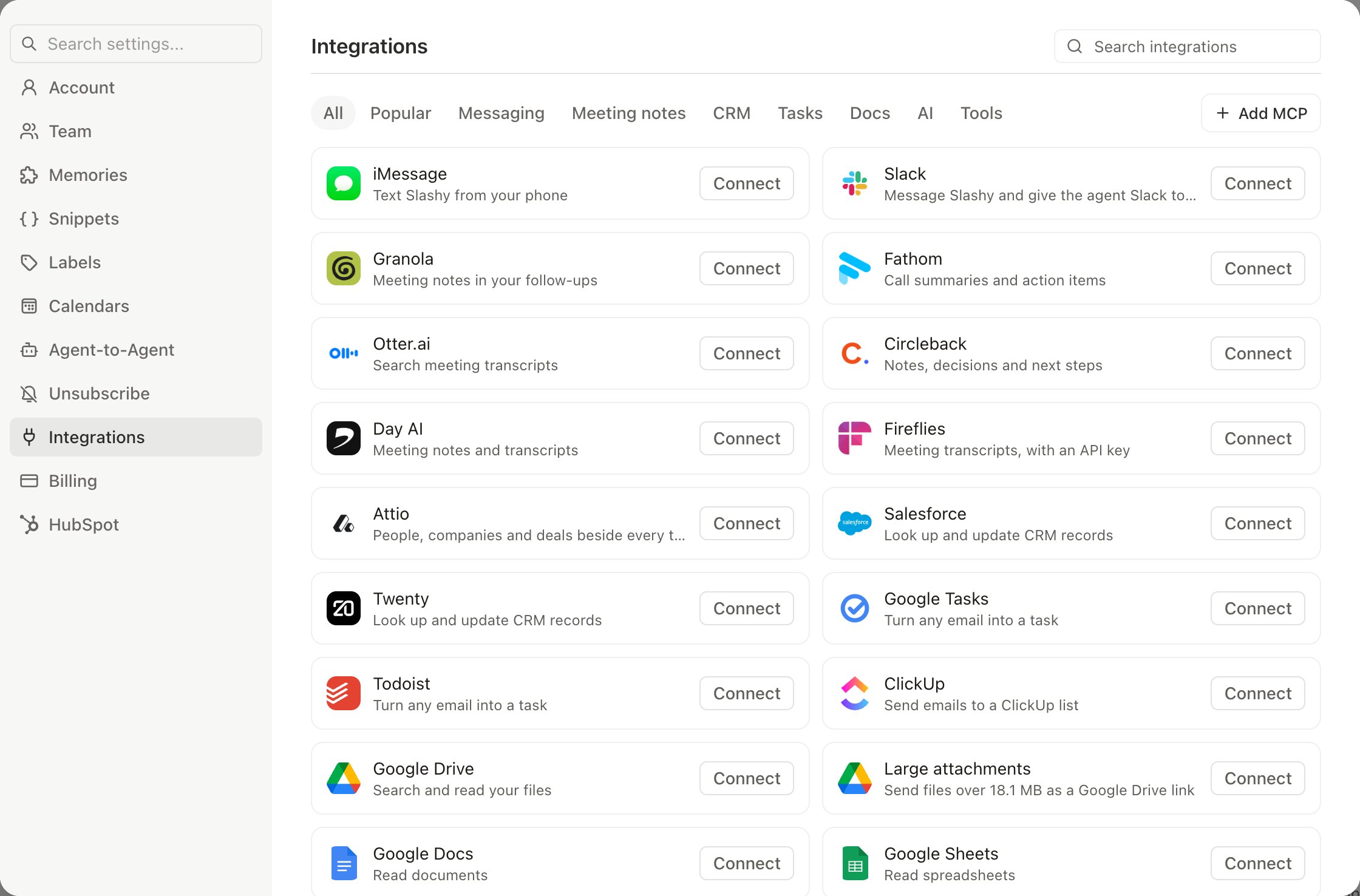
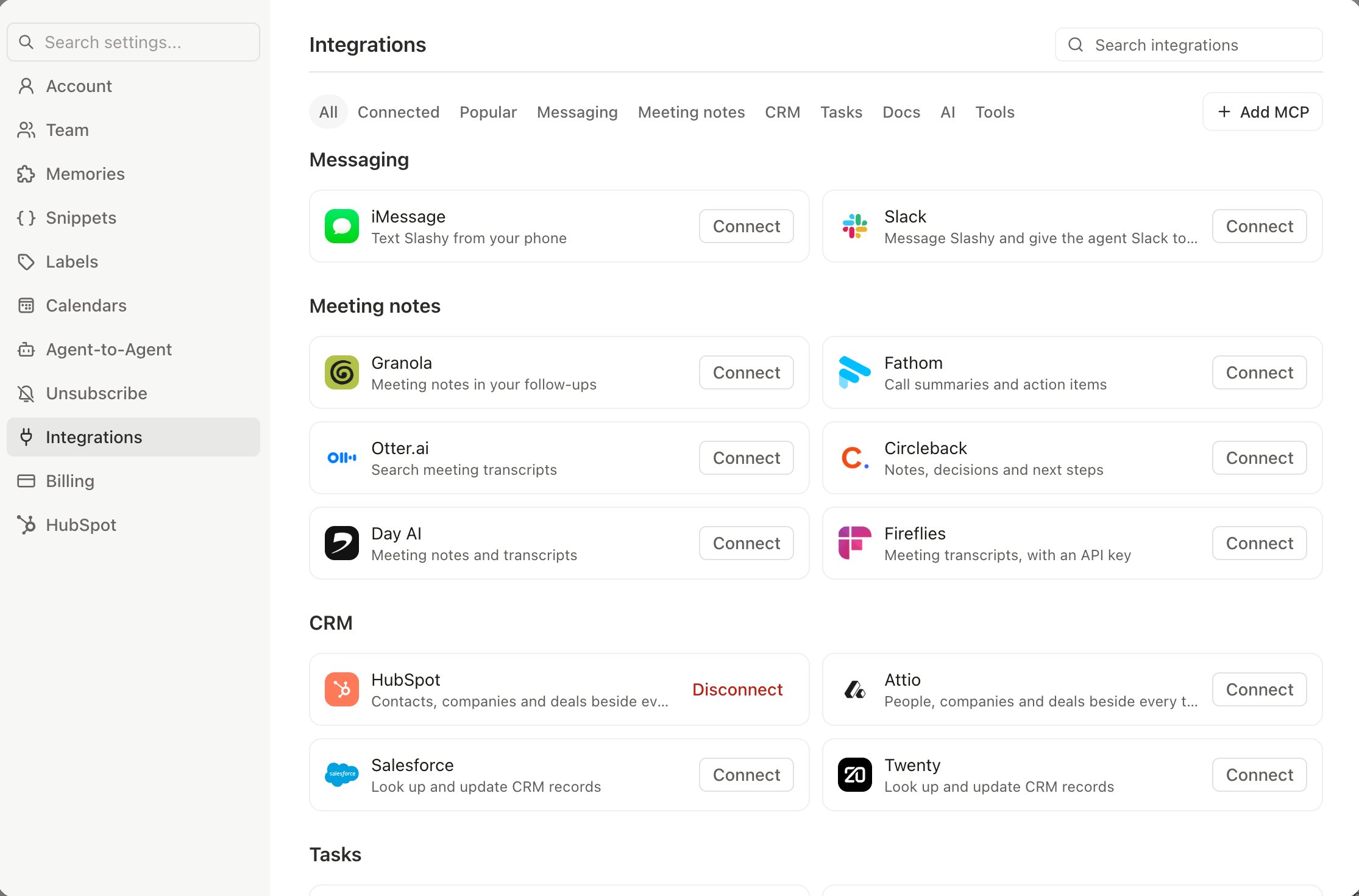
Cmd+, to open Settings and go to Integrations. The page is grouped into sections by category, such as Messaging, CRM, Tasks, Docs, AI, and Tools, and MCP servers sit in those sections next to every other integration. Connecting something never moves its card.2
Pick a server
Type in Search integrations, or click a filter such as Popular or Tools. One-click presets include Stripe, Linear, Y Combinator, PostHog, Asana, Airtable, GitHub, Sentry, and Mapbox. Slack’s and Notion’s servers are a second connection inside their own cards, and Todoist and Day AI connect from their Tasks and Meeting notes cards.
3
Authorize it
Most servers open an OAuth sign-in in your browser. Approve access and you land back in Slashy with the server connected. GitHub asks for a personal access token instead, see below.
4
Check the tool count
A connected server shows how many tools it exposes, for example “43 tools”. That is your confirmation the agent can now use it. The Connected filter shows only what you’ve connected.
GitHub uses a personal access token
Choosing GitHub shows a GitHub personal access token field instead of a sign-in. Create a token in your GitHub settings, granting only the repositories and permissions you want Slashy to use, paste it in, and connect. The field links to GitHub’s token page.Y Combinator
The Y Combinator preset connects the agent to YC’s server so it can search YC companies, founders, and Bookface. It signs in with OAuth like most presets.Connecting a custom server
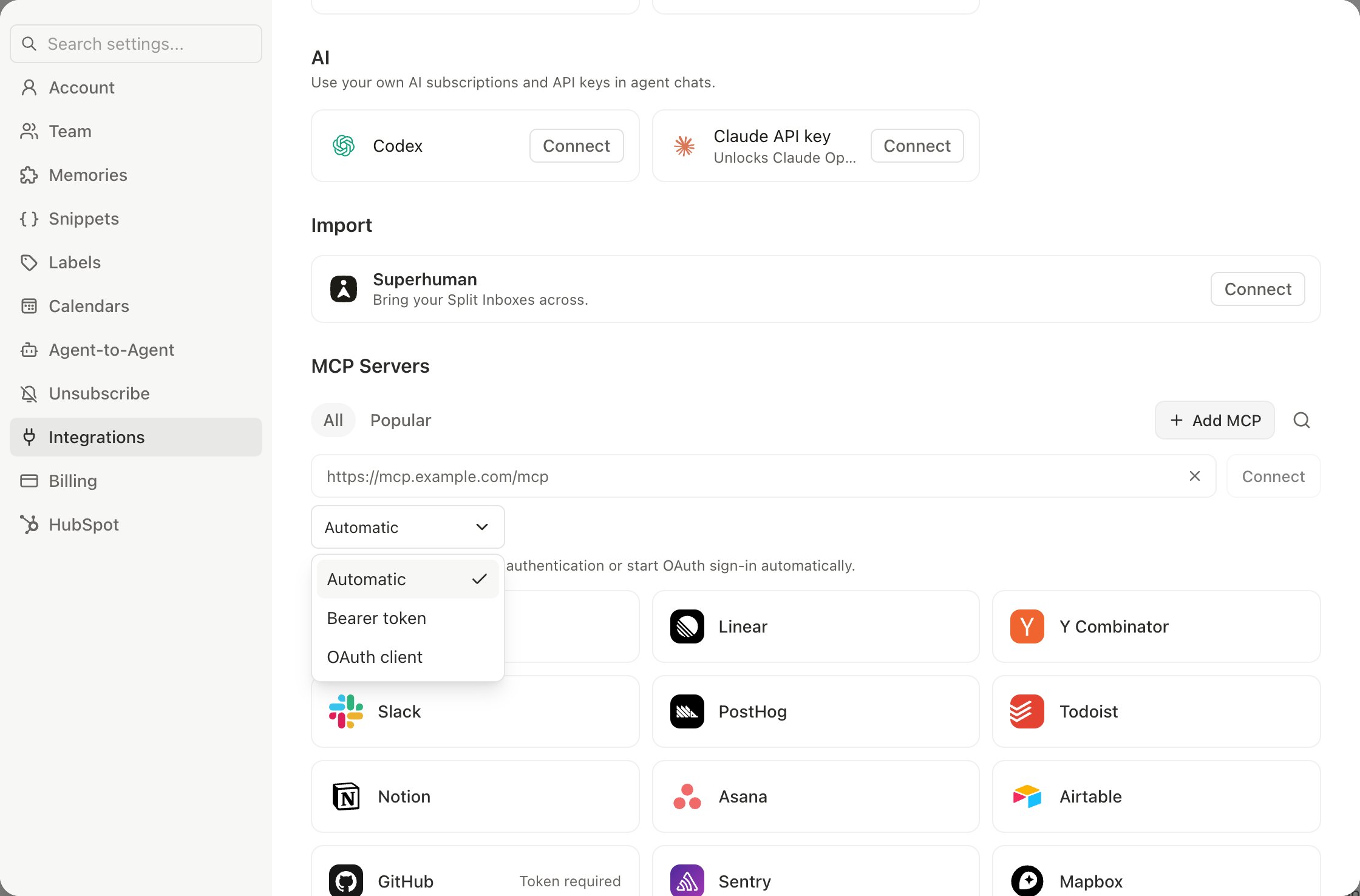
If the tool you want is not in the catalog, for example a server your company hosts, click Add MCP and paste the server’s MCP URL, usually something ending in/mcp. Searching for a service that isn’t in the catalog also offers Add external MCP, which opens the same form.
Slashy supports three auth styles, chosen from a dropdown next to the URL field:
- Automatic. The default. Slashy connects without authentication or starts an OAuth sign-in automatically, whichever the server needs.
- Bearer token. Paste a token alongside the URL for servers that authenticate that way.
- OAuth client. For servers that do not support dynamic client registration, supply your own OAuth client ID and secret.
Choosing which tools the agent can use
Expand a connected server to see every tool it exposes, each with its own toggle. Turn off anything you do not want the agent reaching for. This matters most for write-capable servers. If you want the agent to read from a system but never change it, connect the server and disable the write tools rather than skipping the integration entirely.Keeping a server healthy
- Refresh tools re-fetches the tool catalog. Run it after the provider ships new tools, and Slashy reports the new count.
- Disconnect removes the server and its tools from the agent.
Using it
Once a server is connected, just ask the agent in plain language. It picks the right tool on its own:- “Create a Linear issue from this bug report and link the thread.”
- “Has this customer paid their last invoice?”
- “Pull up the Notion doc about our refund policy and summarize it for this reply.”
- “What Sentry errors spiked after yesterday’s release?”
Related
Slashy MCP Overview
The other direction: Slashy’s tools inside Claude, Cursor, and Codex.
Agent autonomy
What the agent will and will not do without asking.
Notion integration
Slashy’s native Notion integration.
MCP troubleshooting
Common connection problems.