

Cmd+K from anywhere and start typing what you want.
Open the palette
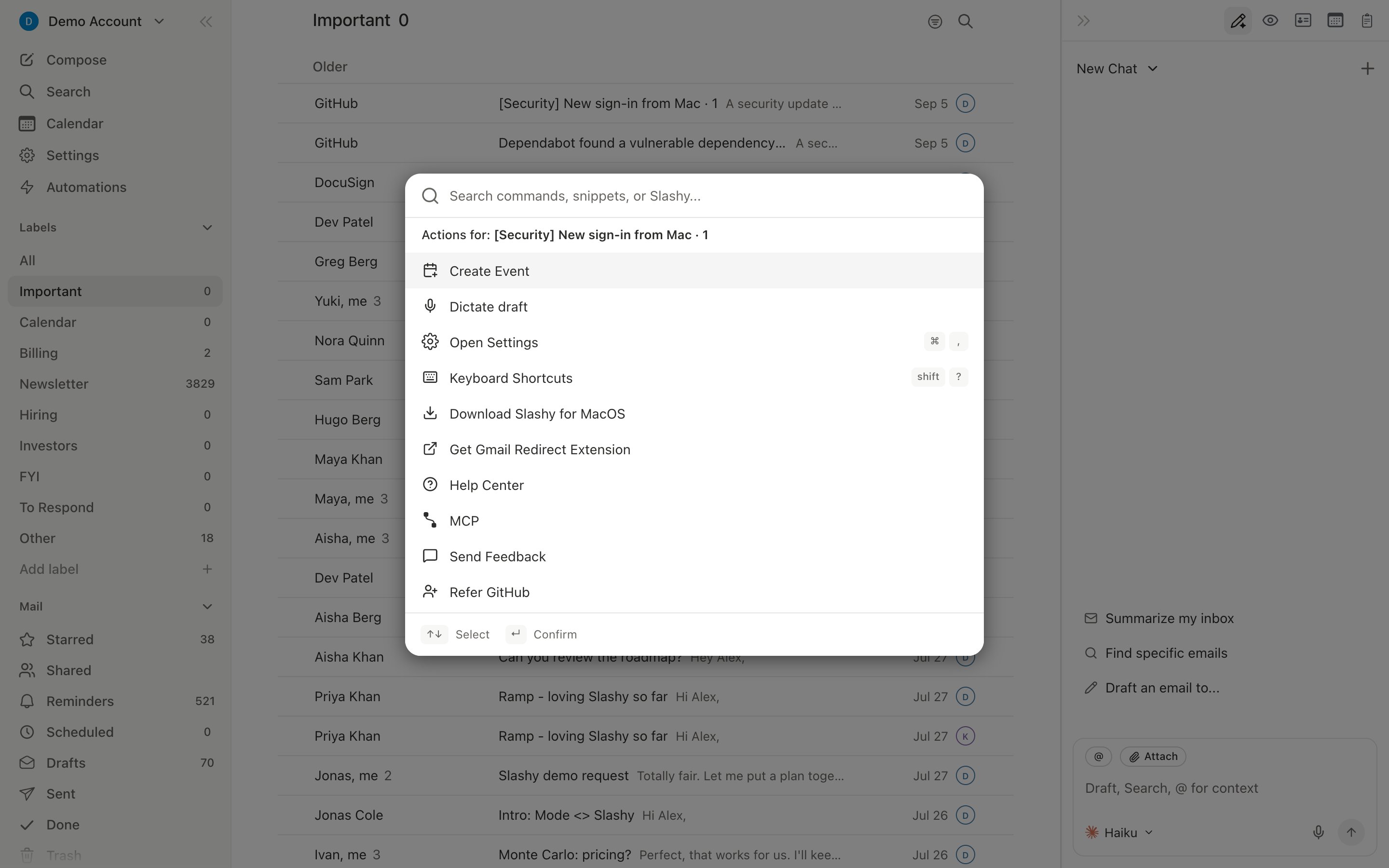
PressCmd+K on any screen. A search box opens in the middle of the window with a list of commands ranked by recency and relevance.
Palette vs agent sidebar
The palette and the agent sidebar (Cmd+/) are different tools for different jobs:
- Palette runs deterministic commands. You type the name of a thing you can already do with a click or shortcut, and it runs immediately. No model in the loop.
- Agent reasons through a request. Use it when you want Slashy to read a thread, decide what to do, and act, all from a sentence.
What you can run
Commands are organized by area:- Navigate. Jump to an inbox, label, calendar, or settings page.
- Compose. Start a new email, reply to the current thread, insert a snippet, dictate a draft, jump straight to the recipients, Cc, Bcc, or Subject field, or insert an emoji.
- Calendar. Create an event, open availability, switch to multi-person view.
- Search. Run a saved search, scope to a single inbox, filter by sender.
- Settings. Open any settings panel directly.
Highlighted commands
A few favorites worth remembering:- Dictate draft. Open the palette from anywhere and type “dictate” — it opens a new draft (or targets the one you were just in) and starts voice dictation immediately. Same action as
Cmd+Shift+Jfrom inside a compose window. - Print. Open a thread, hit
Cmd+K, type “print” and choose Print email, and it renders a clean print view instead of printing the whole app.Cmd+Pruns the same command directly when a thread is open; inside a compose windowCmd+Pruns “Rate email” instead. - Save email as PDF. Open a thread, hit
Cmd+K, type “PDF”, choose Save as PDF, and save the rendered message to disk. See Print and save as PDF. - Copy conversation. Copies a plain-text version of the whole conversation to the clipboard, useful for pasting into a CRM note or a doc.
Cmd+Cdoes the same when a thread is open or focused in the list. - Copy HTML / Download HTML. Copies the message’s HTML to the clipboard, or saves it as an
.htmlfile. - Share this email by link (
Cmd+S). Creates a read-only web link to the open thread that you can send to people outside Slashy. See Share an email by link. - Get Me To Zero. In the inbox, moves every conversation older than an age you pick (1 day to 1 month) to Done in the background, optionally keeping unread or starred mail, with Undo. See Inbox zero.
- RSVP yes and mark done / RSVP no and mark done. On an email with a calendar invitation, answers the invite and marks the email done in one step.
- Gmail labels. Set Gmail label adds or removes Gmail labels on the open or selected emails, Create Gmail label makes a new one, and Open Gmail label settings opens the Gmail label list in Settings. See Gmail labels as tabs.
Lsets an importance label instead,Vmoves the email into a Gmail label or Outlook folder, andNthenLcreates a label. See Labeling with L, moving with V. - Refer. Type “refer” to pick up to five contacts and send them your referral link, or copy the link. When the open thread is with someone who isn’t on Slashy yet, the row names them: Refer [name]. See Referring friends.
- Jump to a label. Type the label name and press Enter to filter the inbox.
- Switch inbox. Type the inbox alias to flip between connected accounts without leaving the keyboard.
- Unsubscribe. When the open thread has a real unsubscribe link, “unsubscribe” ranks it above the general Unsubscribe Settings page so the one-thread action is always the top hit.
Keyboard shortcuts in line
Commands that have a dedicated shortcut show the keys on the right side of the row. You can run the command from the palette once and then memorize the shortcut for next time.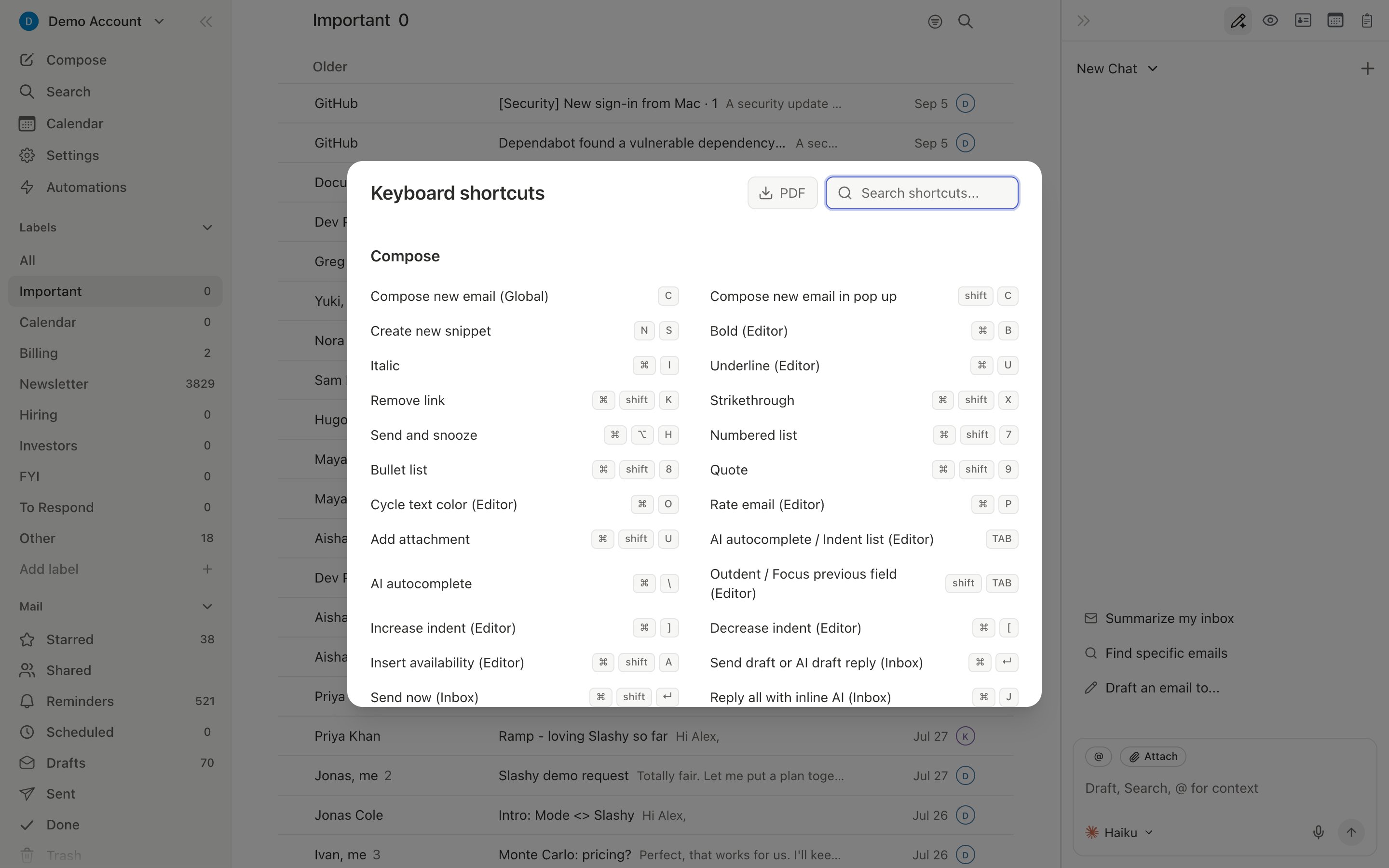
Mobile
Cmd+K itself is desktop only, but the iOS app has its own equivalent: tap with two fingers anywhere in the app to open the mobile command sheet, showing the same kind of contextual and navigation commands. You can also open the agent sidebar and describe what you want in a sentence.
Keyboard shortcuts
The full shortcut map.
Composing
Write and send mail.
Search
Find anything across inboxes.
Agent autonomy
When the agent acts on its own.
The Slashy method
How power users work in Slashy.