

When a draft is generated
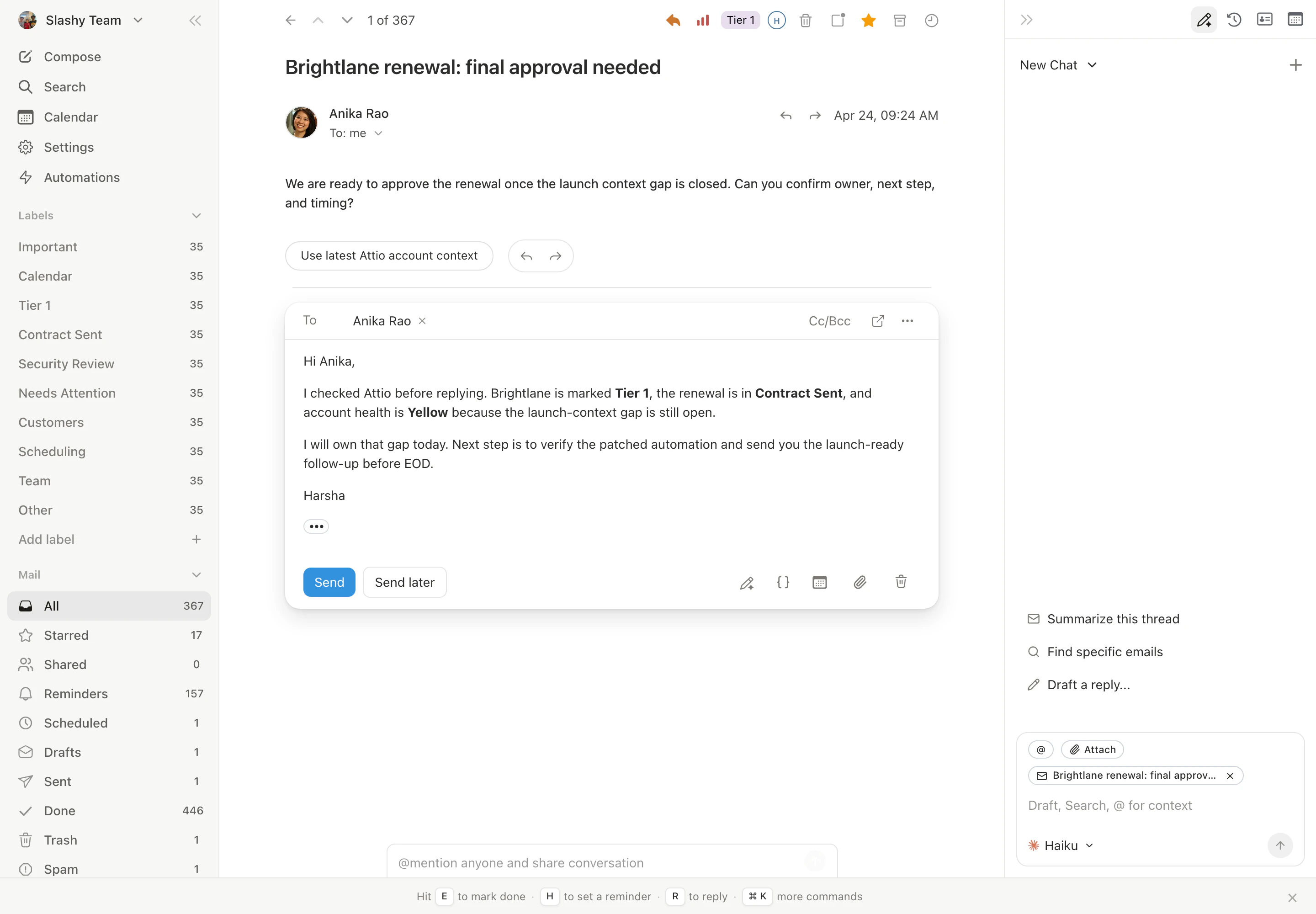
Slashy generates a draft on open when the thread looks reply-worthy: a one-to-one message, a direct question, or a thread you’ve replied to before. Newsletters, automated notifications, billing receipts, and one-way announcements do not trigger a draft. The draft generates in the background and slots into the thread as a draft message at the bottom. You’ll see a draft chip on the thread row in the list view as soon as it’s ready. Click the row to open straight into the draft, or hover the row and click the trash icon (Cmd+Shift+,) to delete the draft without opening the thread first.
Accepting a draft
Two ways to accept and send:- Press
Tabto drop into the draft and edit inline. PressCmd+Enterto send. - Press
Cmd+Enterdirectly from the thread to send the draft as written.
Cmd+D from anywhere in the thread to jump straight into the draft body, and press it again from inside the editor to jump back out to the conversation.
Dismissing a draft
PressEsc to clear the draft from the thread. You can also just close the thread; drafts that you never interact with auto-clear after a short idle window, so untouched suggestions don’t pile up.
A dismissed draft does not get re-generated automatically for the same view. Reopen the thread later and Slashy may regenerate if the conversation state has changed (for example, a new message arrived).
Turning off auto-drafting
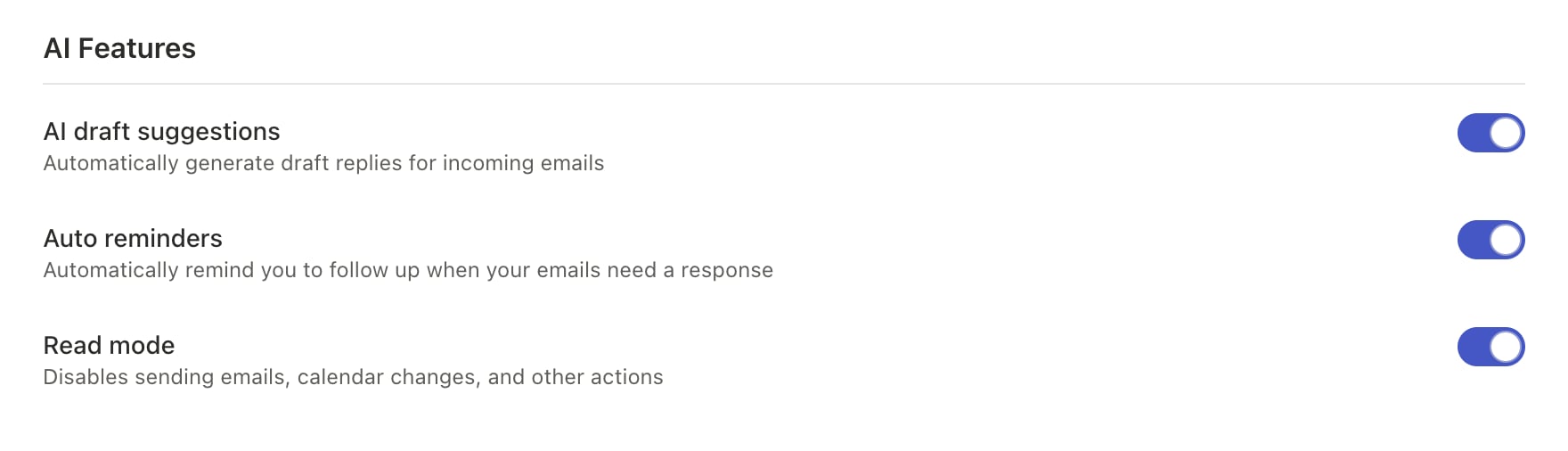
Settings → Account → AI Features → AI draft suggestions. Toggle it off and Slashy will never pre-write a reply on thread open. You can still trigger generation manually withCmd+Enter from any thread or compose window.
Inline rewrite vs generate from scratch
Two different gestures, two different behaviors:- Generate from scratch. Empty compose, press
Cmd+Enter. Slashy writes the whole reply based on the thread context and your style. - Inline rewrite. Select text in the compose body, press
Tab. Slashy rewrites just the selection (or the surrounding sentence) in your tone, preserving the rest of the draft.
Why didn't I get a draft on this thread?
Why didn't I get a draft on this thread?
Slashy skipped it because the thread looked like a notification, a bulk email, or had no clear question to answer. Trigger one manually with
Cmd+Enter.Can I see drafts that were generated but never sent?
Can I see drafts that were generated but never sent?
Drafts that you accepted into a compose window stay in the thread until you delete or send them. Drafts that were never touched are not retained.
Autocomplete
Tab-to-complete suggestions as you type.
Editing drafts
Inline rewrite and tone adjustments.
Customize your agent
Tone, signature, and style preferences.
AI models
Choose a model and bring your own Anthropic key.
AI memories
What Slashy remembers between threads.