

Shift+? anywhere in Slashy to open the live keyboard shortcuts cheatsheet. Below is the same reference, searchable.
Slashy is built around the keyboard. Press Shift+? anytime to open the shortcut overlay.
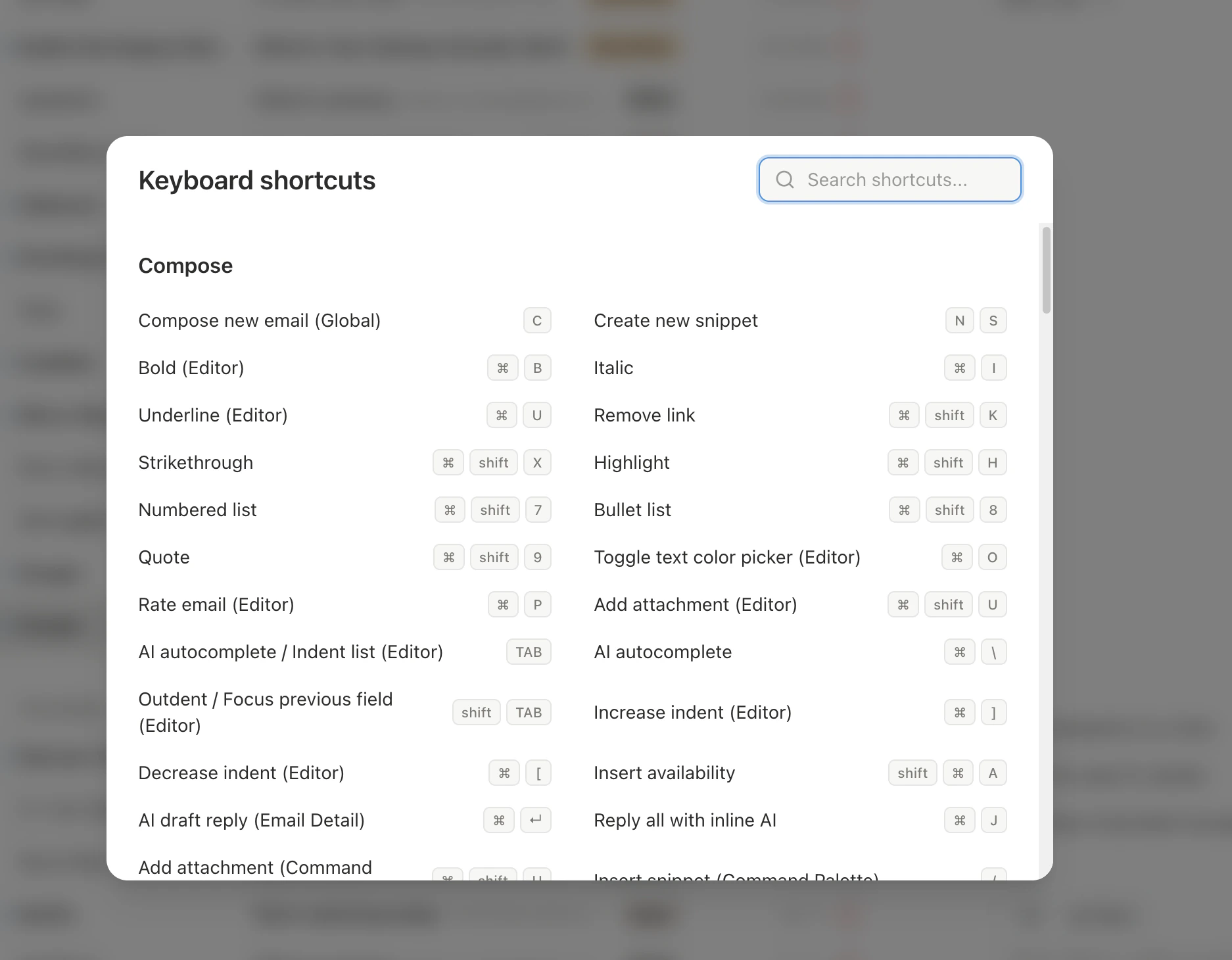
c to compose), combos (Cmd+Enter), and sequences (g i, press g, release, then i). Sequences use a space. Combos use +.
The three prefixes: g jumps to a view (g s for Starred). d opens a sidebar panel (d c for Calendar). e edits the selected calendar event (e y to RSVP yes). Learn the prefix, then the letter.
Keyboard layouts: Shortcuts follow the letter printed on the key, so they work on AZERTY, QWERTZ, Dvorak, and other layouts.
- Global
- Inbox
- Compose
- Calendar
Desktop app tabs:
Tips for Learning
- Start with five:
c(compose),e(mark done),j/k(navigate),Cmd+Enter(send),/(search) - Use the command palette:
Cmd+Kshows the matching shortcut next to each action. Gmail labels are set fromCmd+K; see Gmail labels as tabs. - Patterns: Views start with
g. Panels start withd. Calendar event edits start withe. Learn the prefix, remember the letter. - Bulk select: Hold
Shiftwhile pressingJ/Kto select threads, then apply any action to the selection