

Assign a thread
1
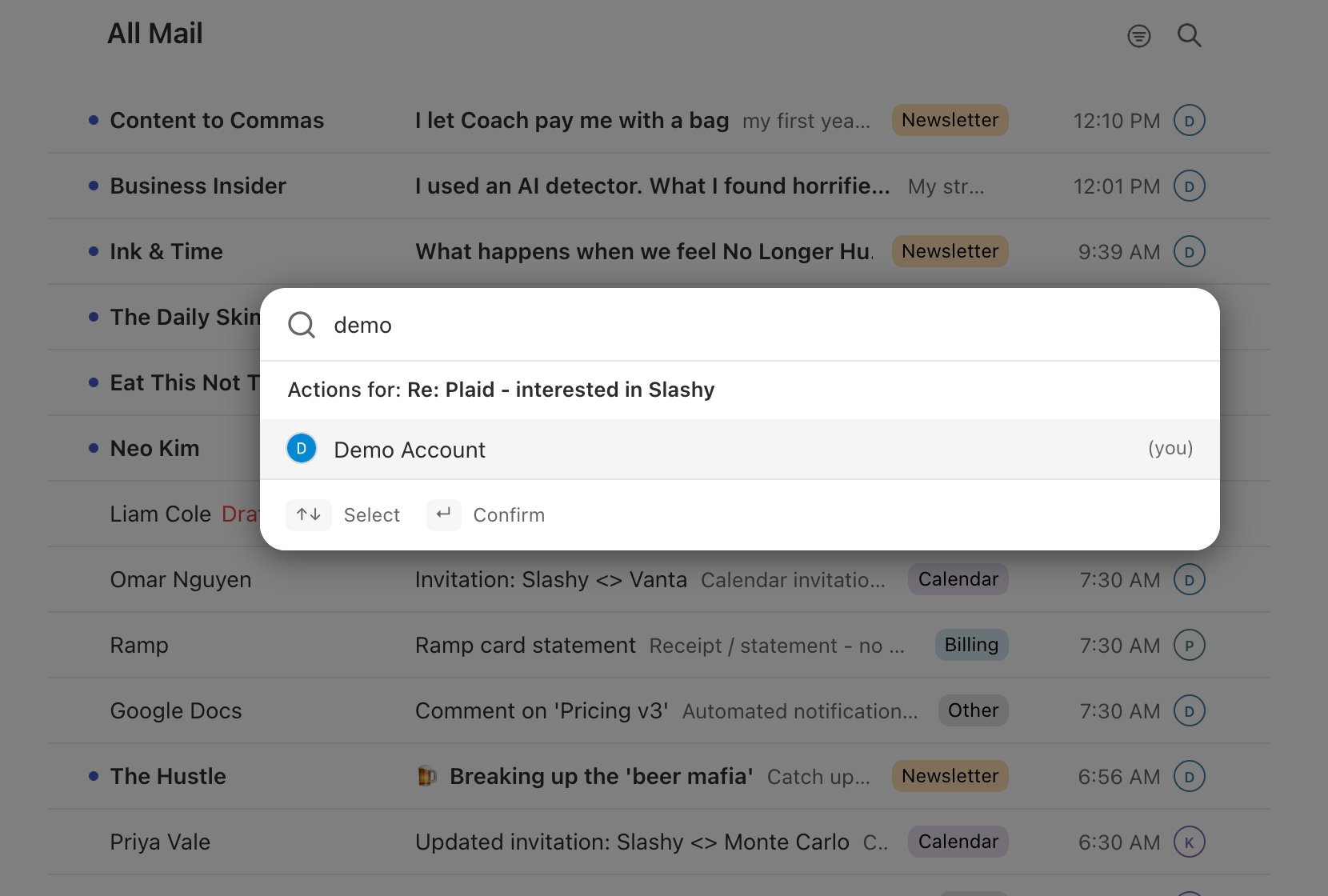
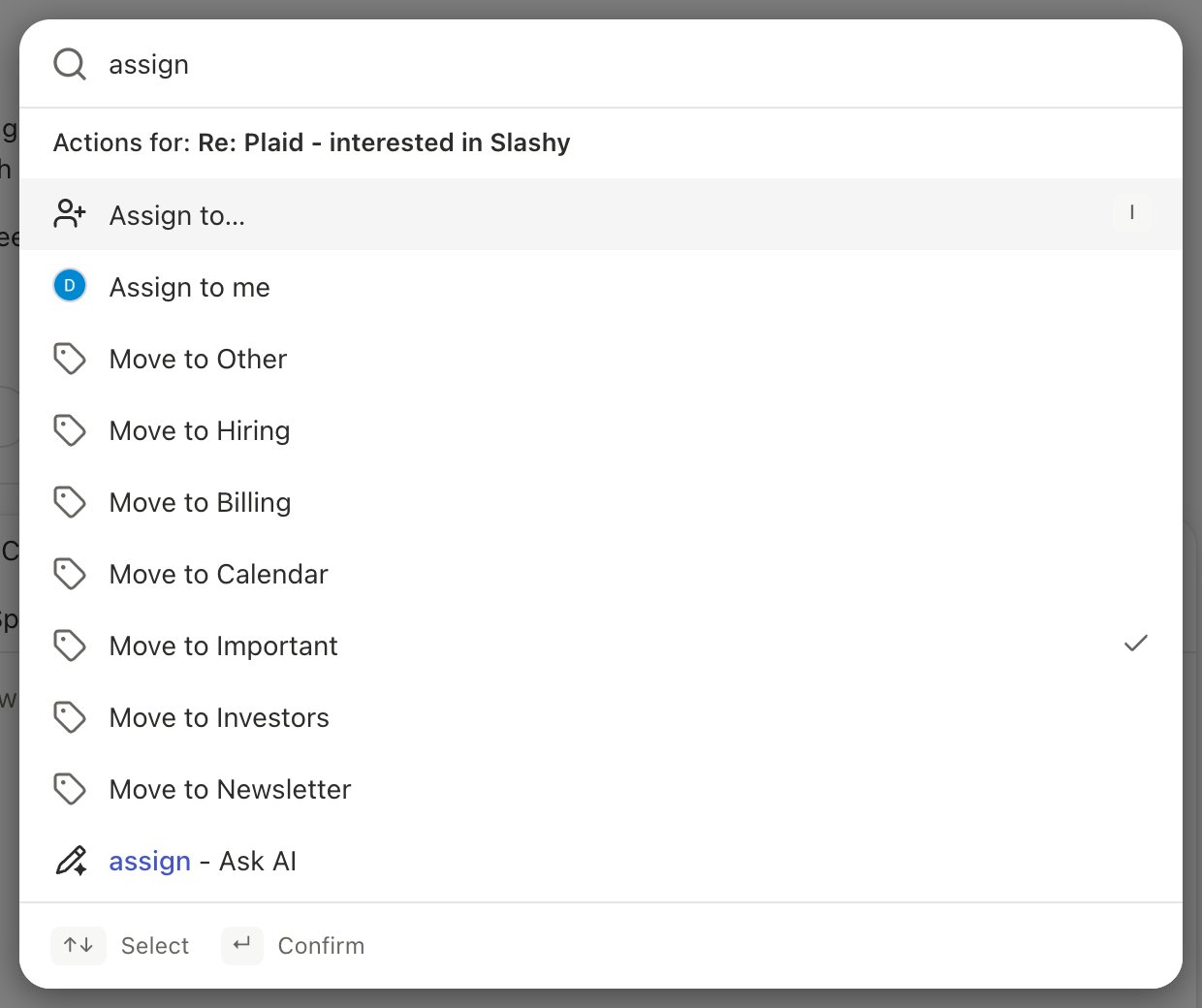
Open the assign menu
Open the thread, or focus it in the list, and press
i. You can also press Cmd+K and choose Assign to…, or click the assign icon in the thread toolbar.2
Pick a teammate
Choose a teammate, or yourself. Type to search by name. To take a thread yourself in one step, press
Cmd+K and choose Assign to me.j and k, then press i.
See who owns a thread
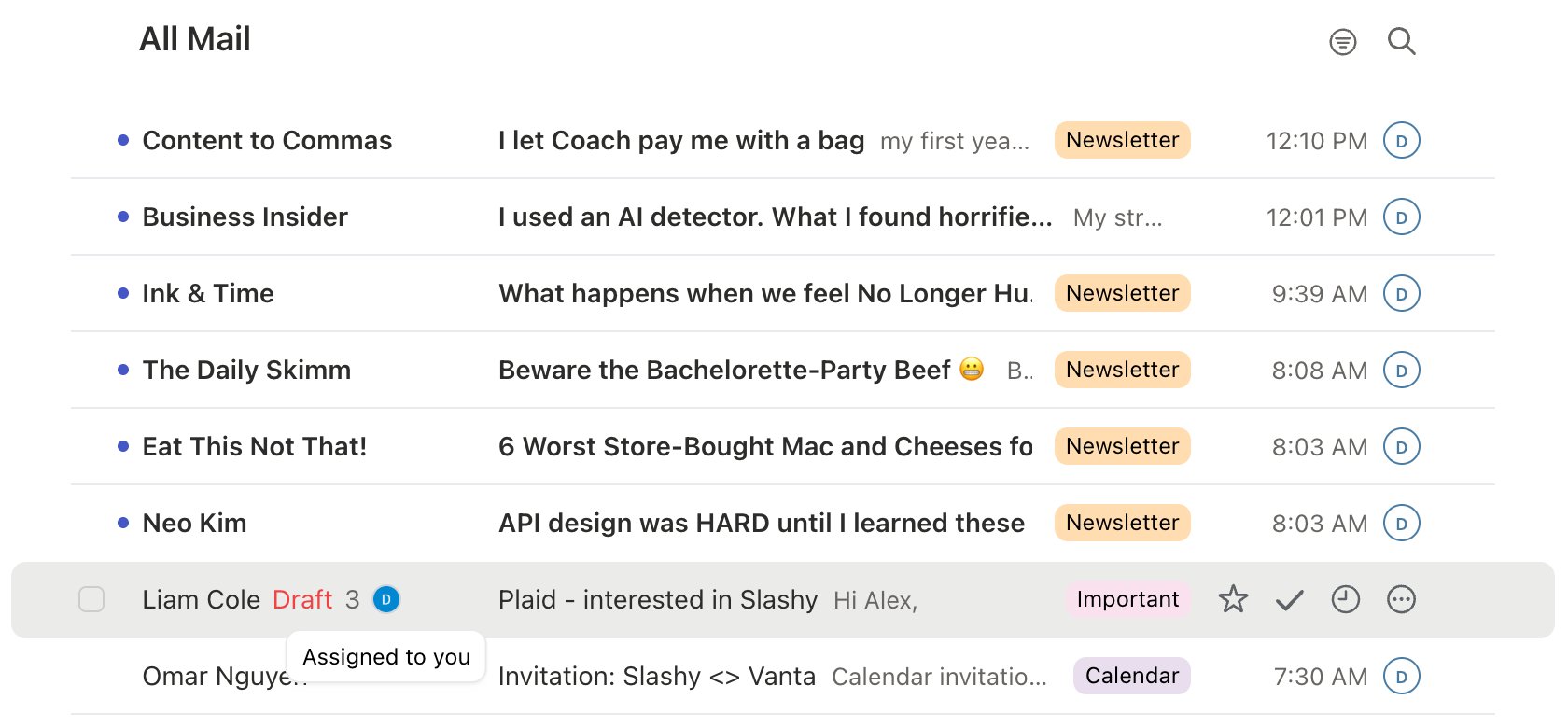
The owner’s avatar and first name sit at the front of the thread toolbar (“You” when it’s yours). Hover it to see the full name. In a narrow window it shrinks to the avatar alone.
Mark an assigned thread done
When you finish an assigned thread, mark it done the usual way: presse, or click the check in the toolbar. A green check then appears on your avatar everywhere the owner shows, and the tooltip reads “Done by” with your name. Your teammates can see at a glance that it’s handled.


Shift+E or choose Mark not done. The check goes away and the thread is back in your inbox. Reassigning a done thread also reopens it for the new owner.
Change or clear the owner
Open the same menu withi. The current owner has a check next to their name. Pick someone else to reassign, or choose No assignee at the top to clear the owner.
On mobile
- Assigned view. Open the mail menu and choose Assigned, right after Shared.
- Owner pill. An assigned thread shows “Assigned to” and the owner’s name under the subject, or “Done by” with a green check once it’s done. Tap it to change the owner.
- Assign sheet. Assign from the thread’s More menu or its actions sheet. You’re listed first, then your teammates, with Unassign at the bottom.
- From a comment. When your comment @-mentions a teammate, an “Also assign to” pill appears in the comment composer. Leave it on to assign the thread to them when you post.
Who can I assign a thread to?
Who can I assign a thread to?
Anyone on your team who signs in to Slashy. Shared inbox seats don’t appear in the list. Manage your team in Settings → Team.
I'm on more than one team. Which team does the thread belong to?
I'm on more than one team. Which team does the thread belong to?
Comment on the thread first so Slashy knows which team it belongs to, then assign it. See Comments and @-mentions.
Comments and @-mentions
Discuss a thread privately with your team.
Managing your team
Invite the teammates you’ll assign to.
Inbox views
Find the Shared and Assigned views.
Keyboard shortcuts
i to assign, e to mark done.Inbox zero
Clear your inbox, assigned work included.