

Comparison
Block a sender
Use this when there is nothing to politely unsubscribe from. Block moves the current message and every future message from that address to spam without notifying the sender.1
Open the thread
From the inbox, hit
Enter to open the message.2
Block
Press
Cmd+U. Past and future mail from this address goes to spam.3
Undo if needed
Press
z or Cmd+Z on the confirmation toast to reverse the block.Blocking is per-address. If a sender uses multiple addresses, block each one.
Mark as spam
For a faster, lighter-weight version of blocking, right-click any thread in the list and choose Mark as spam (or press!). The message moves to spam immediately without opening it. You can also ask the agent to do this in bulk, for example “Mark everything from this sender as spam.”
Unsubscribe from a mailing list
Use this for newsletters and product updates you actually signed up for. Slashy reads the list’s unsubscribe headers and sends the right request on your behalf.1
Open the newsletter
Open the most recent message from the list.
2
Unsubscribe
Press
Cmd+K and choose Unsubscribe (it ranks first for matching senders). Slashy detects the list’s unsubscribe method and runs it.3
Confirm
A toast shows the request was sent. Reputable senders will stop within a few days.
Bulk unsubscribe
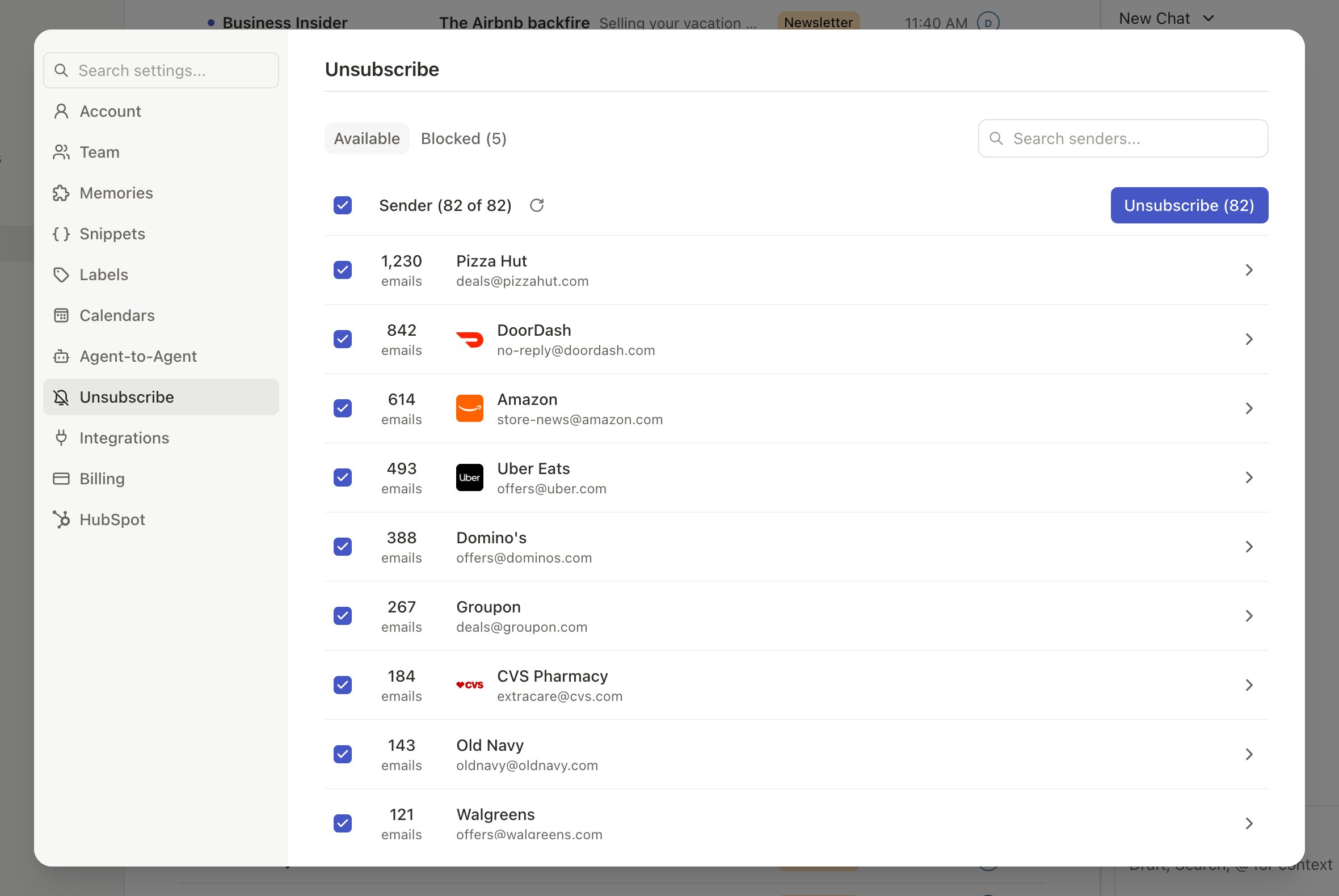
When you want to clean house, run bulk unsubscribe from Settings → Inbox → Unsubscribe. Slashy ranks senders by volume and shows the detected unsubscribe method for each one.1
Open the page
Go to Settings → Inbox → Unsubscribe.
2
Pick the senders
Scroll the list and check the senders you want gone.
3
Run
Click Unsubscribe. Slashy processes each sender in the background.
Choosing the right action
- If you are angry at the message and want it gone right now: mark as spam.
- If you want the sender permanently blocked: block.
- If you actually subscribed at some point: unsubscribe.
- If your inbox is full of years of newsletters: bulk unsubscribe, or ask the agent.
Managing blocked senders
Your full blocked list lives in Settings → Inbox → Blocked senders. Each row shows the address, the date blocked, and an Unblock button. Unblocking restores normal delivery, it does not re-subscribe you to any list.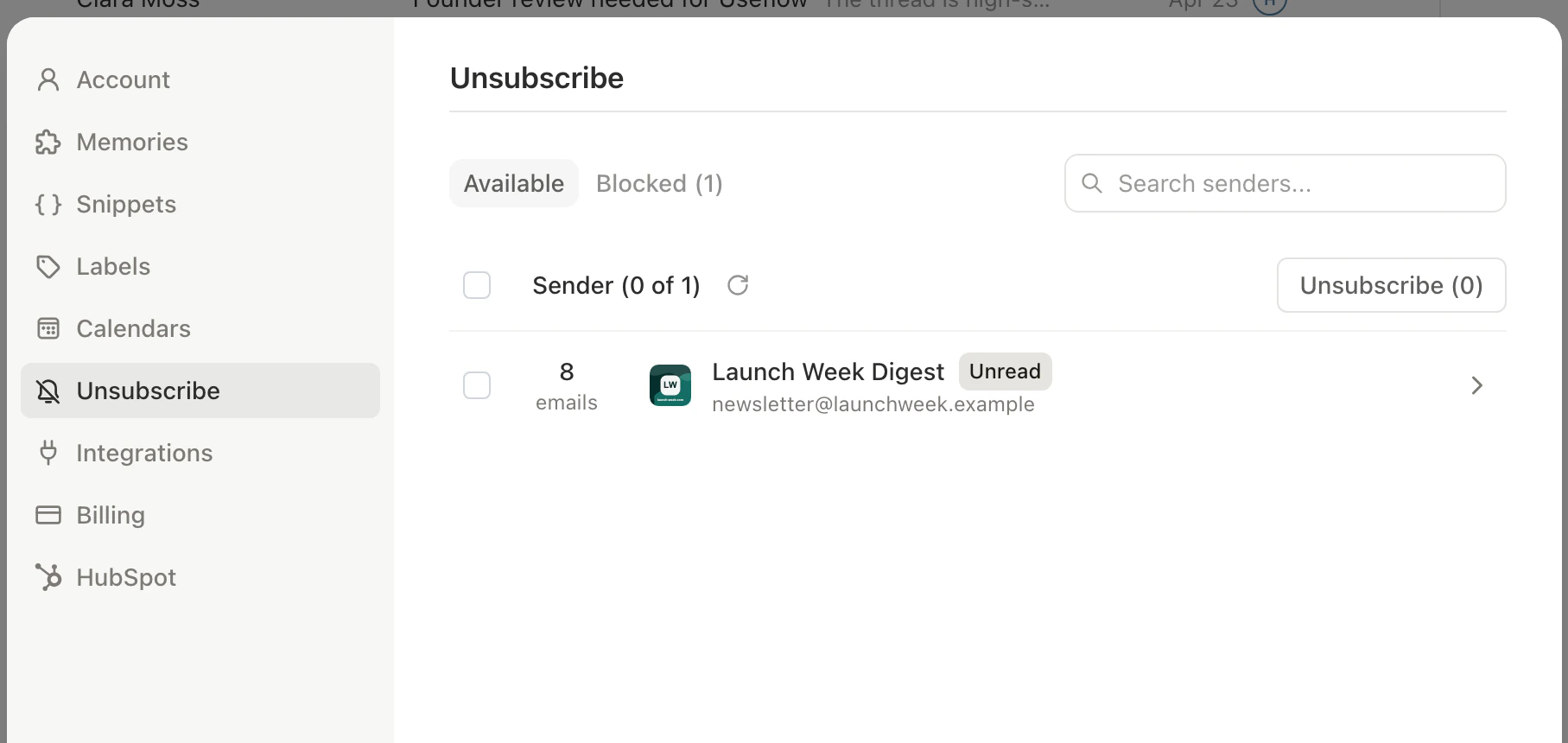
Importance labels
Sort what is left into the right tabs.
Inbox views
Filtered views once your inbox is quieter.
FAQ
Quick answers about how Slashy handles your mail.
The Slashy Method
The end-to-end approach to inbox zero.
Batch processing
Handle large groups of threads at once.