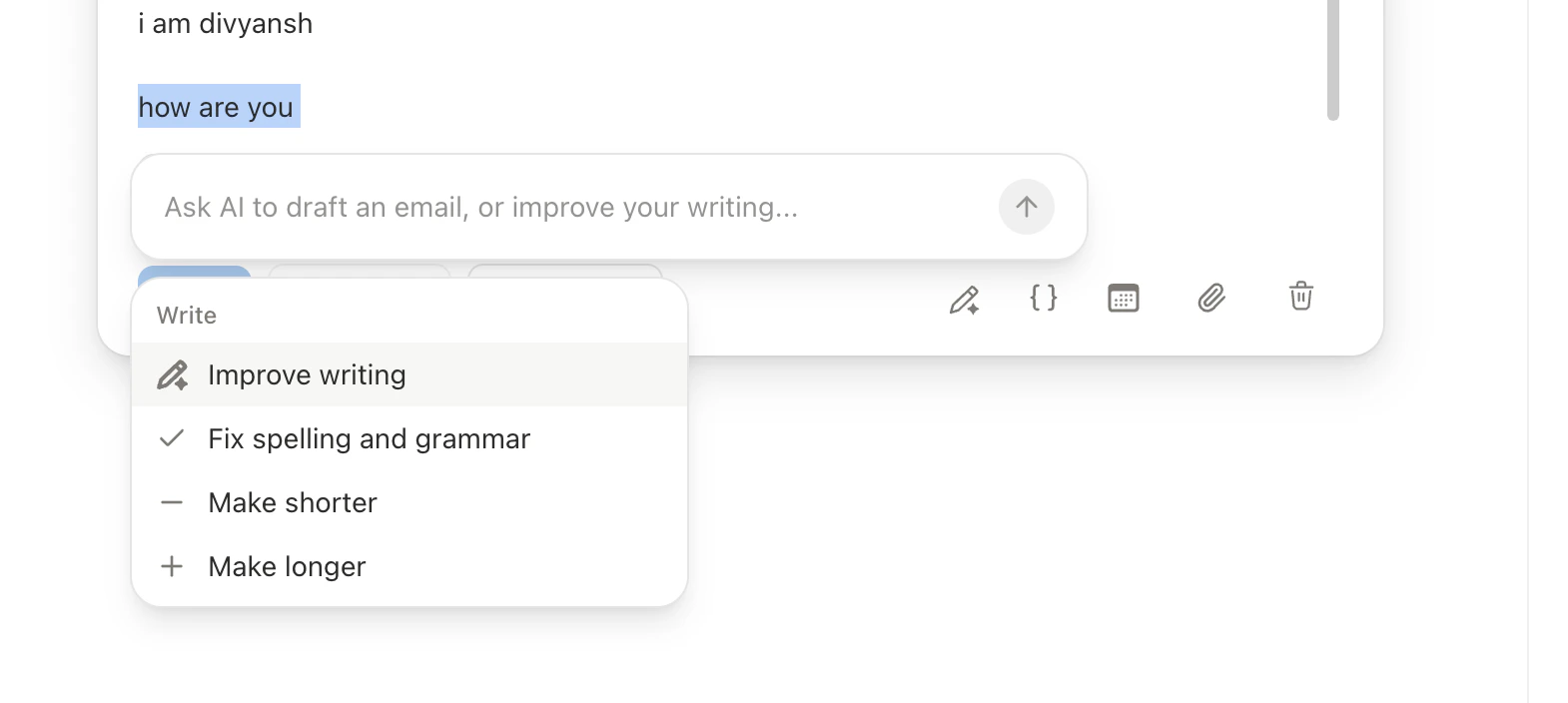
Select text to improve, shorten, lengthen, fix grammar, or custom-edit with diff highlighting. Rate your draft’s effectiveness with Cmd+P.
Slashy’s AI can edit any part of your email on demand and rate your draft before sending. Both features use your writing style, memories, and recipient context to produce results that sound like you.
After the AI generates its edit, changes appear highlighted in the editor — removed text with strikethrough, new text highlighted. Review before committing.
Cmd+J in the compose window opens an inline AI editor that remembers every edit you have made or discarded in the current session. Follow-up instructions work in context, so you can say:
“Make it shorter”
“Undo that last change”
“Go back to the version before the rewrite”
“Change the POV to first person”
Each instruction builds on the session history rather than starting fresh. The session resets when you close the compose window.Cmd+J can also propose changes to the subject line and Cc/Bcc, not just the body. Proposed changes render inline as a delta right in each field, so you see only what’s arriving, not a duplicated old-and-new stack. When a proposal touches more than one part of the email, accept everything at once, or accept the body and the subject/recipients independently, for example when you’re comfortable with a subject tweak but want a closer look at a suggested Cc before it’s added.
When you ask the inline editor to propose meeting times, it checks the recipient’s calendar availability and only offers slots that are free for both of you.
The AI considers your writing style, memories, thread context, and recipient information. “Improve” on a casual team email produces different results than “Improve” on a client proposal.
Press Cmd+P to rate your draft before sending. The AI returns:
Component
Description
Inferred goal
What the AI thinks you’re trying to accomplish
Effectiveness score
How well the draft achieves that goal
Specific issues
Concrete problems (e.g., “the ask is buried in paragraph 3”)
Suggestions
Actionable improvements (e.g., “move the request to the first sentence”)
The rating considers enriched recipient data, your memories, and thread context — not just grammar. It flags when cold outreach is too long for a busy exec, or when a follow-up misses a reference to the previous conversation.
Best for high-stakes emails: cold outreach, negotiations, sensitive internal comms, and follow-ups where you want to maximize response rate.