

Anatomy of a Trigger
Every email trigger has two parts:- Condition — natural language description of which emails match (e.g., “receipts and payment confirmations,” “emails where someone asks me for a reference”)
- Action — what the agent does on match (e.g., “forward to receipts@expensify.com,” “message me on iMessage with a preview”)
Conditions use AI understanding, not keyword matching. “Emails about legal matters” matches contracts, litigation, compliance, and NDAs even if “legal” never appears.
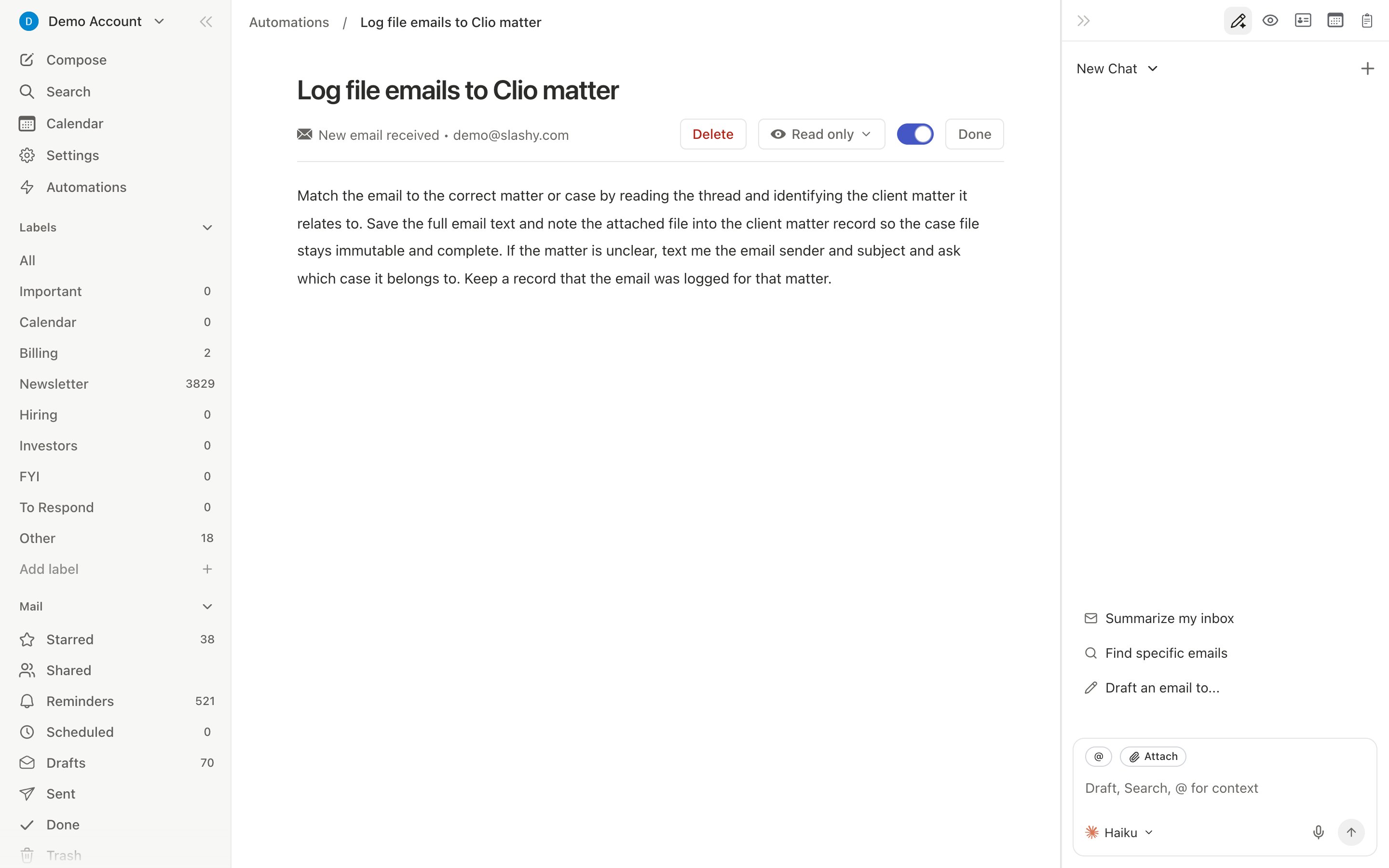
Creating a Trigger
1
Open the agent sidebar
Press
Cmd+/ or d a.2
Describe the automation
Example: “Create an email trigger: when I receive an email from @sequoia.com, message me on iMessage with a preview.”
3
Confirm
The agent shows the condition and action for review.
4
Manage in Settings
Find it in Settings > Automations to toggle, edit, or delete.
One-Time vs. Repeating
Triggers default to repeating. Say “create a one-time trigger” to get single-fire behavior.
Open Triggers
Open triggers fire when a tracked email you sent is opened by the recipient.- You send an email with tracking enabled (on by default)
- Recipient opens it — tracking pixel notifies Slashy
- If an open trigger matches, the agent executes the action
Smart Sent-Email Filtering
Triggers fire on outgoing emails from real email clients but not from mass mailer tools (Apollo, Outreach). This prevents triggers from firing hundreds of times during batch campaigns.Automatic Memory Extraction
A hidden system trigger runs on every incoming email, extracting useful information — contact job changes, commitments, meeting reschedules — and storing it as memories. Review in Settings > Memories.Managing Triggers
All triggers appear in Settings > Automations (Cmd+, then Automations). Toggle on/off, delete, or view details. You can also manage conversationally: “list my email triggers” or “disable the receipt forwarding trigger.”
Related Articles
Calendar Triggers
Automate meeting prep and follow-ups
Scheduled Reminders
Schedule the agent for future tasks
10 Automations
The most impactful automations to set up
Agent Autonomy
What the agent can and cannot do