

Connect Notion
1
Open Settings
Press
Cmd+,.2
Go to Integrations
Choose Integrations in the sidebar and click the Notion card (the Docs filter narrows the page to it). Click Connect next to Pages and databases.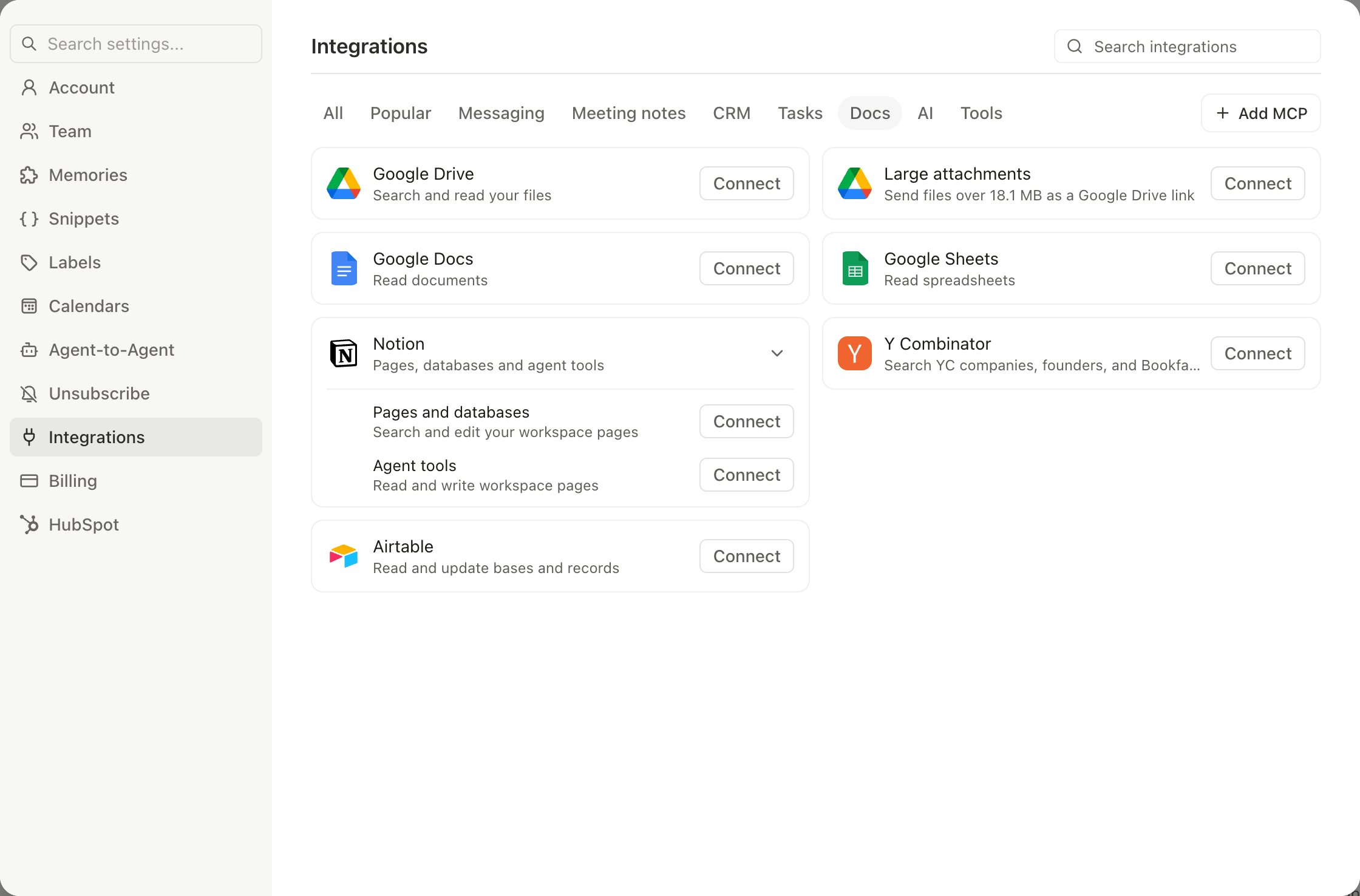
3
Authorize
Sign in to Notion and review the access Slashy is requesting — viewing, editing, and creating content in the pages you select, plus workspace member details. Click Select pages to continue.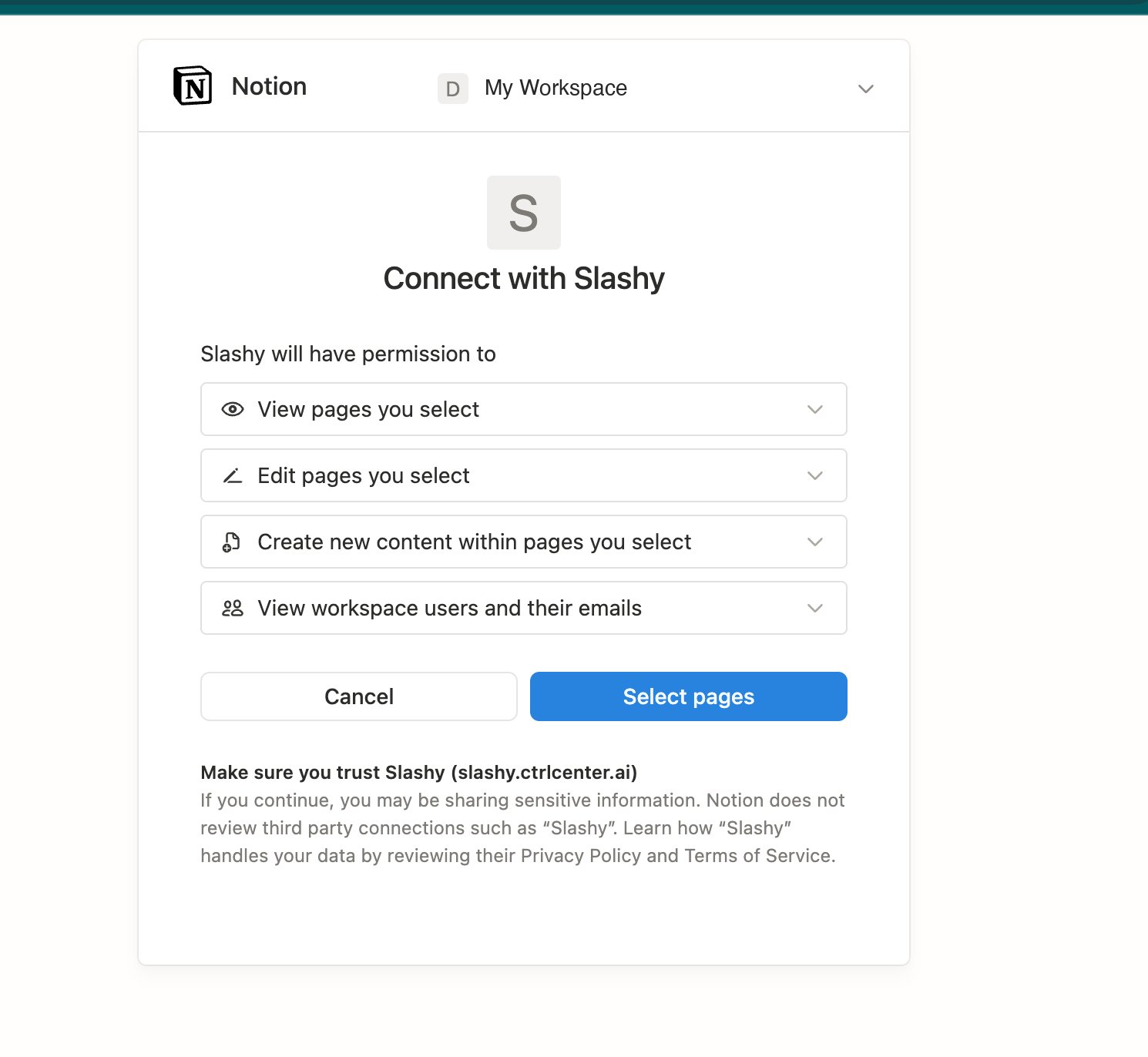
4
Choose what Slashy can reach
Pick the pages and databases to share. Slashy can only read and write the pages you grant here — leave everything unselected and the connection can’t touch your workspace. Click Allow access when you’re done.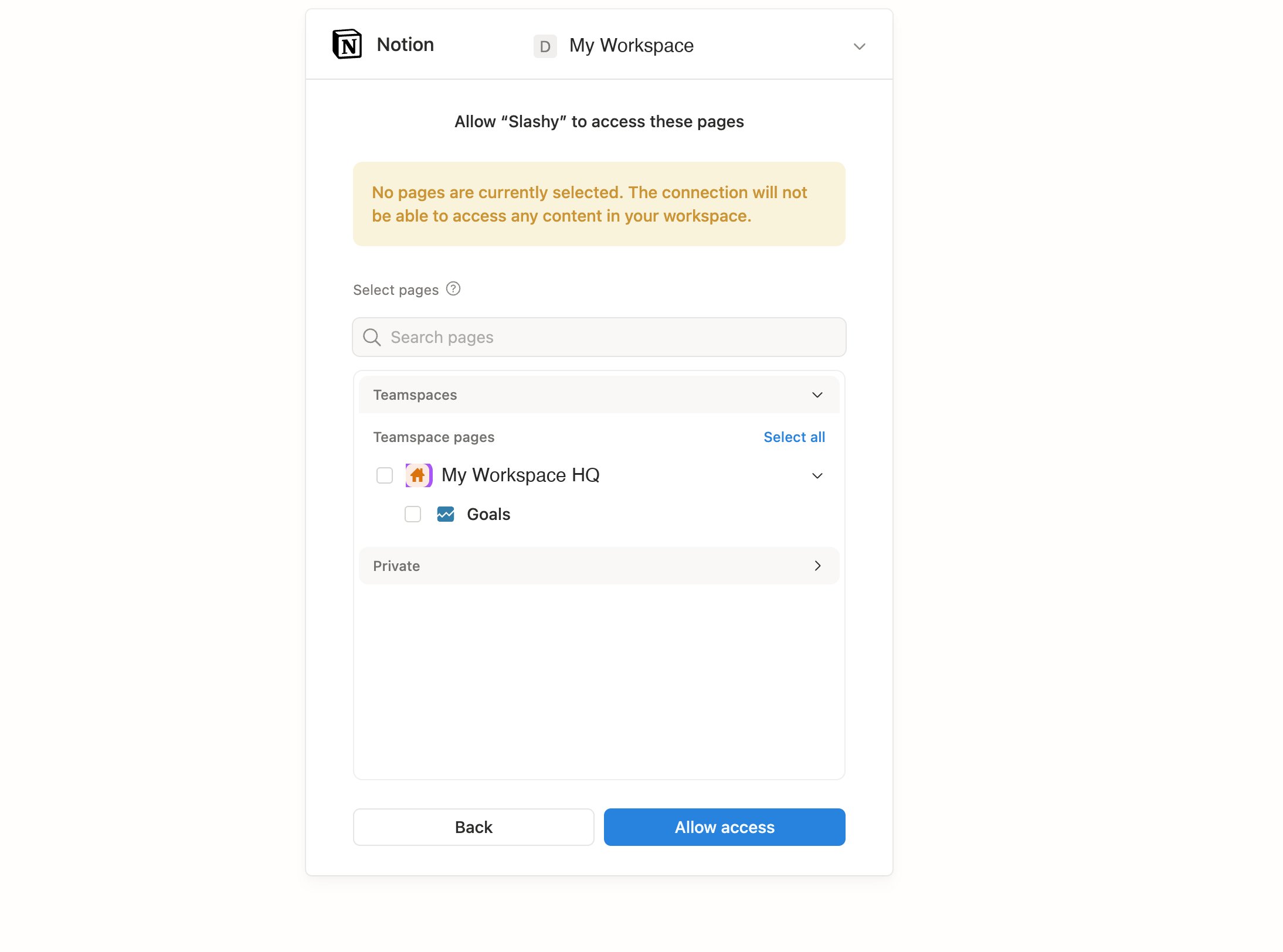
5
Confirm
Slashy shows Connected once authorization completes.
Pick a destination
After connecting, choose where saved items land:- A page. Slashy appends each saved thread or summary as a new block on the page you pick.
- A database. Slashy creates a new entry per save and maps email fields (subject, sender, date) to your database properties. This is the better choice if you want to filter and sort what you save.
What you can save
To save, open a thread and choose Save to Notion from the thread menu. Slashy writes to your chosen destination and confirms with a link to the new page.
Slashy only writes to the pages and databases you shared during setup. To give it access to more, reopen the Notion approval screen from Settings, Integrations, Notion and update the selection.
What the agent can do
With Notion connected, ask the agent (Cmd+/) to work with your workspace in plain English:
Write actions are blocked when Read Mode is on, so the agent can still search and summarize without changing anything in Notion. See Agent autonomy.
Keep formatting clean
Slashy maps email content to native Notion blocks rather than pasting raw text:- Headings and lists carry over as Notion headings, bullets, and to-dos.
- Links stay clickable.
- Attachments are listed with their filenames and a link back to the source thread in Slashy.
Disconnect
Open Settings, Integrations, Notion and click Disconnect. Slashy stops writing immediately. Pages and entries already saved to Notion stay there.Disconnecting does not revoke the Slashy app from your Notion workspace. To fully remove access, also revoke the connection from your Notion workspace settings under Connections.
Google Docs, Sheets & Drive
Search, read, and edit Google Workspace files.
Attio
Log emails and sync contacts with Attio.
HubSpot
Auto-BCC HubSpot for CRM logging.
MCP
Connect Slashy to other tools over MCP.
Agent autonomy
Control what the agent can do on its own.