

Connect Circleback
1
Open Settings
Press
Cmd+,.2
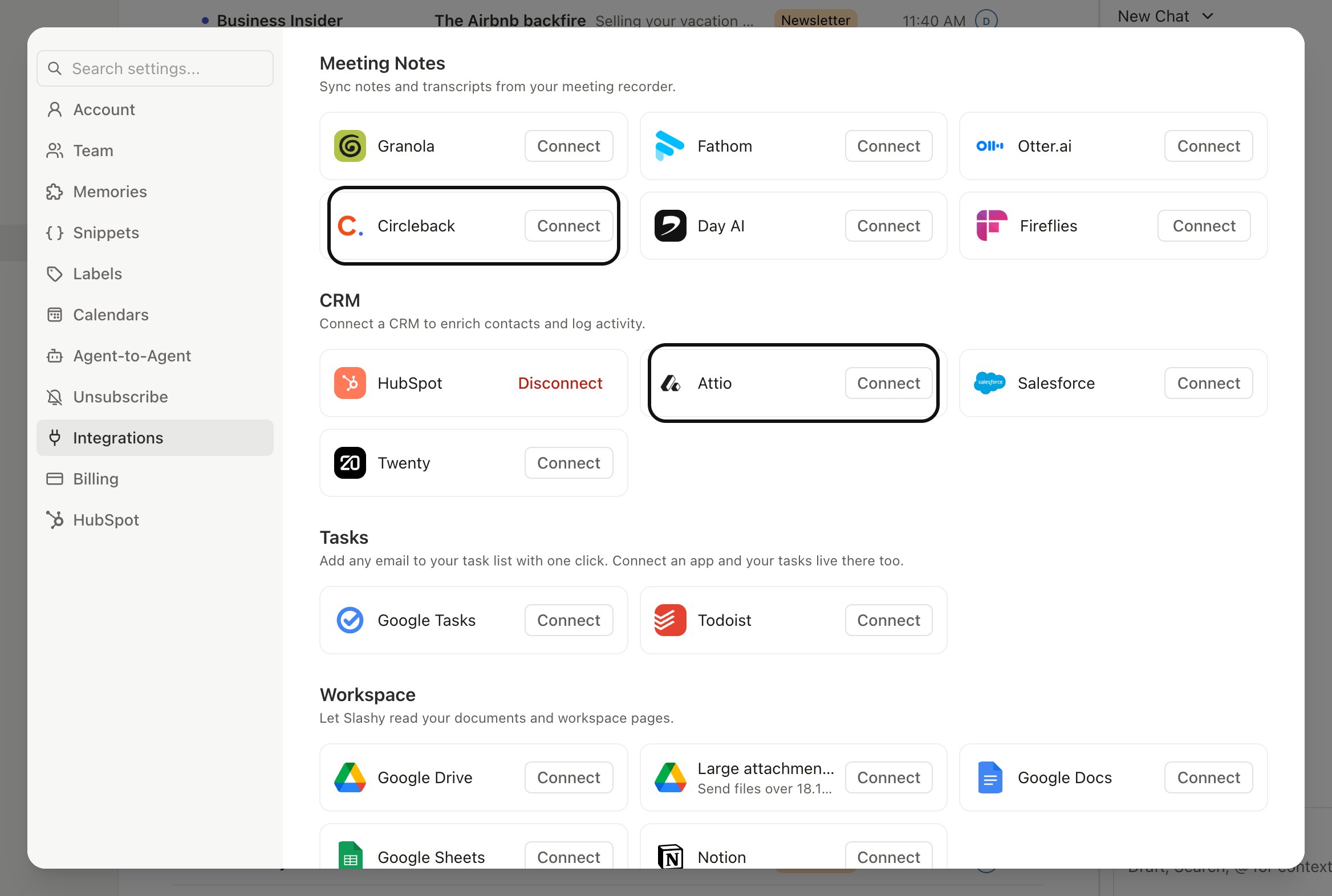
Go to Integrations
Choose Integrations in the sidebar, then Meeting Notes, then click Circleback.
3
Authorize
Click Connect Circleback and sign in with the Circleback account that records your meetings.
4
Return to Slashy
Once Circleback confirms access, you are redirected back. The integration page shows Connected.
What arrives on events
Each meeting Circleback processes attaches three things to the matching event in Slashy:- The full transcript.
- Action items Circleback extracted from the conversation.
- The participant list, with names and any roles Circleback identified.
How matching works
Slashy matches a Circleback meeting to a calendar event when both exist at similar times in your calendar. The match is reliable when the event has been on your calendar before the meeting starts and Circleback recorded against it. If a recording does not have a corresponding calendar invite, Slashy keeps the Circleback record but does not attach it to an event. You can manually associate it from the Circleback section dropdown if the right event exists.When notes appear
Notes typically appear shortly after the meeting ends. Circleback processes the recording and Slashy attaches the results once they are available. Reload the calendar if a transcript has not shown up yet for a recent meeting.Action items
Action items become a checklist inside the event panel. Tick them as you finish, or hand them off to the Slashy agent to turn into reminders, follow up emails, or new events.Ask the agent about a meeting
Once notes are syncing, ask the agent (Cmd+/) about a past call, like “What did we agree with Acme last week?” The agent searches your connected meeting notes and replies with an inline card showing the meeting, date, participants, and a link to the recording.
Disconnect
To remove the integration, open Settings, then Integrations, then Meeting Notes, then Circleback, and click Disconnect. Slashy stops pulling new meetings and removes existing Circleback data from events. Your data in Circleback itself is untouched.Slashy reads from Circleback, never writes. Edits you make to an event in Slashy do not change anything on the Circleback side.
Granola integration
Sync Granola notes to events.
Fathom integration
Sync Fathom recordings to events.
Otter.ai integration
Attach Otter transcripts to events.
Fireflies.ai integration
Sync Fireflies transcripts to events.
Private notes
Slashy only notes on events.
Meeting prep
Prep briefings before each meeting.
Creating events
Schedule directly from Slashy.