

Quick setup
This one command adds Slashy to every AI tool on your machine:Setting it up by hand instead? Every client uses the same server URL:
https://slashy.ctrlcenter.ai/mcpSet up your client
Claude Code
Run this in your terminal:Claude app & web
Open Settings → Connectors in Claude Desktop, or go to claude.ai/settings/connectors.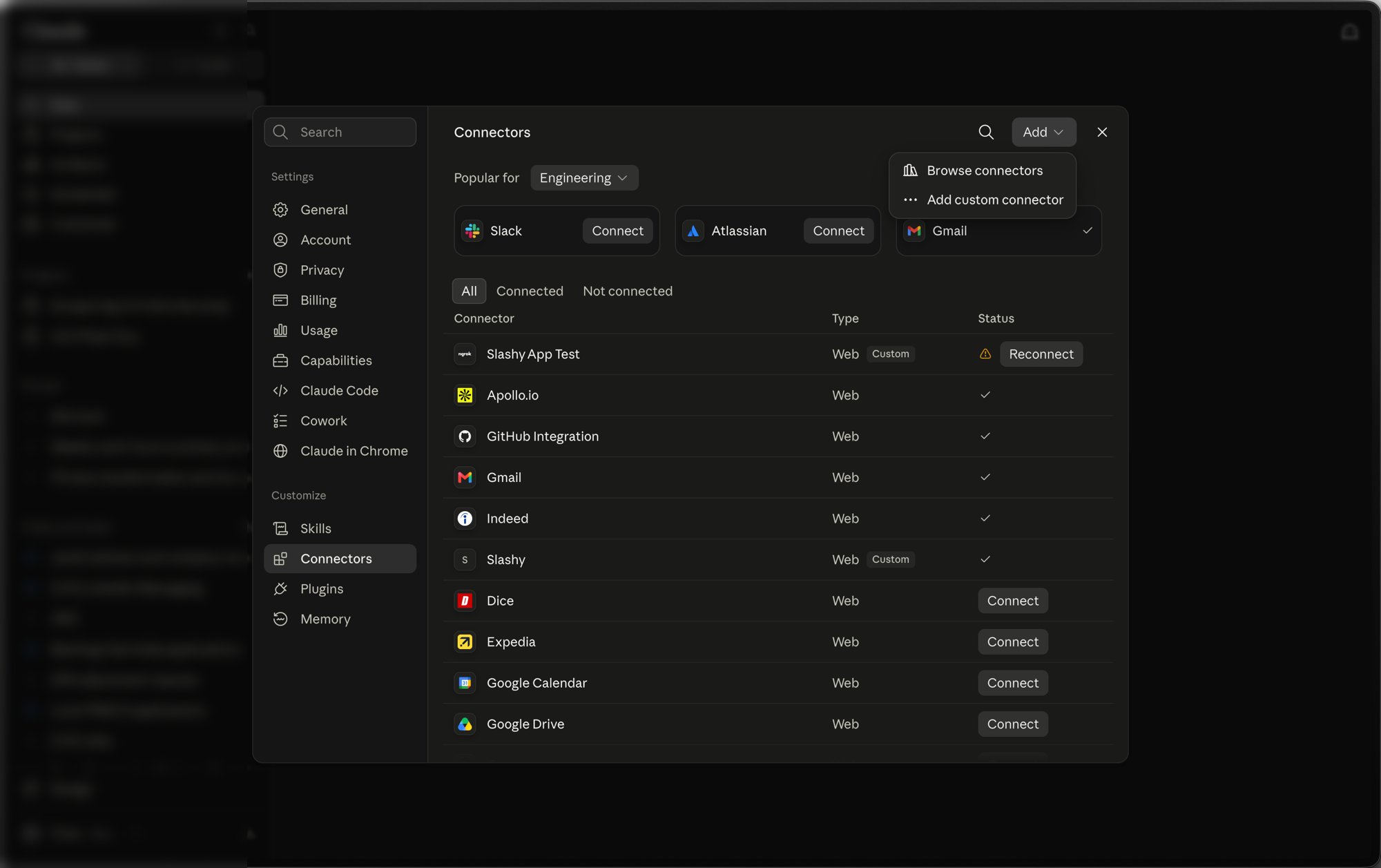
- Name:
Slashy - URL:
https://slashy.ctrlcenter.ai/mcp
On Team and Enterprise plans an Owner adds the connector once at Admin settings → Connectors, then each member connects their own Slashy account.
Cursor
Install in Cursor Clicking Install opens Cursor and adds the server for you. To do it by hand, put this inmcp.json:
Cmd+Q and reopen it, then sign in with Google and click Allow.
Full guide with screenshots
Codex CLI
Add this to~/.codex/config.toml:
codex. It opens your browser on first launch. Sign in with Google and click Allow.
Full guide with screenshots
Notion
Open your custom agent’s Tools / Connectors settings and choose Add custom connector:- Name:
Slashy - URL:
https://slashy.ctrlcenter.ai/mcp
Any other client
MCP is an open standard, so a client Slashy has not documented usually still works. Most of them take a config file in this shape:Check it worked
Start a new chat and ask “What Slashy tools are available?”. The client lists tools such assend_email, list_calendar_events, and archive_email_thread.
If nothing appears, see Troubleshooting.
What you can do once connected
In ChatGPT and on claude.ai, drafts appear as an editable card you can send, schedule, or delete from the chat. When the AI writes several drafts in one reply, the card lists them all so you can review each in turn. See Edit the draft in a card.
See Using Slashy MCP for prompts to copy.
Security
How Slashy MCP authenticates
How Slashy MCP authenticates
Slashy uses OAuth 2.1 with PKCE. You sign in through your browser once and your client stores a short-lived access token that refreshes automatically in the background. Your config file holds only the server URL, never a secret.
What a connected client can reach
What a connected client can reach
Tools are scoped to your Slashy account and respect the same permissions as Slashy itself. A client can only do what you can do.
How to disconnect
How to disconnect
Revoke access at any time from your Slashy account settings. The client is disconnected immediately and its token stops working. Signing out of Slashy also disconnects all connected clients, and you sign in again from the client to reconnect.
Go deeper
Overview & prerequisites
What Slashy MCP is and what you need before setup.
Using Slashy MCP
Ready-made prompts for email, calendar, and research.
Slashy skills
Turn Slashy workflows into one-word triggers.
Troubleshooting
Fixes for OAuth, missing tools, and wrong accounts.