

Connect HubSpot
1
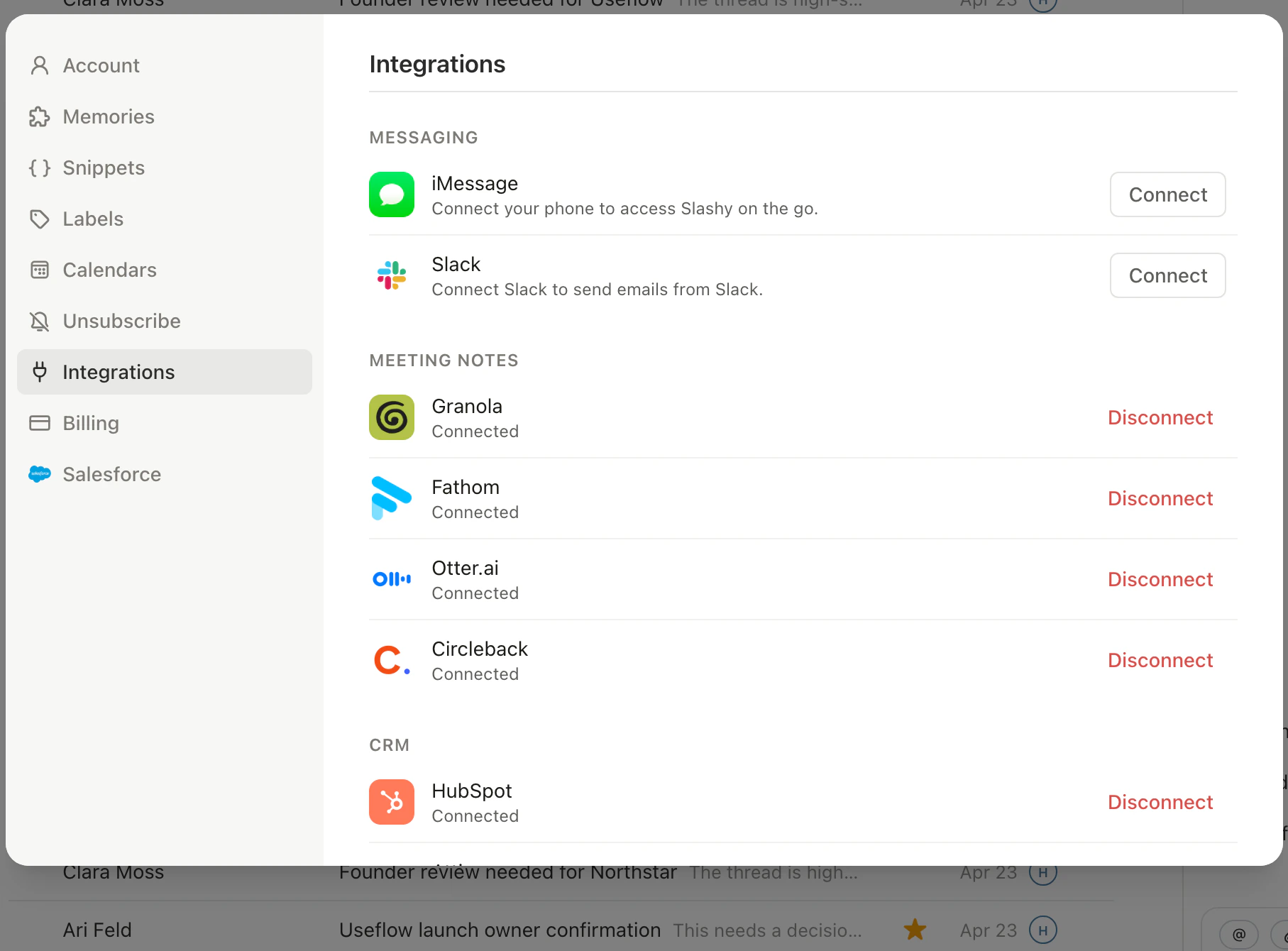
Open Settings
Press
Cmd+,.2
Go to Integrations
Choose Integrations in the sidebar, then CRM, then click HubSpot.
3
Authorize
Click Connect HubSpot and sign in with the HubSpot account that owns the CRM data.
4
Confirm
Slashy shows Connected with the HubSpot portal name once authorization completes.
What gets logged
Outbound emails you send from Slashy are logged to the HubSpot contact whose email matches the recipient. The log captures the subject, the body, and the sent timestamp, and lands on the contact timeline within a few seconds. Inbound emails are not logged automatically. HubSpot handles inbound logging through its own connected inbox if you have that set up separately. Slashy also keeps the HubSpot company record in step. When a recipient’s email domain matches an existing company, Slashy associates the contact with it; when no company exists yet, Slashy creates one from the domain and associates the contact automatically.Finding existing companies and deals
When you search for a company or deal in the HubSpot sidebar, Slashy searches your whole HubSpot account, not only the records already linked to the contact. An existing deal shows up instead of an offer to create a duplicate.What the agent can do
With HubSpot connected, ask the agent (Cmd+/) to work with your CRM in plain English:
Write actions are blocked when Read Mode is on, so the agent can still look things up and draft without changing your CRM. See Agent autonomy.
Turn on auto BCC
Slashy logs outbound by sending a hidden BCC to the address HubSpot assigns to your portal. You turn this on once and forget about it.1
Open CRM settings
Settings, then CRM.
2
Find Email Logging
Scroll to the Email Logging section.
3
Toggle on
Flip the auto BCC toggle. Slashy populates the BCC field with your HubSpot logging address for every outbound message.
Exclude addresses from logging
Add domains or specific addresses to an exclusion list so Slashy never BCCs HubSpot for those recipients, useful for internal threads or addresses you never want on a CRM timeline.1
Open CRM settings
Settings, then CRM.
2
Find Excluded addresses
Scroll to the Excluded addresses section under Email Logging.
3
Add entries
Enter a domain (like yourcompany.com) or a full email address, one per line.
Scope auto BCC per mailbox
If you connect more than one inbox, turn auto BCC on for some mailboxes and off for others. Open Settings, then CRM, then Email Logging, and set the toggle per connected mailbox instead of workspace-wide. This is useful when one inbox is customer-facing and another is internal or personal.Opt in or out per email
When auto BCC is on, every compose window shows a CRM badge near the send button so you know logging is active. Click the badge to skip logging for that single email. Send normally and the badge stays on for the next compose.Where logged emails appear
In HubSpot, open the contact whose address you sent to. The email shows up on the contact timeline with the same subject and body you sent. Engagements like opens and replies are tracked through HubSpot’s normal pipeline once the email lands.If the recipient does not have a HubSpot contact, HubSpot creates one when the BCC arrives, using the recipient address.
Composing emails
Write and send from Slashy.
Attio integration
Log emails to Attio CRM.
Salesforce integration
Account context and agent read/write.
Twenty integration
See Twenty records beside your email.
Slack integration
Bring Slashy into Slack.
MCP integrations
Connect tools via MCP.
Signatures
Configure per-account signatures.