

Your Setup Checklist
1
Enable Email Tracking
Open tracking is on by default. Press
d o for the Recent Opens feed and you will see exactly when a prospect opens your message — and how many times.2
Build Outreach Snippets
Press
n s to create snippets for cold outreach, follow-ups, pricing responses, and meeting confirmations. Insert with / and personalize the last 20%.3
Share Your Availability
Press
Shift+Cmd+A while composing to insert open time slots into emails, or ask the AI to suggest times that work for everyone on the thread.4
Train AI on Your Voice
Send 5-10 replies using
Cmd+Enter drafts, editing each to match your sales tone. The AI learns fast — within days it handles routine replies on its own.5
Label Your Pipeline
Create importance labels for prospects, active deals, and customers. Slashy auto-sorts incoming emails so hot leads always surface first.
Automations For You
Open the AI agent sidebar (Cmd+/) and set up these automations:
Follow-Up Nudge
Follow-Up Nudge
If a prospect hasn’t replied in 3 days, Slashy drafts a follow-up and queues it for your review. You approve with one click instead of manually tracking who ghosted you.
Meeting Prep Briefing
Meeting Prep Briefing
15 minutes before a prospect call, get an iMessage briefing with their recent emails, company info from your threads, and any open questions. No more scrambling for context.
Scheduled Send for Timezones
Scheduled Send for Timezones
Compose emails anytime, then schedule delivery for the prospect’s morning. Emails that land at 8:30 AM local time get opened more than emails sent at your convenience.
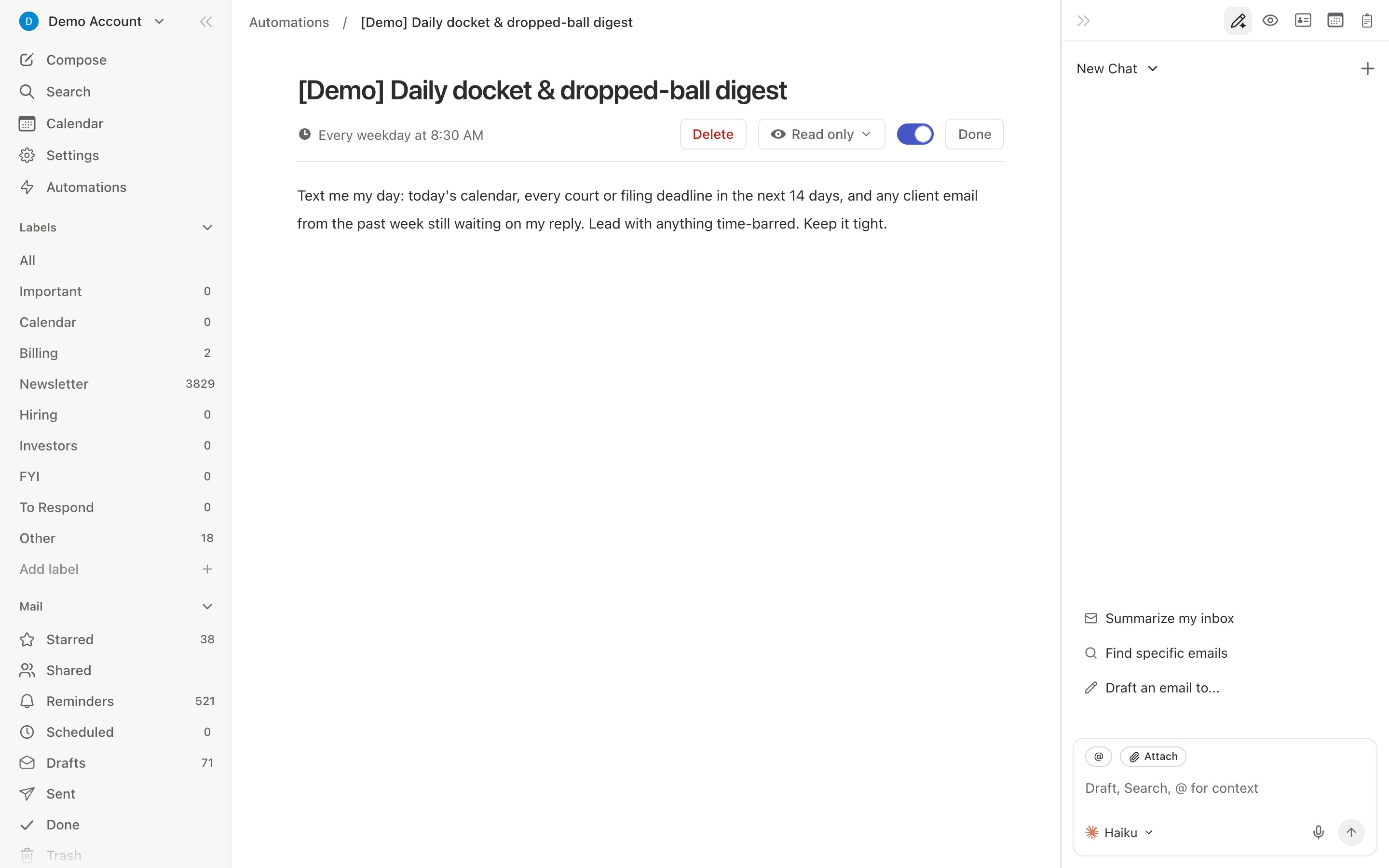
Dropped Ball Scanner
Dropped Ball Scanner
Daily scan for leads you haven’t responded to. One morning summary tells you exactly which deals need attention today.
Workflow: Process Your Morning Pipeline in 10 Minutes
1
Open your inbox and filter by prospect labels
Press
1 for email view. Your importance labels surface hot leads and active deals at the top automatically.2
Triage with AI drafts
Navigate with
j/k. For each prospect email, press Cmd+Enter to generate a draft. Review, quick-edit the personalization, then Cmd+Shift+Enter to send.3
Check your Recent Opens panel
Press
d o to see which prospects opened your emails overnight. A prospect who opened your proposal three times is ready for a call.4
Review your Dropped Ball Scanner summary
Check your morning iMessage summary for leads waiting on a reply. Draft follow-ups for any that slipped past day 3.
5
Schedule afternoon sends
For prospects in different timezones, compose now and schedule delivery for their morning using Scheduled Send in the compose window.
Pro Tips
- Track strategically: Use
d oon important outreach, not every email. When you see a prospect opened your proposal three times, that is your signal to call. - Snippet + personalize: Start every cold email from a snippet, then add one personal line. You get consistency and speed without sounding like a template.
- Batch prospect replies: Use
j/kto navigate,Cmd+Enterto draft, review, send. Process your entire prospect inbox in one focused block. - Ask the agent for summaries: Before a QBR or pipeline review, ask “List all prospects who haven’t replied in the last 7 days” for an instant stale-deal report.
Sample Agent Commands
Try these in the agent sidebar (Cmd+/):
- Pipeline Management
- Outreach
- Meeting Prep
- “List all prospects who haven’t replied in the last 7 days”
- “Summarize my email activity with @bigclient.com this month”
- “Which deals have gone cold in the last 2 weeks?”
Related Articles
Email Tracking
How open and click tracking works
Snippets & Templates
Create, organize, and insert reusable templates
Never Miss a Follow-up
Four layers of automated follow-up protection
Meeting Prep
Auto-prep for every prospect call