> ## Documentation Index
> Fetch the complete documentation index at: https://help.slashy.com/llms.txt
> Use this file to discover all available pages before exploring further.
# Slashy for VCs
> Manage deal flow, maintain founder relationships, and prep for pitch meetings -- all from your inbox.
VC work runs on relationships and speed. Slashy keeps you responsive to founders, organized on deal flow, and prepped for every pitch meeting.
## Your Setup Checklist
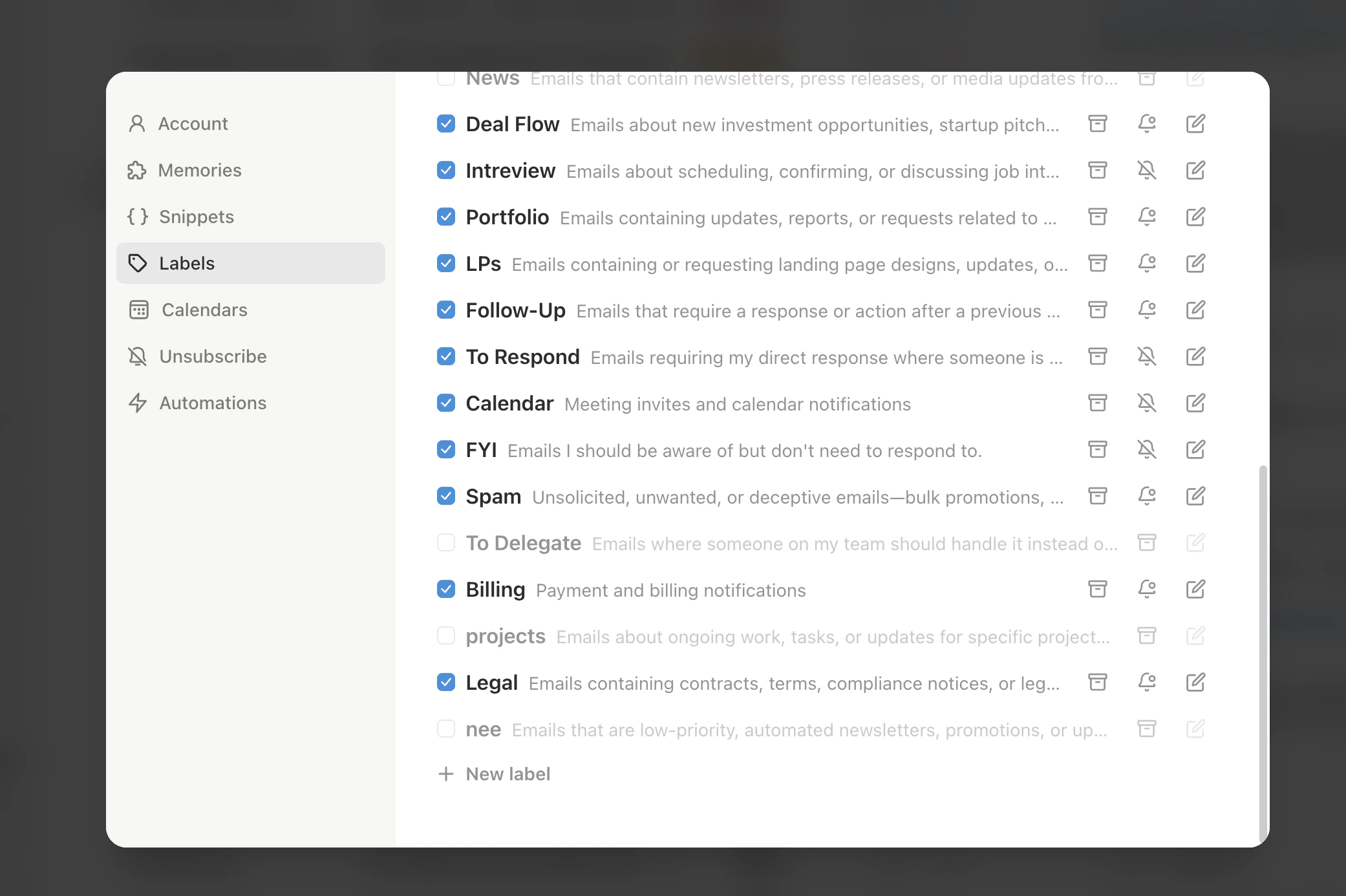
Create importance labels for portfolio founders, active deal flow, and LPs. Founder emails surface at the top -- everything else waits.
Reply to 5-10 founder emails using `Cmd+Enter` drafts and edit each one. The AI learns your voice fast so you can respond quickly without sounding generic.
Link Google Calendar in **Settings > Calendars**. Slashy uses it for meeting prep briefings and sharing availability with founders via `Shift+Cmd+A`.
Press `n s` to create snippets for pass emails, next-steps requests, intro forwards, and term sheet follow-ups. Insert with `Cmd+Shift+S`.
Connect your phone in **Settings > Integrations > Messaging > iMessage** for weekly portfolio summaries and alerts when key founders email you.
 ## Automations For You
Open the AI agent sidebar (`Cmd+Shift+L`) and set up these automations:
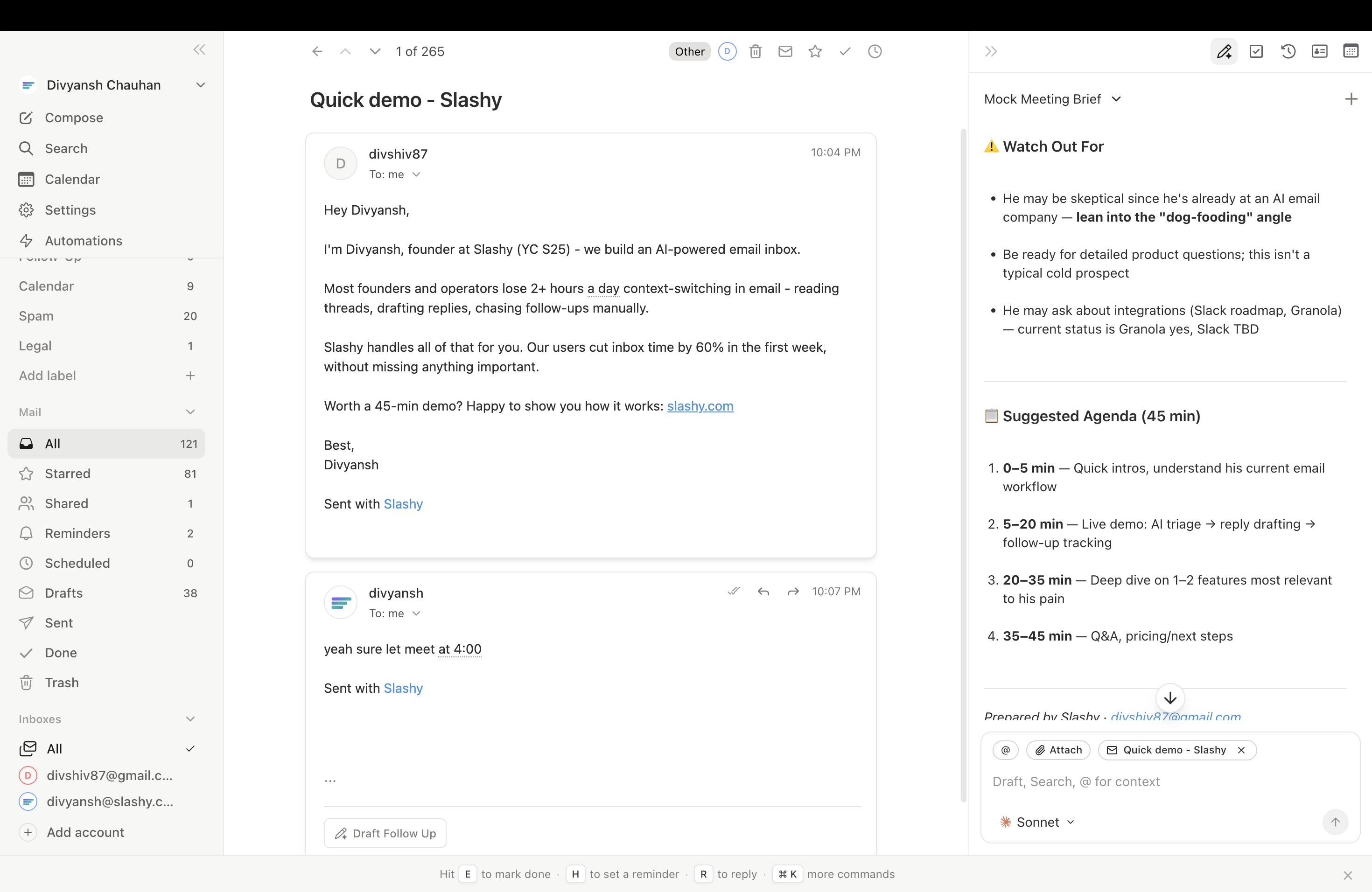
Before every meeting tagged as a pitch, Slashy sends a briefing with the founder's recent emails, prior meeting notes, and any open threads. Walk into every pitch with full context.
Every Monday morning, get an iMessage digest summarizing emails from all portfolio founders over the past week. Spot who needs attention without reading every thread.
Slashy auto-drafts replies to founder emails within minutes. Review and send with one click. Founders notice when you respond in under an hour.
Daily scan for inbound pitch emails you haven't responded to. A morning summary ensures no promising founder gets left on read.
## Automations For You
Open the AI agent sidebar (`Cmd+Shift+L`) and set up these automations:
Before every meeting tagged as a pitch, Slashy sends a briefing with the founder's recent emails, prior meeting notes, and any open threads. Walk into every pitch with full context.
Every Monday morning, get an iMessage digest summarizing emails from all portfolio founders over the past week. Spot who needs attention without reading every thread.
Slashy auto-drafts replies to founder emails within minutes. Review and send with one click. Founders notice when you respond in under an hour.
Daily scan for inbound pitch emails you haven't responded to. A morning summary ensures no promising founder gets left on read.
 ## Pro Tips
* **Speed wins deals:** Use `Cmd+Enter` to draft, quick-edit, then `Cmd+Shift+Enter` to send. Founders remember the investor who responded in 20 minutes, not 2 days.
* **Portfolio pulse check:** Ask the agent *"Which portfolio founders haven't emailed me in 30 days?"* to spot who might need a check-in.
* **Warm intros in seconds:** When forwarding an intro, ask the agent *"Forward this to \[founder] with context about why they should meet \[person]."* The AI pulls relevant details from your email history.
* **Pass gracefully:** Create a snippet for pass emails with a warm, specific reason. Insert with `Cmd+Shift+S`, add one personal line, send. Respectful and fast.
## Sample Agent Commands
Try these in the agent sidebar (`Cmd+Shift+L`):
* *"List all inbound pitch emails I haven't responded to"*
* *"Which founders from this week's meetings have I not followed up with?"*
* *"Summarize the pitch deck thread with \[founder name]"*
* *"Which portfolio founders haven't emailed me in 30 days?"*
* *"Summarize all emails from \[company] founders this quarter"*
* *"Draft a check-in email to \[founder] asking how fundraise is going"*
* *"Forward this thread to \[founder] with context about why they should meet \[person]"*
* *"Draft a pass email to \[founder] -- warm, specific, leave the door open"*
* *"Draft an intro between \[person A] and \[person B] with context from my emails"*
***
## Related Articles
How AI learns your writing style
Sync, availability sharing, and event creation
Auto-generate attendee briefings before every meeting
Set per-contact preferences and writing memories
## Pro Tips
* **Speed wins deals:** Use `Cmd+Enter` to draft, quick-edit, then `Cmd+Shift+Enter` to send. Founders remember the investor who responded in 20 minutes, not 2 days.
* **Portfolio pulse check:** Ask the agent *"Which portfolio founders haven't emailed me in 30 days?"* to spot who might need a check-in.
* **Warm intros in seconds:** When forwarding an intro, ask the agent *"Forward this to \[founder] with context about why they should meet \[person]."* The AI pulls relevant details from your email history.
* **Pass gracefully:** Create a snippet for pass emails with a warm, specific reason. Insert with `Cmd+Shift+S`, add one personal line, send. Respectful and fast.
## Sample Agent Commands
Try these in the agent sidebar (`Cmd+Shift+L`):
* *"List all inbound pitch emails I haven't responded to"*
* *"Which founders from this week's meetings have I not followed up with?"*
* *"Summarize the pitch deck thread with \[founder name]"*
* *"Which portfolio founders haven't emailed me in 30 days?"*
* *"Summarize all emails from \[company] founders this quarter"*
* *"Draft a check-in email to \[founder] asking how fundraise is going"*
* *"Forward this thread to \[founder] with context about why they should meet \[person]"*
* *"Draft a pass email to \[founder] -- warm, specific, leave the door open"*
* *"Draft an intro between \[person A] and \[person B] with context from my emails"*
***
## Related Articles
How AI learns your writing style
Sync, availability sharing, and event creation
Auto-generate attendee briefings before every meeting
Set per-contact preferences and writing memories