> ## Documentation Index
> Fetch the complete documentation index at: https://help.slashy.com/llms.txt
> Use this file to discover all available pages before exploring further.
# Slashy for Executives
> VIP alerts for critical emails, weekly summaries, meeting prep briefings, and fast AI-drafted responses.
Executives get too much email and too little time. Slashy surfaces what matters, preps you for meetings, and drafts responses so you stay responsive without living in your inbox.
## Your Setup Checklist
Go to **Settings > Labels** and create VIP labels for your board, CEO, direct reports, and key external contacts. Their emails jump to the top -- everything else gets triaged by importance.
Connect your phone in **Settings > Integrations > Messaging > iMessage** and set alerts to VIP-only. You get texted when the board chair emails, not when a vendor follows up.
Reply to 5-10 emails using `Cmd+Enter` drafts and edit each one. The AI learns your executive communication style -- concise, decisive, and on-brand.
Link Google Calendar in **Settings > Calendars**. Slashy uses it for pre-meeting briefings and inserting availability with `Shift+Cmd+A`.
Press `n s` to create snippets for common responses: approvals, delegation requests, meeting follow-ups. Insert with `Cmd+Shift+S`.
 ## Automations For You
Open the AI agent sidebar (`Cmd+Shift+L`) and set up these automations:
Instant iMessage notification when board members, your CEO, or flagged contacts send you an email. Never miss a critical message even when you are in back-to-back meetings.
Every Monday morning, receive a digest of the past week's email activity: key threads, unanswered messages, and trends. Review your inbox landscape in 2 minutes.
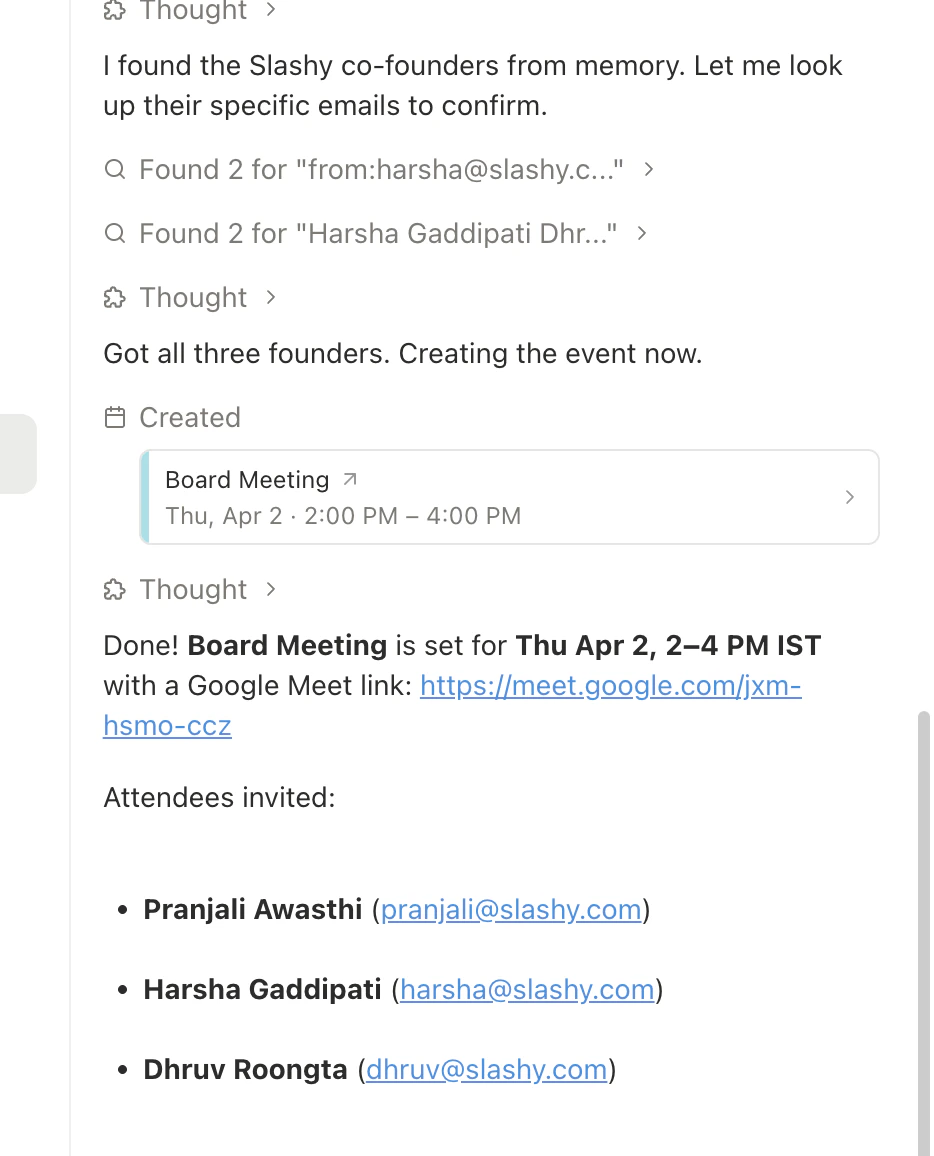
15 minutes before each meeting, get a briefing with attendee email history, open threads, and relevant context. Walk into every meeting informed without manual prep.
Tell the agent *"Forward this to \[[ea@company.com](mailto:ea@company.com)] with a summary and next steps."* Your EA or chief of staff gets the full picture and clear instructions in one forwarded email.
## Automations For You
Open the AI agent sidebar (`Cmd+Shift+L`) and set up these automations:
Instant iMessage notification when board members, your CEO, or flagged contacts send you an email. Never miss a critical message even when you are in back-to-back meetings.
Every Monday morning, receive a digest of the past week's email activity: key threads, unanswered messages, and trends. Review your inbox landscape in 2 minutes.
15 minutes before each meeting, get a briefing with attendee email history, open threads, and relevant context. Walk into every meeting informed without manual prep.
Tell the agent *"Forward this to \[[ea@company.com](mailto:ea@company.com)] with a summary and next steps."* Your EA or chief of staff gets the full picture and clear instructions in one forwarded email.
 ## Pro Tips
* **Triage in 5 minutes:** VIP labels + importance sorting means your top 10 emails are the only ones that matter. Use `j`/`k` to navigate, `Cmd+Enter` to draft, `e` to archive the rest.
* **AI drafts for speed:** Accept the AI draft for routine responses. Edit only when nuance matters. Most executives cut reply time by 60%.
* **Board prep on demand:** Ask the agent *"Summarize all board-related emails from the last month"* before any board meeting for a complete communication recap.
* **Delegate, don't forward:** Instead of forwarding raw threads to your EA, ask the agent to add context and action items. Your EA spends less time decoding and more time executing.
## Sample Agent Commands
Try these in the agent sidebar (`Cmd+Shift+L`):
* *"What are my most important unread emails right now?"*
* *"Summarize all board-related emails from the last month"*
* *"Give me a weekly recap of key threads and who I owe replies to"*
* *"Forward this to \[[ea@company.com](mailto:ea@company.com)] with a summary and next steps"*
* *"Draft a response delegating this to \[direct report] with context"*
* *"Send \[EA] my schedule conflicts for next week"*
* *"Draft an approval email for this request -- brief and decisive"*
* *"Summarize this thread and highlight the key decision needed"*
* *"What commitments have I made in email this week?"*
***
## Related Articles
How Slashy learns your writing style
Full list of triggers, actions, and examples
Auto-generate attendee briefings before every meeting
Four layers of automated follow-up protection
## Pro Tips
* **Triage in 5 minutes:** VIP labels + importance sorting means your top 10 emails are the only ones that matter. Use `j`/`k` to navigate, `Cmd+Enter` to draft, `e` to archive the rest.
* **AI drafts for speed:** Accept the AI draft for routine responses. Edit only when nuance matters. Most executives cut reply time by 60%.
* **Board prep on demand:** Ask the agent *"Summarize all board-related emails from the last month"* before any board meeting for a complete communication recap.
* **Delegate, don't forward:** Instead of forwarding raw threads to your EA, ask the agent to add context and action items. Your EA spends less time decoding and more time executing.
## Sample Agent Commands
Try these in the agent sidebar (`Cmd+Shift+L`):
* *"What are my most important unread emails right now?"*
* *"Summarize all board-related emails from the last month"*
* *"Give me a weekly recap of key threads and who I owe replies to"*
* *"Forward this to \[[ea@company.com](mailto:ea@company.com)] with a summary and next steps"*
* *"Draft a response delegating this to \[direct report] with context"*
* *"Send \[EA] my schedule conflicts for next week"*
* *"Draft an approval email for this request -- brief and decisive"*
* *"Summarize this thread and highlight the key decision needed"*
* *"What commitments have I made in email this week?"*
***
## Related Articles
How Slashy learns your writing style
Full list of triggers, actions, and examples
Auto-generate attendee briefings before every meeting
Four layers of automated follow-up protection