> ## Documentation Index
> Fetch the complete documentation index at: https://help.slashy.com/llms.txt
> Use this file to discover all available pages before exploring further.
# Automate Customer Follow-ups
> Set up automatic follow-up drafts when customers or prospects don't reply, with customizable timing and CRM-like labels.
Slashy's AI agent monitors your sent emails, detects missing replies within your timeframe, and drafts follow-ups automatically. Combined with CRM-like labels and open tracking, this turns Slashy into a lightweight sales follow-up system.
## Basic Follow-up Setup
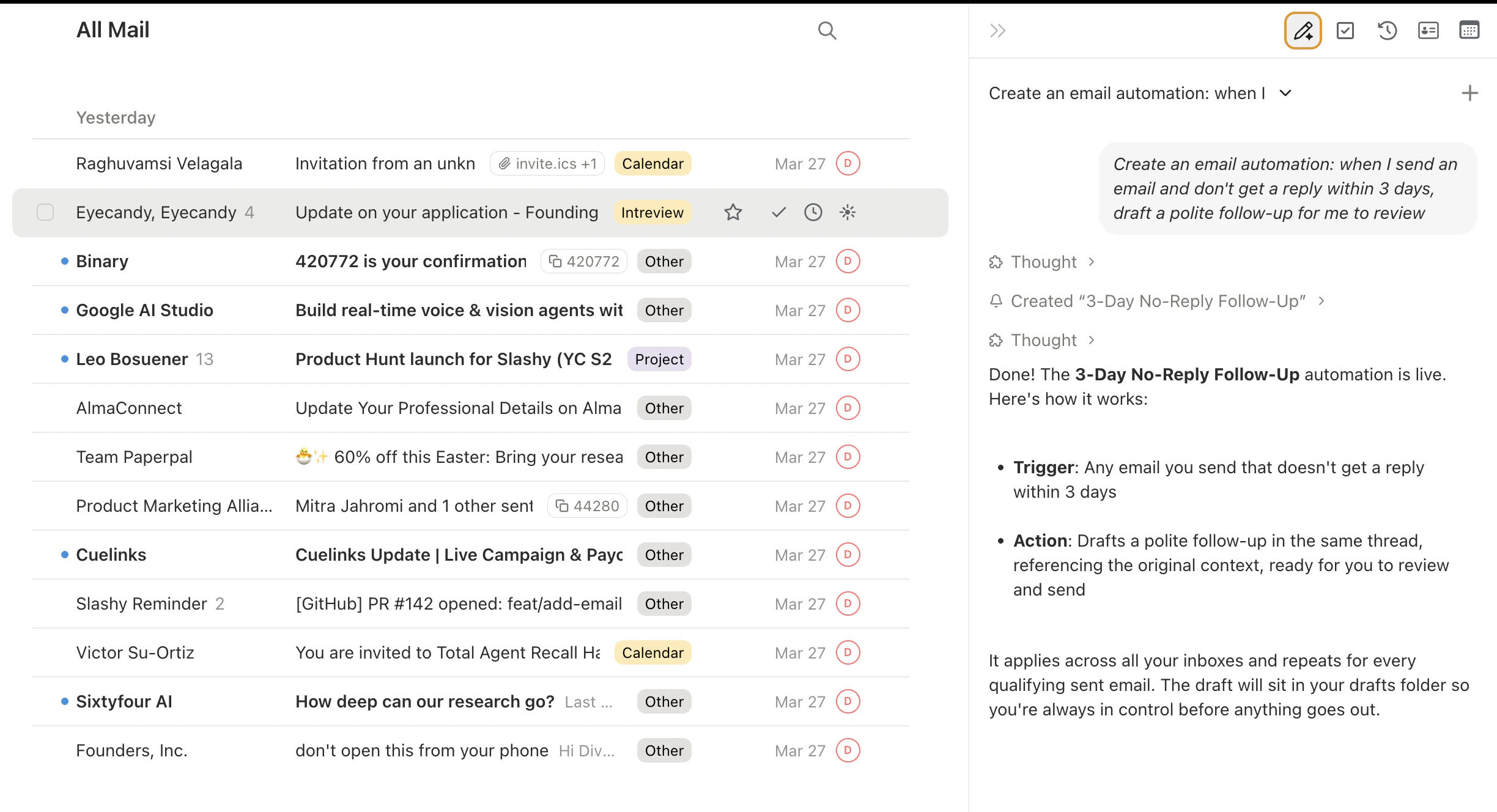
Press `Cmd+Shift+L`.
Type: *"Create an email automation: when I send an email and don't get a reply within 3 days, draft a polite follow-up for me to review."*
Review the trigger details. Follow-up drafts appear in your Drafts (`g d`).
 ## Customize Timing
Different situations need different timing:
* *"Follow up after 1 day for emails to @bigcustomer.com"*
* *"Follow up after 5 business days for cold outreach"*
* *"Follow up after 1 week for investor emails"*
Create multiple automations with different timing for different audiences.
## Per-Contact Customization
Add contact-specific memories via the contact sidebar (`p i`):
* *"High-value prospect. Follow up within 24 hours. Tone: warm but direct."*
* *"Slow responder. Wait 5 days before following up. Keep it brief."*
The agent reads contact memories when drafting, so tone and timing adjust per person automatically.
## CRM-Like Labels
Create importance labels that mirror a sales pipeline:
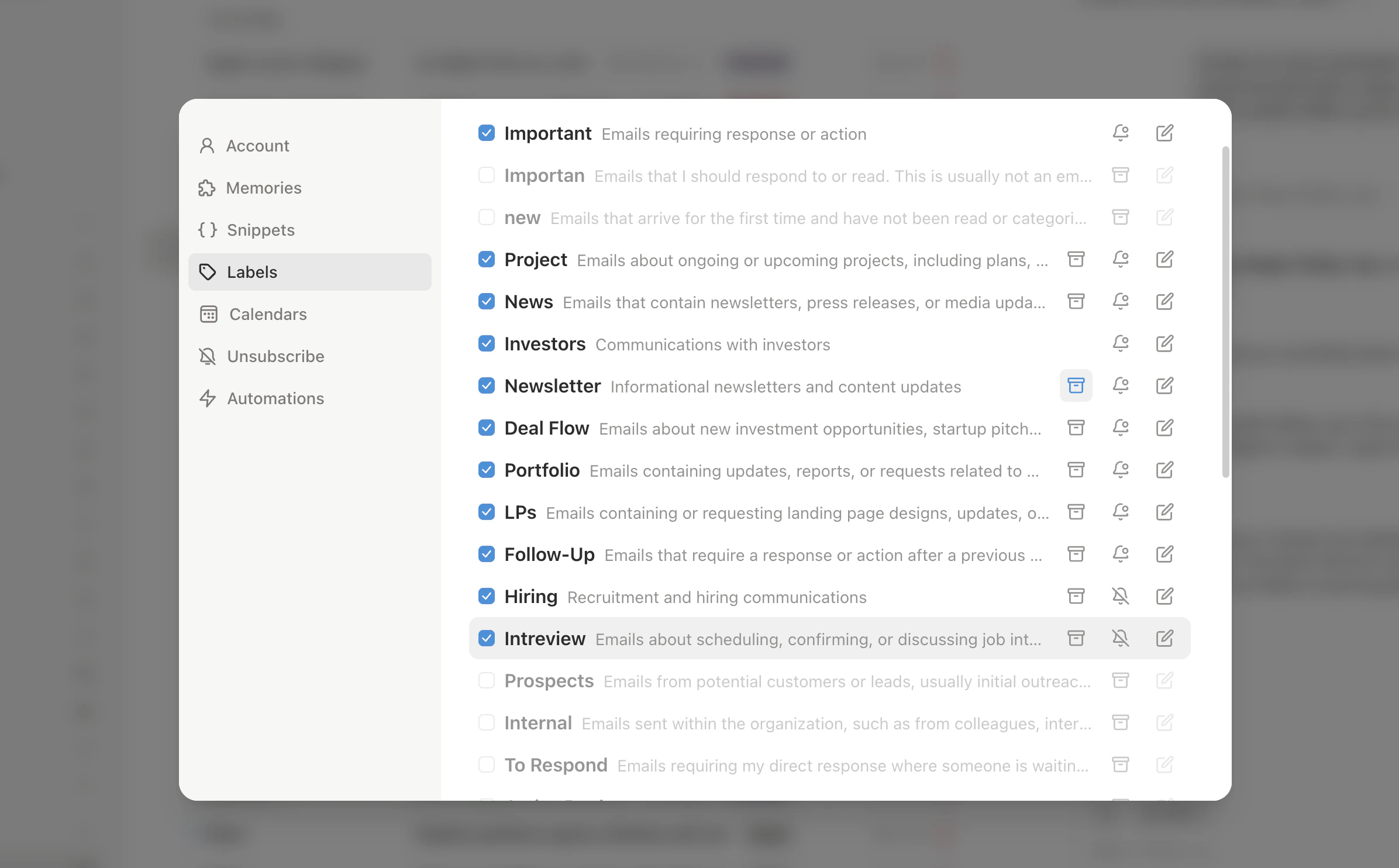
1. Go to **Settings > Labels** and create labels like **Prospects**, **Active Deals**, **Onboarding**, **Renewals**
2. Scope automations to specific labels: *"When I send to a Prospects thread and don't get a reply in 2 days, draft a follow-up."*
## Combine with Open Tracking
* *"When a prospect opens my email but doesn't reply within 2 days, draft a follow-up."* (highest-signal follow-up)
* *"When a prospect hasn't opened after 3 days, resend with a different subject line."*
## Follow-up Sequences
For cold outreach: *"Send a follow-up after 3 days. If still no reply after 5 more days, send a second. If still no reply after 7 more days, send a final follow-up and stop."*
The agent stops the sequence when the recipient replies.
## Customize Timing
Different situations need different timing:
* *"Follow up after 1 day for emails to @bigcustomer.com"*
* *"Follow up after 5 business days for cold outreach"*
* *"Follow up after 1 week for investor emails"*
Create multiple automations with different timing for different audiences.
## Per-Contact Customization
Add contact-specific memories via the contact sidebar (`p i`):
* *"High-value prospect. Follow up within 24 hours. Tone: warm but direct."*
* *"Slow responder. Wait 5 days before following up. Keep it brief."*
The agent reads contact memories when drafting, so tone and timing adjust per person automatically.
## CRM-Like Labels
Create importance labels that mirror a sales pipeline:
1. Go to **Settings > Labels** and create labels like **Prospects**, **Active Deals**, **Onboarding**, **Renewals**
2. Scope automations to specific labels: *"When I send to a Prospects thread and don't get a reply in 2 days, draft a follow-up."*
## Combine with Open Tracking
* *"When a prospect opens my email but doesn't reply within 2 days, draft a follow-up."* (highest-signal follow-up)
* *"When a prospect hasn't opened after 3 days, resend with a different subject line."*
## Follow-up Sequences
For cold outreach: *"Send a follow-up after 3 days. If still no reply after 5 more days, send a second. If still no reply after 7 more days, send a final follow-up and stop."*
The agent stops the sequence when the recipient replies.
 By default, follow-ups land in Drafts for review. To auto-send, tell the agent: *"Update my follow-up automation to send automatically."* Start with review mode until you trust the quality.
***
Monitor opens and set up VIP alerts.
Essential automations every user should set up.
By default, follow-ups land in Drafts for review. To auto-send, tell the agent: *"Update my follow-up automation to send automatically."* Start with review mode until you trust the quality.
***
Monitor opens and set up VIP alerts.
Essential automations every user should set up.