> ## Documentation Index
> Fetch the complete documentation index at: https://help.slashy.com/llms.txt
> Use this file to discover all available pages before exploring further.
# Batch Process Email with Keyboard Shortcuts
> Power user workflow for processing 50+ emails in 5 minutes using filters, bulk selection, and single-key actions.
Use filters to surface what matters, keyboard shortcuts to select in bulk, and single-key actions to archive, label, or trash entire batches. With practice, 50 emails in 5 minutes -- no mouse required.
## Core Shortcuts
| Shortcut | Action |
| --------------------- | ------------------------- |
| `j` / `k` | Move down / up |
| `Shift+J` / `Shift+K` | Select and move down / up |
| `Cmd+A` | Select all visible |
| `e` | Archive selected |
| `#` | Trash selected |
| `l` | Label selected |
| `s` | Star/unstar selected |
| `z` | Undo last action |
## The Workflow
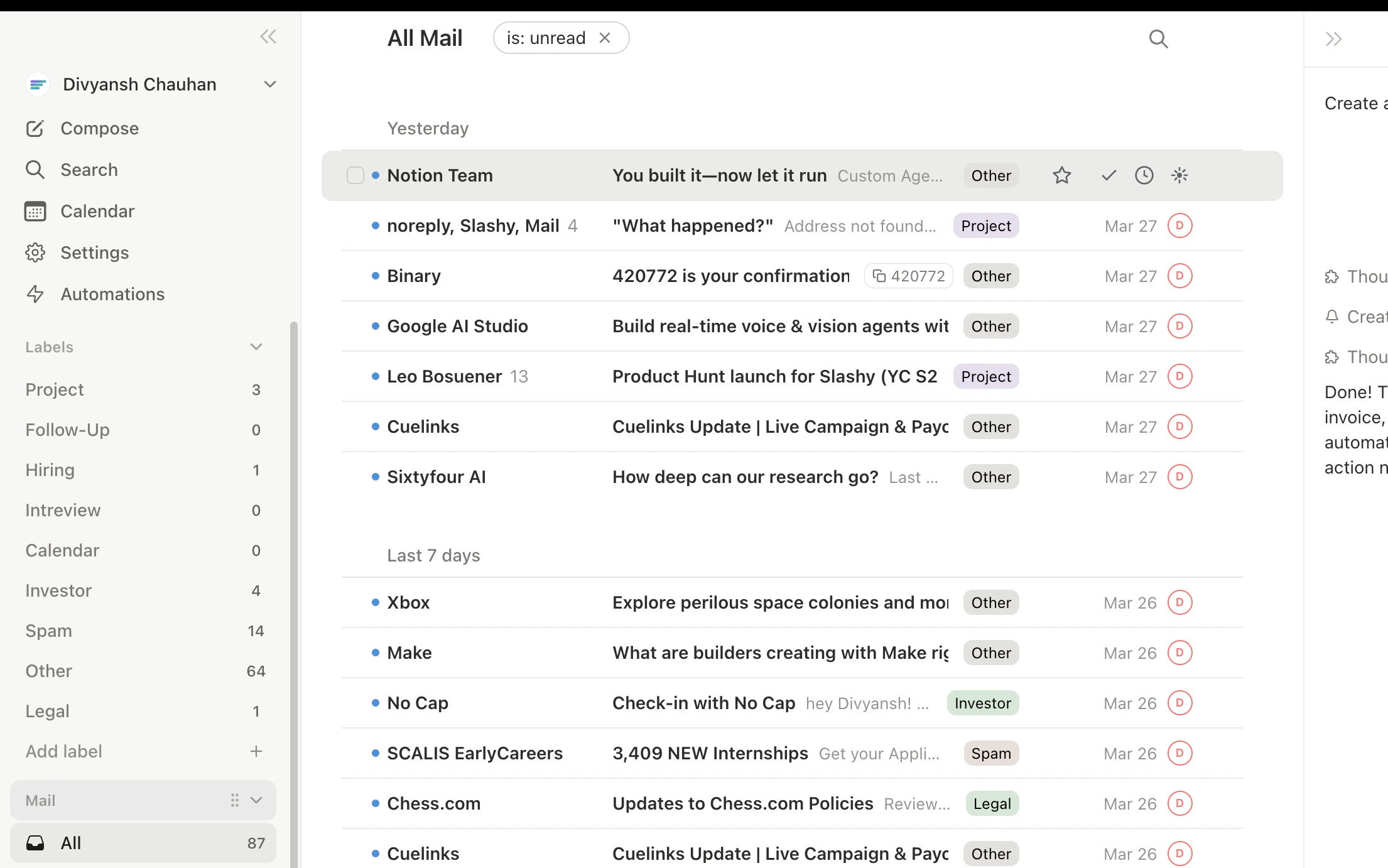
Narrow your view before selecting:
| Filter | Shortcut |
| -------------- | --------- |
| Unread only | `Shift+U` |
| Starred only | `Shift+S` |
| Important only | `Shift+I` |
| No Reply | `Shift+R` |
Press the same shortcut again to clear the filter.
**One by one:** `Shift+J` to select and move down. Keep pressing to select a batch. `Shift+K` to deselect and move back.
**Select all:** `Cmd+A` to select every visible thread (great for "archive all newsletters").
**Skip and select:** `j` past threads to keep, `Shift+J` to start selecting the rest.
One key applies to all selected: `e` archive, `#` trash, `l` label, `s` star, `h` snooze, `u` toggle read/unread. Made a mistake? `z` to undo.
 ## Complete Daily Workflow
1. **Start with a label.** `Tab` to your first importance label. Process it completely.
2. **Quick scan.** `j` down through subjects to gauge the batch.
3. **Reply to urgent items.** `Enter` to open, `r` to reply or `Cmd+Enter` for AI draft, `e` to archive after.
4. **Star deep-thought items.** `s` on threads you can't process now.
5. **Batch archive the rest.** `Shift+J` through remaining threads, then `e`.
6. **Next label.** `Tab` and repeat.
7. **Sweep.** `Shift+U` to catch unread stragglers.
## Complete Daily Workflow
1. **Start with a label.** `Tab` to your first importance label. Process it completely.
2. **Quick scan.** `j` down through subjects to gauge the batch.
3. **Reply to urgent items.** `Enter` to open, `r` to reply or `Cmd+Enter` for AI draft, `e` to archive after.
4. **Star deep-thought items.** `s` on threads you can't process now.
5. **Batch archive the rest.** `Shift+J` through remaining threads, then `e`.
6. **Next label.** `Tab` and repeat.
7. **Sweep.** `Shift+U` to catch unread stragglers.
 ## Speed Tips
* **Process least important labels first.** Clear Newsletter and Notifications (mostly bulk-archivable) before focusing on Important.
* **Don't read every email.** Scan subjects and senders. Archive anything that isn't urgent.
* **Automate recurring patterns.** If you archive the same type daily, create an automation or use block (`Cmd+U`) and unsubscribe (`Cmd+Shift+U`).
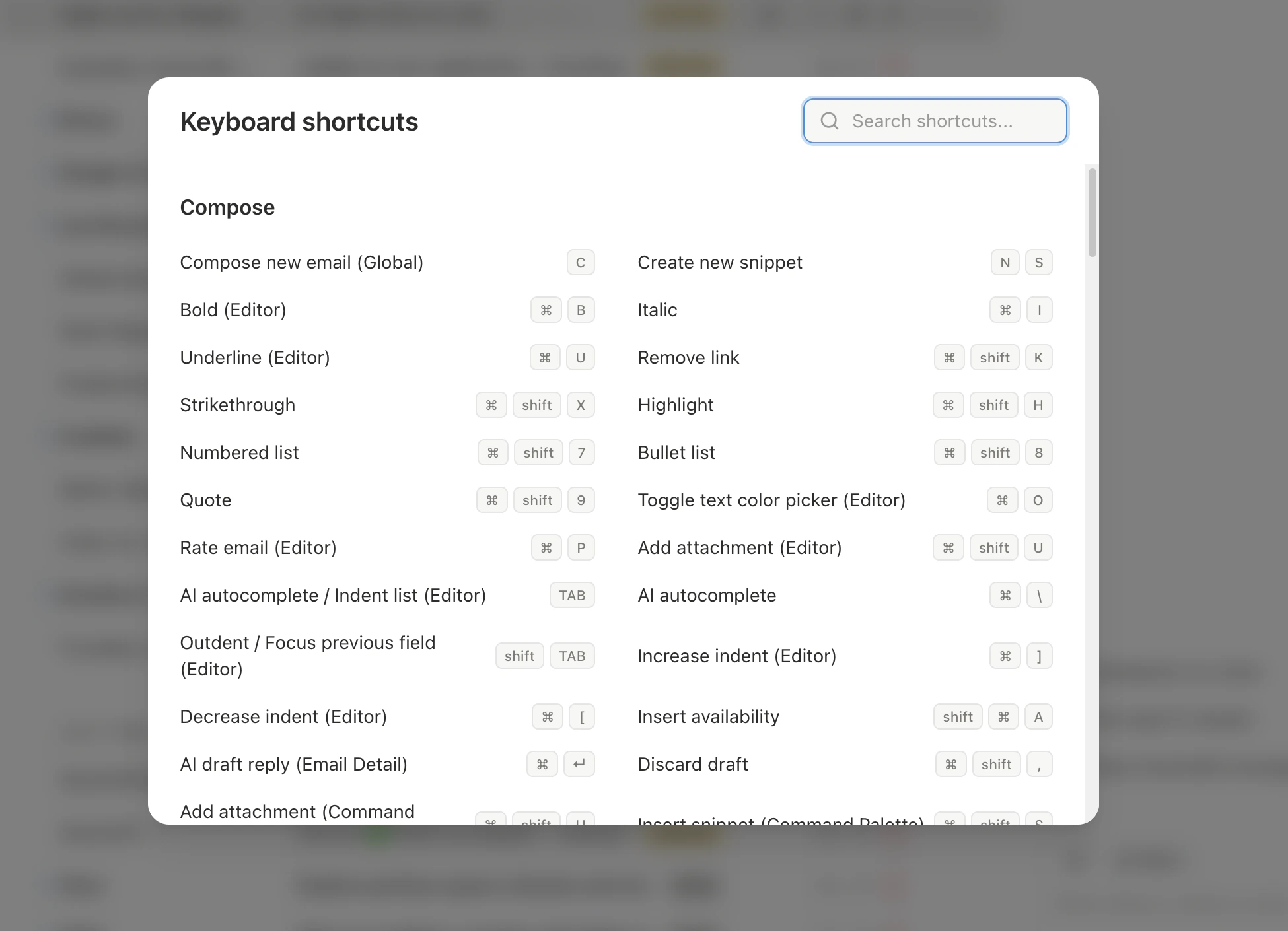
Press `Shift+?` anytime to see the full keyboard shortcuts reference.
Bulk actions apply to **all selected threads**. Always check your selection before pressing `e` (archive) or `#` (trash). Press `z` immediately to undo if you make a mistake.
***
## Related Articles
The 5-minute daily inbox zero workflow
Complete shortcut reference for every view
The three principles of AI-first email
Generate replies while batch processing
## Speed Tips
* **Process least important labels first.** Clear Newsletter and Notifications (mostly bulk-archivable) before focusing on Important.
* **Don't read every email.** Scan subjects and senders. Archive anything that isn't urgent.
* **Automate recurring patterns.** If you archive the same type daily, create an automation or use block (`Cmd+U`) and unsubscribe (`Cmd+Shift+U`).
Press `Shift+?` anytime to see the full keyboard shortcuts reference.
Bulk actions apply to **all selected threads**. Always check your selection before pressing `e` (archive) or `#` (trash). Press `z` immediately to undo if you make a mistake.
***
## Related Articles
The 5-minute daily inbox zero workflow
Complete shortcut reference for every view
The three principles of AI-first email
Generate replies while batch processing