> ## Documentation Index
> Fetch the complete documentation index at: https://help.slashy.com/llms.txt
> Use this file to discover all available pages before exploring further.
# What does Slashy do that my inbox doesn't?
> Slashy is the layer that reads, organizes, drafts, and acts inside your Gmail, so the busywork happens before you open it.
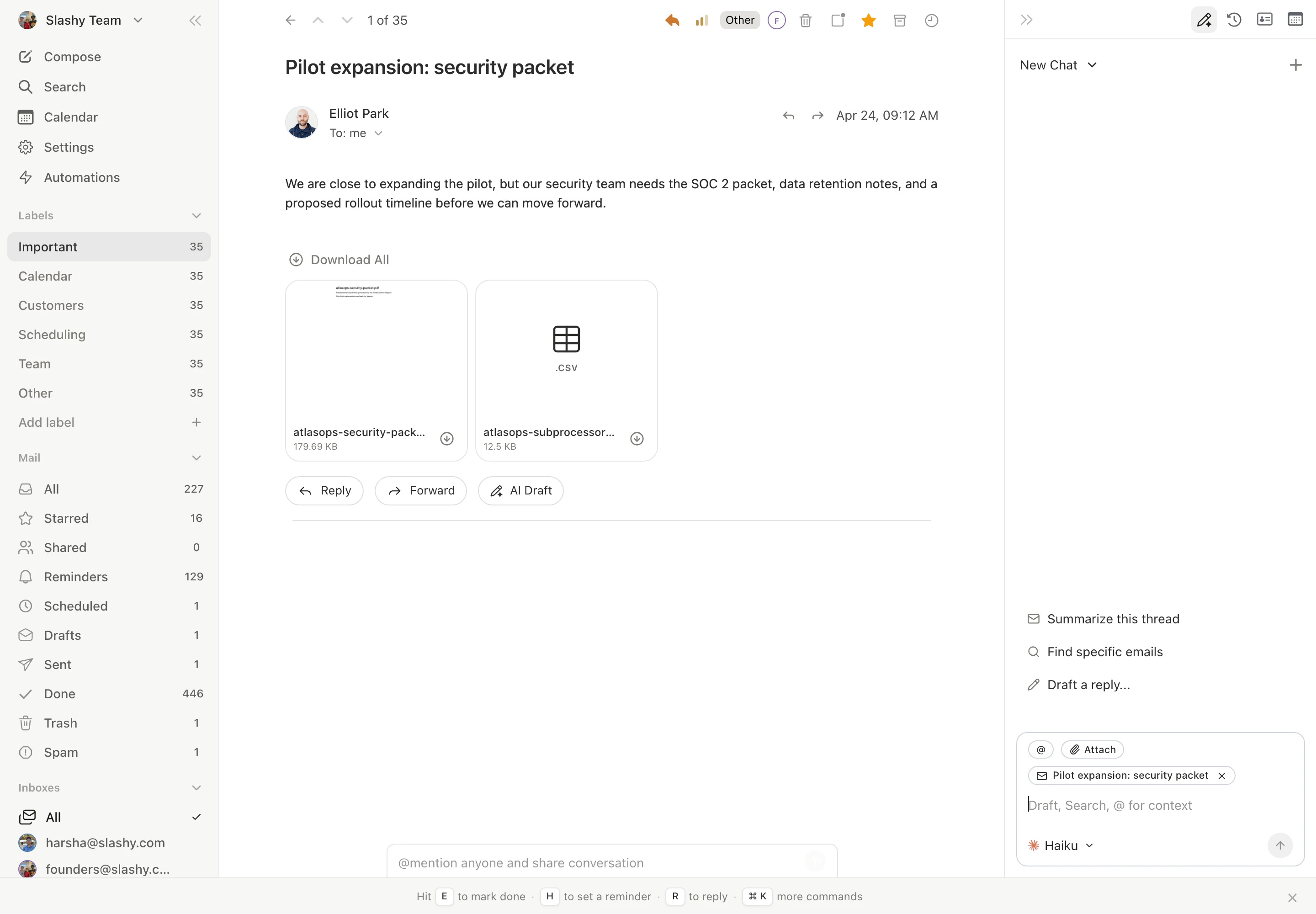
Slashy runs on top of your existing Gmail. The difference is that Slashy does not just store and show your mail, it works it: triaging, drafting in your voice, and taking action inside the inbox so you spend less time there.
 ## The shift
A chatbot in another tab can answer questions, but it cannot see your inbox, act on a thread, or remember how you write. Slashy lives inside your email and does.
| You want to | In a plain inbox | In Slashy |
| ------------------------ | --------------------------- | ------------------------------------------------------------------------------ |
| Find what matters | Scan everything yourself | AI labels sort it into Important, Newsletter, Billing, and your own categories |
| Reply | Write from scratch | A draft in your voice is waiting, ready to edit and send |
| Follow up | Remember on your own | Auto-reminders surface the thread if no one replies |
| Know who you're emailing | Open the CRM in another tab | Account context appears in the sidebar |
| Act on the go | Open the app | Text the iMessage or Slack agent to draft, search, and schedule |
## What you actually get
* **Triage that happens before you arrive.** [Importance labels](/getting-started/importance-labels) classify your inbox so the first thing you see is what needs you.
* **Drafts in your voice.** Slashy [learns how you write](/how-to-guides/customize-agent) and drafts replies you can send with one keystroke.
* **Automations you describe in plain English.** "Draft a reply when a customer asks about pricing." See [10 automations to start with](/how-to-guides/10-automations).
* **A follow-up safety net.** Slashy tracks [opens](/how-to-guides/track-opens) and reminds you to [never miss a follow-up](/how-to-guides/never-miss-followup).
* **CRM context where you read mail.** [HubSpot](/features/integrations/hubspot), [Attio](/features/integrations/attio), and [Salesforce](/features/integrations/salesforce) records in the sidebar.
* **The same agent everywhere.** The [iMessage](/how-to-guides/imessage-setup) and [Slack](/features/integrations/slack) agents give you Slashy from your phone or your team chat.
## You keep Gmail
None of this replaces Gmail. Slashy syncs with your existing account both ways and changes nothing about your mail itself. See [Does Slashy change my Gmail?](/getting-started/does-slashy-change-gmail).
The fastest path to value.
How power users run their inbox.
Let AI triage your inbox.
Put the busywork on autopilot.
## The shift
A chatbot in another tab can answer questions, but it cannot see your inbox, act on a thread, or remember how you write. Slashy lives inside your email and does.
| You want to | In a plain inbox | In Slashy |
| ------------------------ | --------------------------- | ------------------------------------------------------------------------------ |
| Find what matters | Scan everything yourself | AI labels sort it into Important, Newsletter, Billing, and your own categories |
| Reply | Write from scratch | A draft in your voice is waiting, ready to edit and send |
| Follow up | Remember on your own | Auto-reminders surface the thread if no one replies |
| Know who you're emailing | Open the CRM in another tab | Account context appears in the sidebar |
| Act on the go | Open the app | Text the iMessage or Slack agent to draft, search, and schedule |
## What you actually get
* **Triage that happens before you arrive.** [Importance labels](/getting-started/importance-labels) classify your inbox so the first thing you see is what needs you.
* **Drafts in your voice.** Slashy [learns how you write](/how-to-guides/customize-agent) and drafts replies you can send with one keystroke.
* **Automations you describe in plain English.** "Draft a reply when a customer asks about pricing." See [10 automations to start with](/how-to-guides/10-automations).
* **A follow-up safety net.** Slashy tracks [opens](/how-to-guides/track-opens) and reminds you to [never miss a follow-up](/how-to-guides/never-miss-followup).
* **CRM context where you read mail.** [HubSpot](/features/integrations/hubspot), [Attio](/features/integrations/attio), and [Salesforce](/features/integrations/salesforce) records in the sidebar.
* **The same agent everywhere.** The [iMessage](/how-to-guides/imessage-setup) and [Slack](/features/integrations/slack) agents give you Slashy from your phone or your team chat.
## You keep Gmail
None of this replaces Gmail. Slashy syncs with your existing account both ways and changes nothing about your mail itself. See [Does Slashy change my Gmail?](/getting-started/does-slashy-change-gmail).
The fastest path to value.
How power users run their inbox.
Let AI triage your inbox.
Put the busywork on autopilot.