> ## Documentation Index
> Fetch the complete documentation index at: https://help.slashy.com/llms.txt
> Use this file to discover all available pages before exploring further.
# Security & Privacy
> How Slashy protects your data -- certifications, encryption, AI provider contracts, and data deletion.
Slashy handles your email, calendar, and contacts. Security is the foundation, not a feature.
 ## Certifications
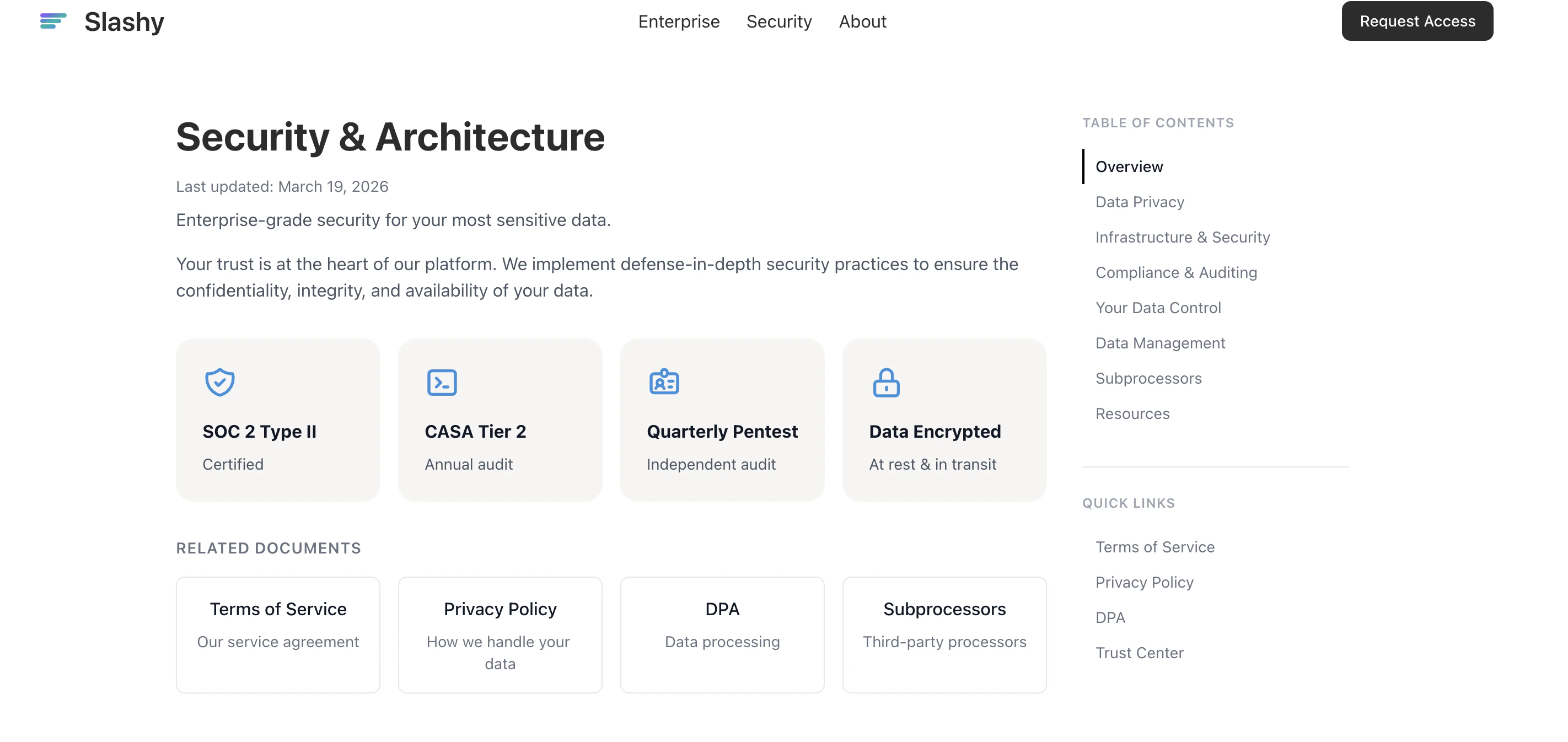
| Certification | Status |
| ----------------------- | ------------------------------------------------------ |
| **SOC 2 Type II** | Audited annually |
| **CASA Tier 2** | Google Cloud Application Security Assessment -- passed |
| **Penetration Testing** | Quarterly, independent third-party firm |
| **Encryption** | AES-256 at rest, TLS 1.2+ in transit |
Full compliance docs: [slashy.com/security](https://slashy.com/security)
## AI and Your Data
**Does the AI train on my emails?** No.
Every AI provider is contractually bound to a zero-training agreement. Your data is processed to generate a response and then discarded.
| AI Provider | Used For | Trains on Your Data? |
| ------------------ | ----------------------------- | ------------------------------ |
| Anthropic (Claude) | Drafts, agent, automations | No -- contractually prohibited |
| OpenAI | Drafts, editing, autocomplete | No -- contractually prohibited |
| Google (Gemini) | Categorization, search | No -- contractually prohibited |
| Groq | Fast inference tasks | No -- contractually prohibited |
Only the minimum necessary context (email thread, memories, calendar if relevant) is sent to providers.
## Prompt Injection Protection
Malicious emails can contain hidden instructions to trick AI assistants. Slashy sanitizes and isolates incoming email content from system instructions before it reaches any model. The agent cannot take unauthorized actions and flags suspicious content.
## What Data Slashy Stores
* **Email metadata and content** -- cached for fast access
* **Calendar events** -- synced from Google Calendar
* **Agent conversations** -- your AI sidebar chat history
* **Memories** -- preferences, contacts, writing style
* **Automation logs** -- what ran and when
* **Usage analytics** -- anonymous, via PostHog
All stored data: AES-256 at rest, TLS 1.2+ in transit.
## OAuth Access Model
* Slashy never sees or stores your Google password
* You grant specific permissions you can revoke anytime at [myaccount.google.com/permissions](https://myaccount.google.com/permissions)
* OAuth tokens stored encrypted, refreshed automatically
* Same model applies to optional integrations (Zoom, Granola)
## Data Deletion Timeline
| Step | Timing | What Happens |
| ------------- | --------------- | -------------------------------------------------------- |
| Revoke access | Immediate | OAuth tokens invalidated. No more email/calendar access. |
| Hard delete | Within 24 hours | All data permanently deleted from production. |
| Backup purge | Within 7 days | Data removed from encrypted backups. |
Delete your account from **Settings > Account** or email [founders@slashy.com](mailto:founders@slashy.com).
## Trust at a Glance
Audited annually by an independent firm
No AI provider trains on your data
Data encrypted at rest and in transit
## Common Security Questions
Encrypted servers in the United States, hosted on AWS with SOC 2 compliance. All data encrypted with AES-256 at rest and TLS 1.2+ in transit.
No. Employee access to production data is restricted, logged, and auditable. No one reads your email unless you explicitly share it for debugging.
Yes. Visit [slashy.com/security](https://slashy.com/security) to request the full report, pen test summary, and compliance documents.
Yes. Email [founders@slashy.com](mailto:founders@slashy.com) with details. We respond within 24 hours.
Yes. Slashy is built for professionals handling sensitive email. SOC 2 Type II audited, quarterly pen-tested, and all AI providers contractually prohibited from training on your data. Many VC firms, startups, and enterprise teams use Slashy for confidential communications.
Slashy maintains an incident response plan tested quarterly. In the event of a breach, affected users are notified within 72 hours per GDPR requirements. Encrypted data at rest means raw email content is not exposed even if infrastructure is compromised.
Yes. Slashy uses standard Google OAuth 2.0 with scoped permissions. Your Workspace admin can approve Slashy as a trusted app and control which users can connect. See [Connecting Gmail](/getting-started/connecting-gmail) for permission details.
***
## Related Articles
How AI providers handle your data
What Slashy stores and your controls
OAuth permissions and what Slashy accesses
How sending and Read Mode work
Full list of infrastructure providers
## Certifications
| Certification | Status |
| ----------------------- | ------------------------------------------------------ |
| **SOC 2 Type II** | Audited annually |
| **CASA Tier 2** | Google Cloud Application Security Assessment -- passed |
| **Penetration Testing** | Quarterly, independent third-party firm |
| **Encryption** | AES-256 at rest, TLS 1.2+ in transit |
Full compliance docs: [slashy.com/security](https://slashy.com/security)
## AI and Your Data
**Does the AI train on my emails?** No.
Every AI provider is contractually bound to a zero-training agreement. Your data is processed to generate a response and then discarded.
| AI Provider | Used For | Trains on Your Data? |
| ------------------ | ----------------------------- | ------------------------------ |
| Anthropic (Claude) | Drafts, agent, automations | No -- contractually prohibited |
| OpenAI | Drafts, editing, autocomplete | No -- contractually prohibited |
| Google (Gemini) | Categorization, search | No -- contractually prohibited |
| Groq | Fast inference tasks | No -- contractually prohibited |
Only the minimum necessary context (email thread, memories, calendar if relevant) is sent to providers.
## Prompt Injection Protection
Malicious emails can contain hidden instructions to trick AI assistants. Slashy sanitizes and isolates incoming email content from system instructions before it reaches any model. The agent cannot take unauthorized actions and flags suspicious content.
## What Data Slashy Stores
* **Email metadata and content** -- cached for fast access
* **Calendar events** -- synced from Google Calendar
* **Agent conversations** -- your AI sidebar chat history
* **Memories** -- preferences, contacts, writing style
* **Automation logs** -- what ran and when
* **Usage analytics** -- anonymous, via PostHog
All stored data: AES-256 at rest, TLS 1.2+ in transit.
## OAuth Access Model
* Slashy never sees or stores your Google password
* You grant specific permissions you can revoke anytime at [myaccount.google.com/permissions](https://myaccount.google.com/permissions)
* OAuth tokens stored encrypted, refreshed automatically
* Same model applies to optional integrations (Zoom, Granola)
## Data Deletion Timeline
| Step | Timing | What Happens |
| ------------- | --------------- | -------------------------------------------------------- |
| Revoke access | Immediate | OAuth tokens invalidated. No more email/calendar access. |
| Hard delete | Within 24 hours | All data permanently deleted from production. |
| Backup purge | Within 7 days | Data removed from encrypted backups. |
Delete your account from **Settings > Account** or email [founders@slashy.com](mailto:founders@slashy.com).
## Trust at a Glance
Audited annually by an independent firm
No AI provider trains on your data
Data encrypted at rest and in transit
## Common Security Questions
Encrypted servers in the United States, hosted on AWS with SOC 2 compliance. All data encrypted with AES-256 at rest and TLS 1.2+ in transit.
No. Employee access to production data is restricted, logged, and auditable. No one reads your email unless you explicitly share it for debugging.
Yes. Visit [slashy.com/security](https://slashy.com/security) to request the full report, pen test summary, and compliance documents.
Yes. Email [founders@slashy.com](mailto:founders@slashy.com) with details. We respond within 24 hours.
Yes. Slashy is built for professionals handling sensitive email. SOC 2 Type II audited, quarterly pen-tested, and all AI providers contractually prohibited from training on your data. Many VC firms, startups, and enterprise teams use Slashy for confidential communications.
Slashy maintains an incident response plan tested quarterly. In the event of a breach, affected users are notified within 72 hours per GDPR requirements. Encrypted data at rest means raw email content is not exposed even if infrastructure is compromised.
Yes. Slashy uses standard Google OAuth 2.0 with scoped permissions. Your Workspace admin can approve Slashy as a trusted app and control which users can connect. See [Connecting Gmail](/getting-started/connecting-gmail) for permission details.
***
## Related Articles
How AI providers handle your data
What Slashy stores and your controls
OAuth permissions and what Slashy accesses
How sending and Read Mode work
Full list of infrastructure providers