> ## Documentation Index
> Fetch the complete documentation index at: https://help.slashy.com/llms.txt
> Use this file to discover all available pages before exploring further.
# Redeeming an invite code
> Skip the payment step with a referral or invite code.
An invite code lets you start using Slashy without entering a card. You apply it during signup, and the payment step is bypassed for the window the code allows.
## Where to enter a code
During signup, after you finish connecting your email account, you reach the plan step. The plan step has a field labelled Invite code right above the payment form. Paste the code there and submit.
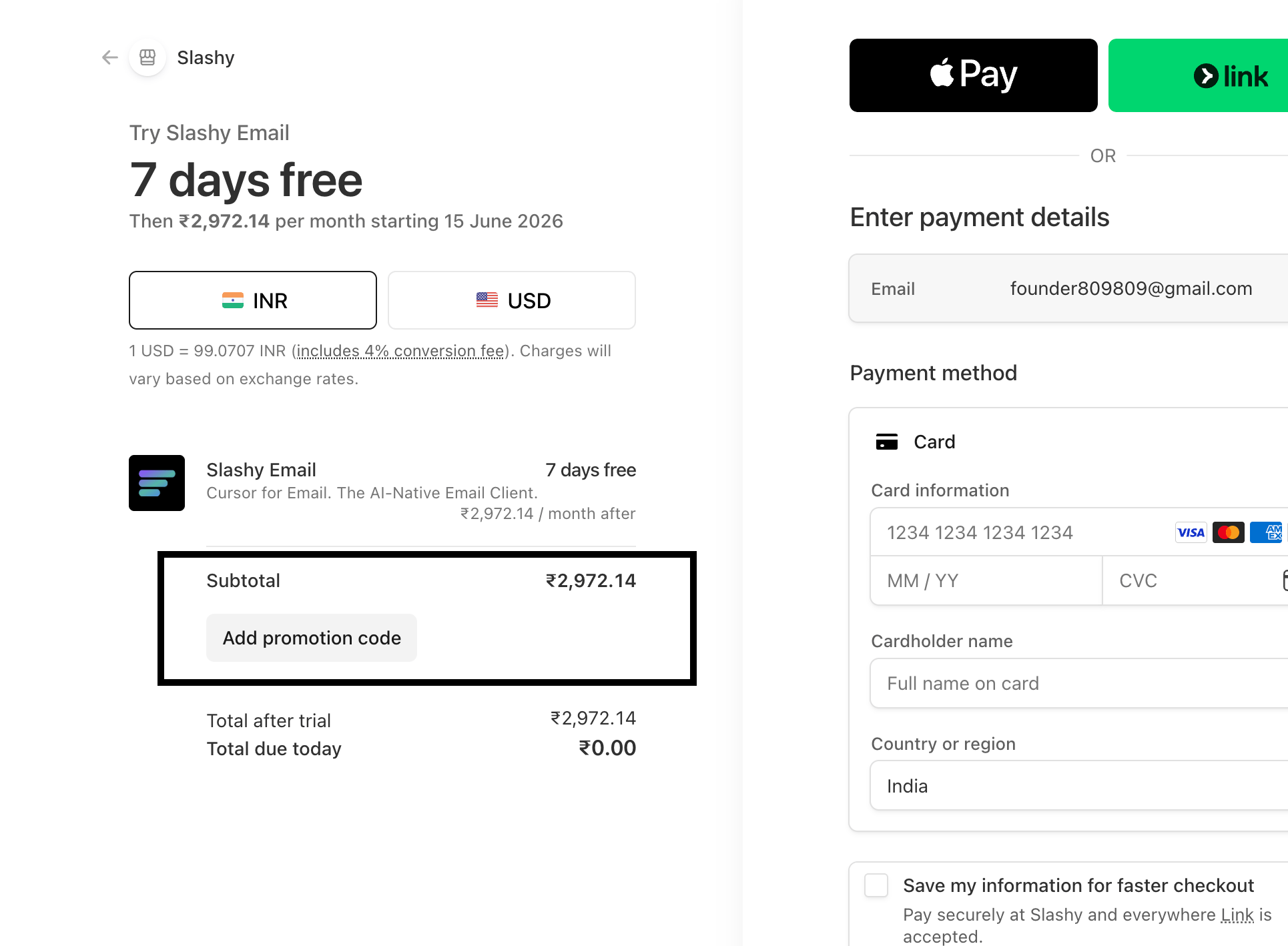 Finish account connection during signup until you see the plan and payment screen.
Drop the invite code into the Invite code field.
Click Apply. If the code is valid, the payment form is replaced with a confirmation.
Finish signup and Slashy opens with full access.
## What an invite code does
A code bypasses the payment step at signup. You get full access to Slashy without a card on file for the window the code allows. After that window, you add a card to keep using Slashy, the same way you would after a regular trial ends.
Codes are valid for a limited time and number of uses set by the person who shared it. Once a code reaches either limit, it stops working for new signups.
## If redemption fails
A few reasons a code might not apply:
Codes have a time window and a usage cap. Ask the person who shared the code whether either limit has been reached, and ask them to issue a new one if needed.
Codes are case insensitive but otherwise must match exactly. Re-copy from the source instead of retyping.
An account can only redeem a code once. If you are already past signup, the field is no longer shown and the existing plan applies. Reach out to support if a teammate sent you a code for an account you have already started.
If none of the above explains it, contact support with the code and the email you signed up with and we will sort it.
How the standard trial and Stripe billing work.
Get into your Slashy account.
Bring your inbox into Slashy.
A walkthrough of the trial period.
Finish account connection during signup until you see the plan and payment screen.
Drop the invite code into the Invite code field.
Click Apply. If the code is valid, the payment form is replaced with a confirmation.
Finish signup and Slashy opens with full access.
## What an invite code does
A code bypasses the payment step at signup. You get full access to Slashy without a card on file for the window the code allows. After that window, you add a card to keep using Slashy, the same way you would after a regular trial ends.
Codes are valid for a limited time and number of uses set by the person who shared it. Once a code reaches either limit, it stops working for new signups.
## If redemption fails
A few reasons a code might not apply:
Codes have a time window and a usage cap. Ask the person who shared the code whether either limit has been reached, and ask them to issue a new one if needed.
Codes are case insensitive but otherwise must match exactly. Re-copy from the source instead of retyping.
An account can only redeem a code once. If you are already past signup, the field is no longer shown and the existing plan applies. Reach out to support if a teammate sent you a code for an account you have already started.
If none of the above explains it, contact support with the code and the email you signed up with and we will sort it.
How the standard trial and Stripe billing work.
Get into your Slashy account.
Bring your inbox into Slashy.
A walkthrough of the trial period.