> ## Documentation Index
> Fetch the complete documentation index at: https://help.slashy.com/llms.txt
> Use this file to discover all available pages before exploring further.
# Does Slashy change my Gmail?
> How Slashy syncs with Gmail: actions stay in sync both ways, nothing is deleted on its own, and disconnecting leaves Gmail untouched.
Slashy is a faster front end for the same Gmail account, not a separate copy. Your mail stays in Gmail, and the actions you take in Slashy sync back so the two always match.
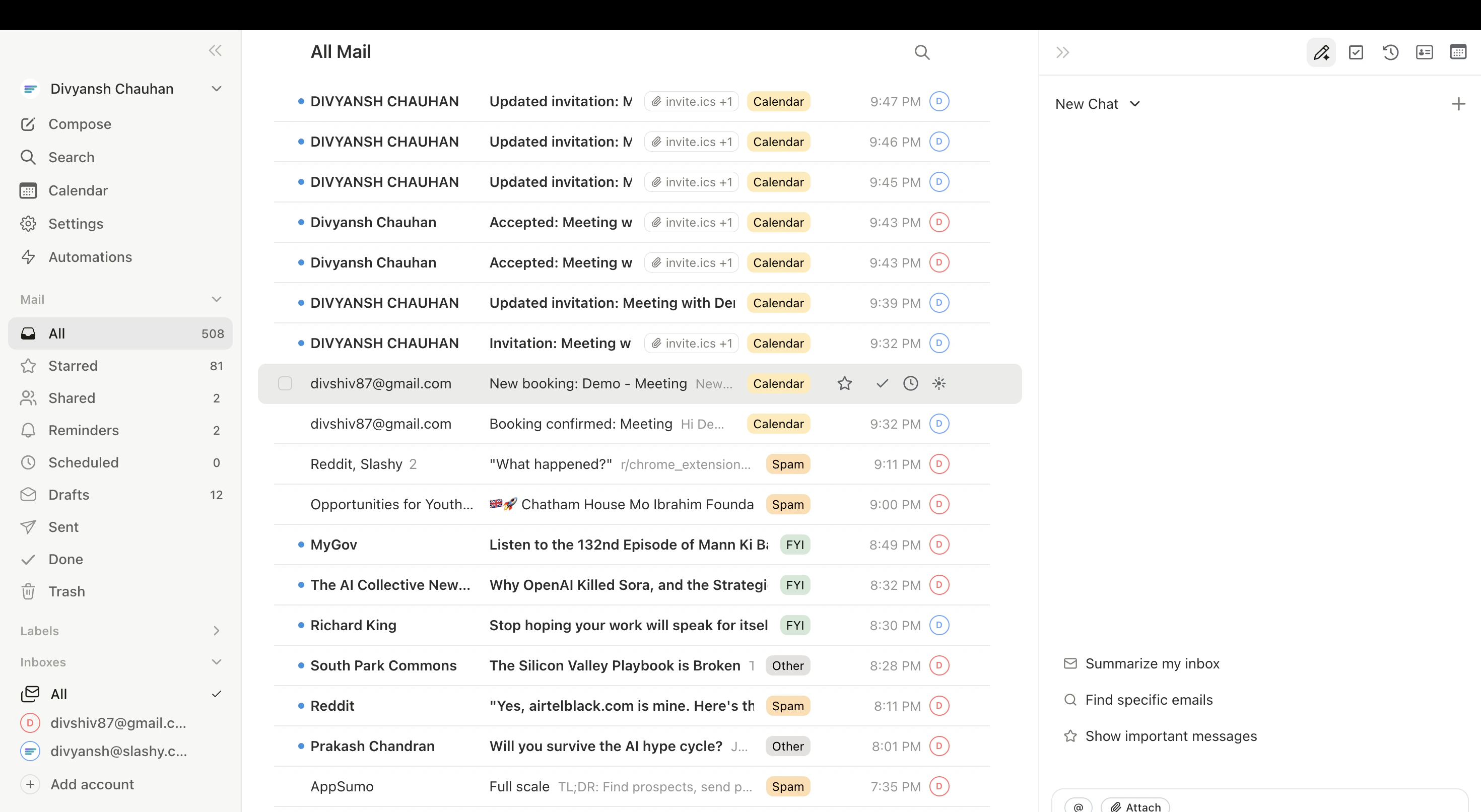 ## Everything stays in sync, both ways
Slashy reads your live Gmail and writes changes straight back to it:
* Archive or mark a thread **Done** in Slashy and it archives in Gmail.
* Apply a label in Slashy and it shows up in Gmail.
* Send from Slashy and the message lands in your Gmail Sent folder.
* Read an email in Gmail on your phone and it shows as read in Slashy.
The reverse is also true. Anything you do in Gmail appears in Slashy.
Importance labels (Important, Newsletter, Billing, and so on) are Slashy's own organizing layer on top of your inbox. They sort what you already have, they do not move mail out of Gmail.
## Slashy does not delete your mail
Slashy never permanently deletes email on its own. Trashing a thread moves it to your Gmail Trash, exactly as it would if you did it in Gmail, where it stays recoverable for 30 days. You can restore archived mail any time. See [Restoring archived emails](/how-to-guides/restoring-archived-emails).
## Your filters and history are safe
Connecting Slashy does not touch your existing Gmail filters, your folder and label structure, or your message history. Slashy works alongside them.
## Disconnecting changes nothing
If you ever disconnect, your Gmail is left exactly as it is. Slashy simply stops syncing. See [Disconnect, pause, or reconnect](/troubleshooting/disconnect).
What access Slashy asks for and why.
What Slashy can and cannot do.
Step away without losing anything.
Bring anything back.
## Everything stays in sync, both ways
Slashy reads your live Gmail and writes changes straight back to it:
* Archive or mark a thread **Done** in Slashy and it archives in Gmail.
* Apply a label in Slashy and it shows up in Gmail.
* Send from Slashy and the message lands in your Gmail Sent folder.
* Read an email in Gmail on your phone and it shows as read in Slashy.
The reverse is also true. Anything you do in Gmail appears in Slashy.
Importance labels (Important, Newsletter, Billing, and so on) are Slashy's own organizing layer on top of your inbox. They sort what you already have, they do not move mail out of Gmail.
## Slashy does not delete your mail
Slashy never permanently deletes email on its own. Trashing a thread moves it to your Gmail Trash, exactly as it would if you did it in Gmail, where it stays recoverable for 30 days. You can restore archived mail any time. See [Restoring archived emails](/how-to-guides/restoring-archived-emails).
## Your filters and history are safe
Connecting Slashy does not touch your existing Gmail filters, your folder and label structure, or your message history. Slashy works alongside them.
## Disconnecting changes nothing
If you ever disconnect, your Gmail is left exactly as it is. Slashy simply stops syncing. See [Disconnect, pause, or reconnect](/troubleshooting/disconnect).
What access Slashy asks for and why.
What Slashy can and cannot do.
Step away without losing anything.
Bring anything back.