> ## Documentation Index
> Fetch the complete documentation index at: https://help.slashy.com/llms.txt
> Use this file to discover all available pages before exploring further.
# Teaching Slashy About You: AI Memories
> How to create, manage, and use AI memories to personalize drafts, automations, and agent behavior.
Memories are facts, preferences, and instructions Slashy stores and applies every time it drafts, answers a question, or runs an automation. More memories mean more personalized, accurate output.
## Memory Types
| Type | What It Stores | Example |
| ---------------- | ---------------------------------------- | -------------------------------------------------- |
| **About Me** | Your preferences, rules, writing style | "I prefer short, direct emails with no filler." |
| **About Entity** | Facts about a person, company, or domain | "Sarah at Sequoia prefers calls for urgent items." |
| **Todo** | Commitments with optional due dates | "Follow up with James about Q4 budget by Friday." |
| **Snippet** | Saved email phrases and templates | A standard onboarding intro paragraph. |
The AI retrieves the right memories automatically based on context -- replying to Sarah pulls your About Me preferences plus any entity memories anchored to her.
## The Anchor System
Anchors control when a memory surfaces:
| Anchor | Format | When It Surfaces |
| ------------ | --------------------- | --------------------------------------- |
| **Email** | `john@sequoia.com` | Interactions with that address |
| **Domain** | `@sequoia.com` | Interactions with anyone at that domain |
| **Activity** | `activity:scheduling` | When the AI performs that activity |
| **Always** | `always` | Every interaction |
## Creating Memories
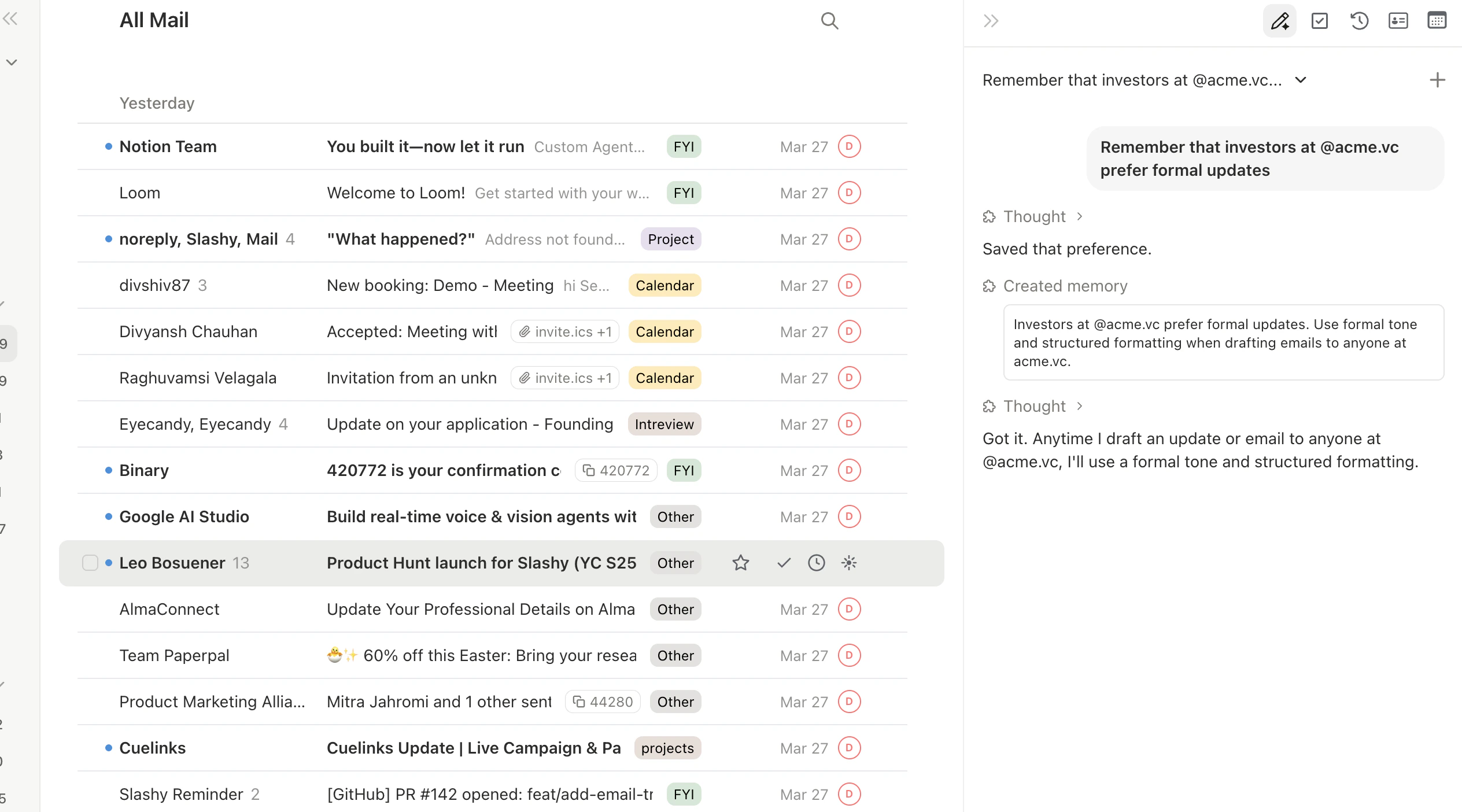
Open the sidebar (`Cmd+Shift+L`) and tell the agent what to remember in plain English:
* *"Remember that I never use exclamation marks."* -- Saved as About Me, anchor: always
* *"Remember Mike at Acme prefers bullet points."* -- Saved as About Entity, anchored to Mike's email
* *"When scheduling, always offer my Zoom link and three time slots."* -- About Me, anchor: activity:scheduling
The agent infers type and anchor automatically. Correct it if needed.
Go to **Settings > Memories** (`Cmd+,`), click **Add Memory**, choose type, write content, set anchor, and save.
 ## Auto-Extraction
Slashy automatically extracts memories from your emails and agent conversations. If a contact mentions parental leave or you commit to sending a document by Friday, the AI creates the memory for you. Review auto-extracted memories periodically in **Settings > Memories** and delete anything stale.
## Managing Memories
## Auto-Extraction
Slashy automatically extracts memories from your emails and agent conversations. If a contact mentions parental leave or you commit to sending a document by Friday, the AI creates the memory for you. Review auto-extracted memories periodically in **Settings > Memories** and delete anything stale.
## Managing Memories
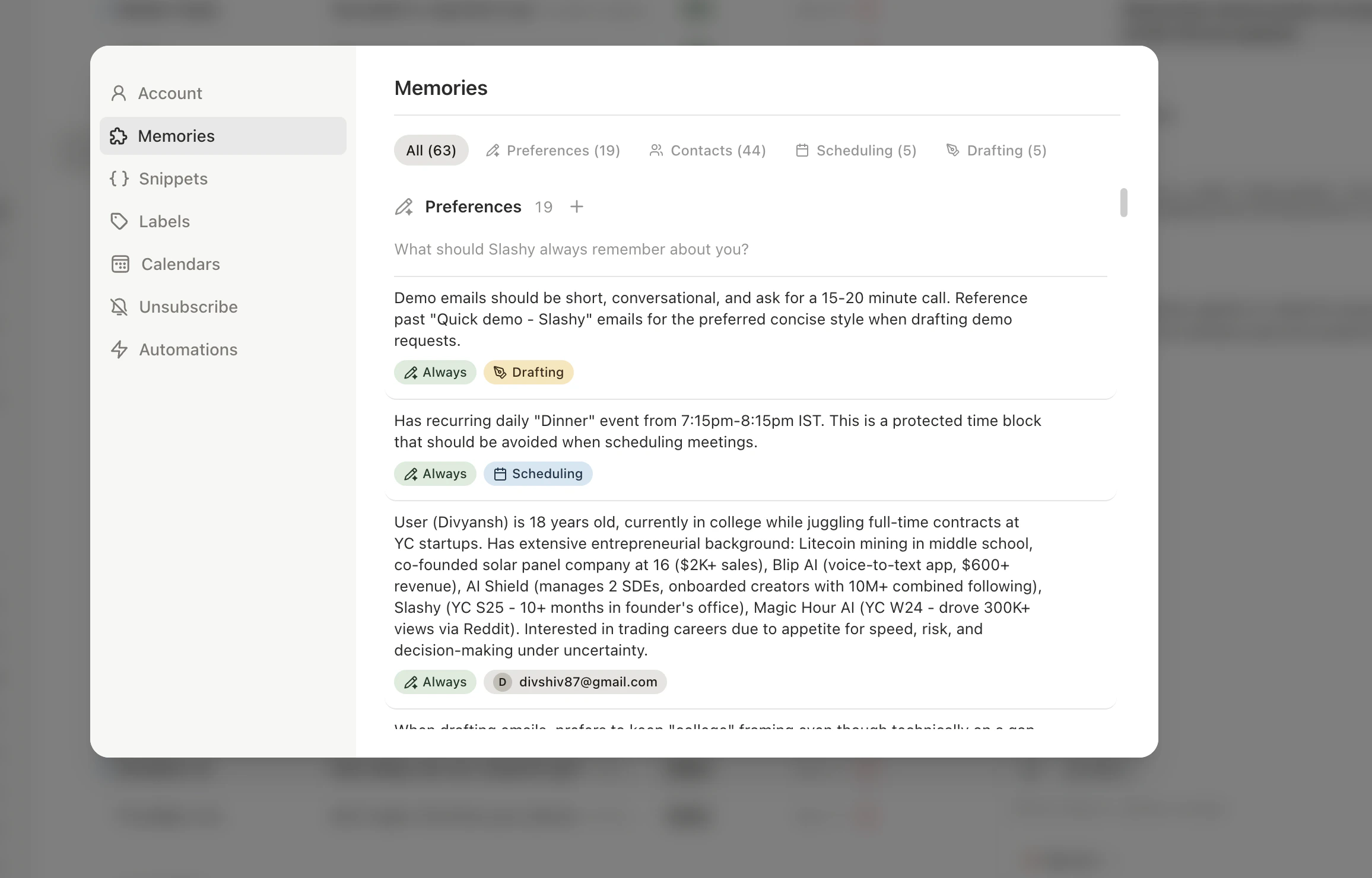 In **Settings > Memories** you can browse, filter, edit, and delete memories. Changes take effect immediately. You can also ask the agent: *"Delete the memory about John's old phone number"* or *"Update my scheduling memory to include my new Zoom link."*
Todo memories auto-dismiss 14 days past their due date to prevent stale commitments from cluttering your memory system.
## Best Practices
* **Start with 3-5 writing style memories.** These have the biggest immediate impact on draft quality.
* **Add entity memories for frequent contacts.** Drafts improve significantly with recipient context.
* **Be specific.** "Limit emails to 3 sentences unless the topic requires detail" beats "Keep emails short."
* **Review auto-extracted memories monthly.** Stale information hurts quality.
* **Use activity anchors** for context-specific rules (scheduling vs. drafting).
***
## Related Articles
Fine-tune tone, sign-offs, and phrasing.
The drafting pipeline and how to train it.
Ghost text predictions powered by your memories.
How Slashy protects your data and memories.
In **Settings > Memories** you can browse, filter, edit, and delete memories. Changes take effect immediately. You can also ask the agent: *"Delete the memory about John's old phone number"* or *"Update my scheduling memory to include my new Zoom link."*
Todo memories auto-dismiss 14 days past their due date to prevent stale commitments from cluttering your memory system.
## Best Practices
* **Start with 3-5 writing style memories.** These have the biggest immediate impact on draft quality.
* **Add entity memories for frequent contacts.** Drafts improve significantly with recipient context.
* **Be specific.** "Limit emails to 3 sentences unless the topic requires detail" beats "Keep emails short."
* **Review auto-extracted memories monthly.** Stale information hurts quality.
* **Use activity anchors** for context-specific rules (scheduling vs. drafting).
***
## Related Articles
Fine-tune tone, sign-offs, and phrasing.
The drafting pipeline and how to train it.
Ghost text predictions powered by your memories.
How Slashy protects your data and memories.