> ## Documentation Index
> Fetch the complete documentation index at: https://help.slashy.com/llms.txt
> Use this file to discover all available pages before exploring further.
# Display & Theme Settings
> Customize Slashy's appearance with Light, Dark, and System themes, high contrast mode, compose layout, thread display, and inbox grouping options.
All display settings live in **Settings > Account** (`Cmd+,`). Changes take effect immediately.
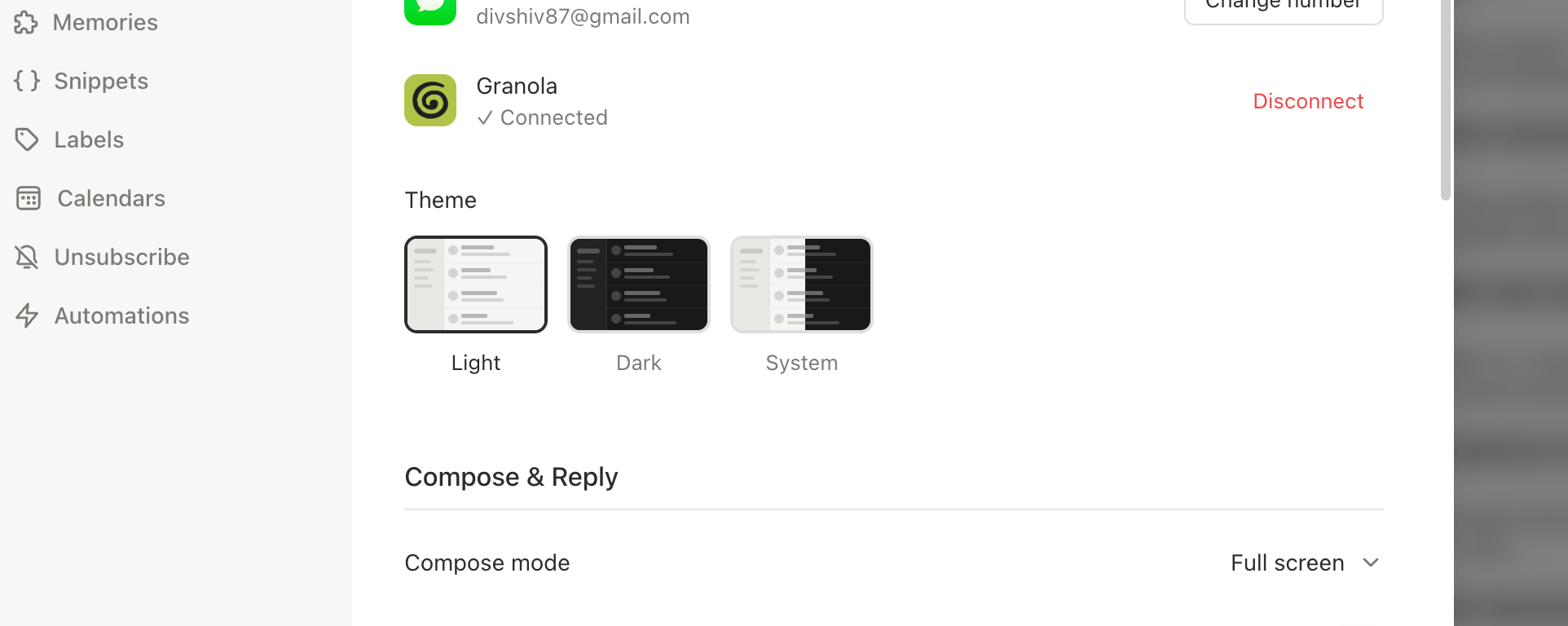 ## Theme
| Theme | Description |
| ---------- | ------------------------------------------------------------- |
| **Light** | Bright backgrounds, dark text. Best in well-lit environments. |
| **Dark** | Dark backgrounds, light text. Reduces glare in low light. |
| **System** | Follows your OS appearance setting automatically. |
## Theme
| Theme | Description |
| ---------- | ------------------------------------------------------------- |
| **Light** | Bright backgrounds, dark text. Best in well-lit environments. |
| **Dark** | Dark backgrounds, light text. Reduces glare in low light. |
| **System** | Follows your OS appearance setting automatically. |
 ## High Contrast Mode
Increases visual distinction between UI elements -- sharper text, more visible borders, clearer interactive elements. Toggle in **Settings > Account**.
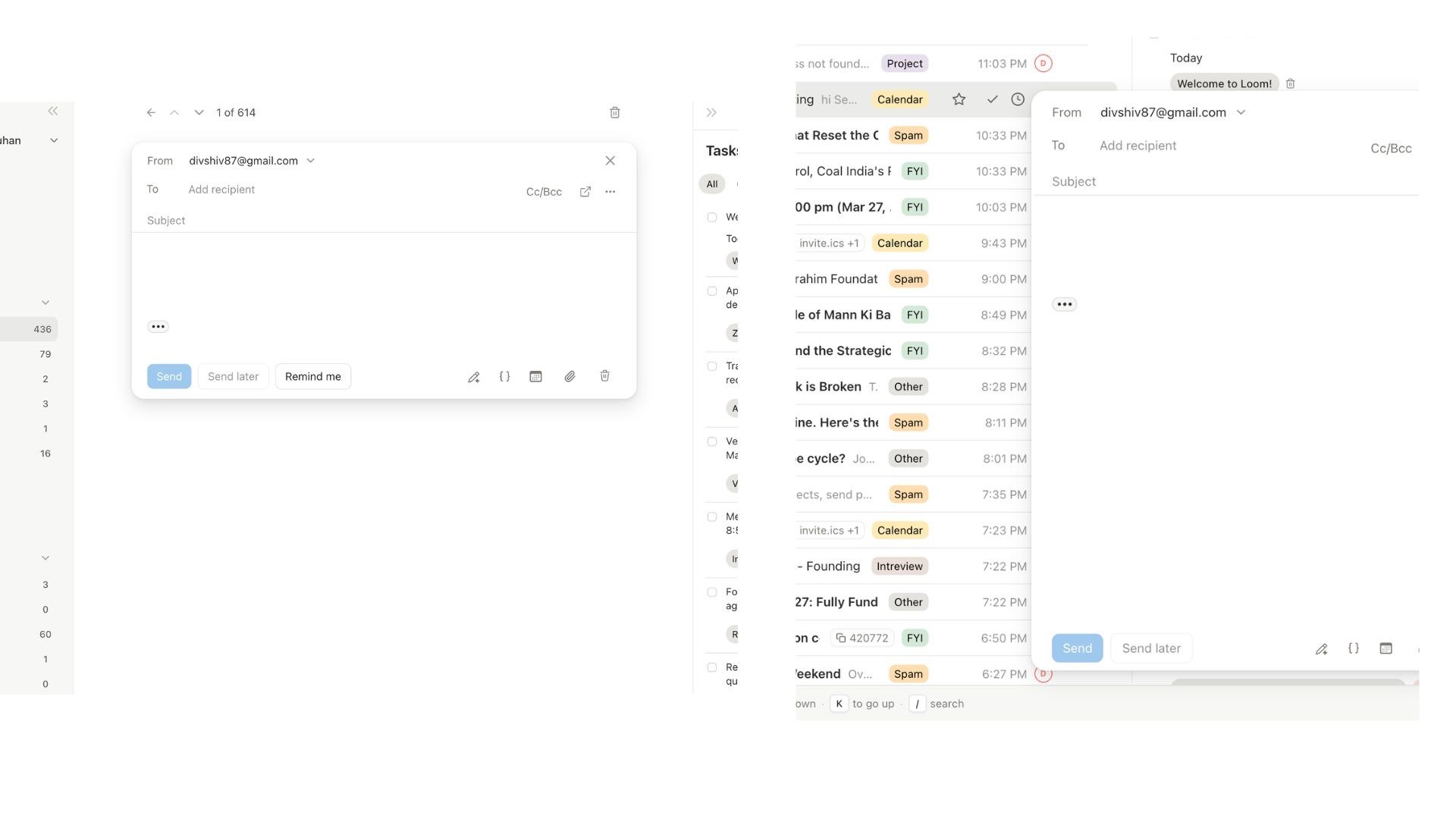
## Compose Mode
| Mode | Description |
| --------------- | -------------------------------------------------------------------------------------------- |
| **Full-screen** | Editor takes over the main area. One email at a time (default). |
| **Pop-up** | Floating window. Multiple drafts, inbox visible behind. Toggle per-draft with `Cmd+Shift+P`. |
## Thread Display
| Mode | Description |
| ------------- | -------------------------------------------------- |
| **Full page** | Thread takes over main area with expanded messages |
| **Compact** | Condensed view alongside the thread list |
## Default View
| View | Description |
| ------------ | --------------------------------------- |
| **Inbox** | Only emails in your inbox (default) |
| **All Mail** | All emails regardless of archive status |
## Top Section Grouping
Pin certain emails to the top of your inbox list:
| Mode | Description |
| ----------- | ----------------------------- |
| **None** | Single chronological list |
| **Unread** | Unread emails grouped at top |
| **Starred** | Starred emails grouped at top |
Emails move between sections in real time as you read, star, or unstar them.
## Other Options
* **Show unread counts** -- sidebar shows unread thread count per label instead of total count
* **Show spam folder** -- makes the Spam entry visible in the sidebar (Gmail still handles filtering)
## All Settings at a Glance
| Setting | Options | Default |
| -------------------- | --------------------- | ----------- |
| Theme | Light, Dark, System | System |
| High contrast | On / Off | Off |
| Compose mode | Full-screen, Pop-up | Full-screen |
| Thread display | Full page, Compact | Full page |
| Default view | Inbox, All Mail | Inbox |
| Show unread counts | On / Off | Off |
| Top section grouping | None, Unread, Starred | None |
| Show spam folder | On / Off | Off |
| Action | Shortcut |
| --------------------- | ----------------- |
| Open display settings | `Cmd+,` > Account |
| Toggle sidebar | `Cmd+B` |
| Pop out compose | `Cmd+Shift+P` |
| Switch to All Mail | `g a` |
| Filter unread | `Shift+U` |
| Filter starred | `Shift+S` |
***
Navigate Slashy at full speed
Rich text editor and compose modes
## High Contrast Mode
Increases visual distinction between UI elements -- sharper text, more visible borders, clearer interactive elements. Toggle in **Settings > Account**.
## Compose Mode
| Mode | Description |
| --------------- | -------------------------------------------------------------------------------------------- |
| **Full-screen** | Editor takes over the main area. One email at a time (default). |
| **Pop-up** | Floating window. Multiple drafts, inbox visible behind. Toggle per-draft with `Cmd+Shift+P`. |
## Thread Display
| Mode | Description |
| ------------- | -------------------------------------------------- |
| **Full page** | Thread takes over main area with expanded messages |
| **Compact** | Condensed view alongside the thread list |
## Default View
| View | Description |
| ------------ | --------------------------------------- |
| **Inbox** | Only emails in your inbox (default) |
| **All Mail** | All emails regardless of archive status |
## Top Section Grouping
Pin certain emails to the top of your inbox list:
| Mode | Description |
| ----------- | ----------------------------- |
| **None** | Single chronological list |
| **Unread** | Unread emails grouped at top |
| **Starred** | Starred emails grouped at top |
Emails move between sections in real time as you read, star, or unstar them.
## Other Options
* **Show unread counts** -- sidebar shows unread thread count per label instead of total count
* **Show spam folder** -- makes the Spam entry visible in the sidebar (Gmail still handles filtering)
## All Settings at a Glance
| Setting | Options | Default |
| -------------------- | --------------------- | ----------- |
| Theme | Light, Dark, System | System |
| High contrast | On / Off | Off |
| Compose mode | Full-screen, Pop-up | Full-screen |
| Thread display | Full page, Compact | Full page |
| Default view | Inbox, All Mail | Inbox |
| Show unread counts | On / Off | Off |
| Top section grouping | None, Unread, Starred | None |
| Show spam folder | On / Off | Off |
| Action | Shortcut |
| --------------------- | ----------------- |
| Open display settings | `Cmd+,` > Account |
| Toggle sidebar | `Cmd+B` |
| Pop out compose | `Cmd+Shift+P` |
| Switch to All Mail | `g a` |
| Filter unread | `Shift+U` |
| Filter starred | `Shift+S` |
***
Navigate Slashy at full speed
Rich text editor and compose modes